23
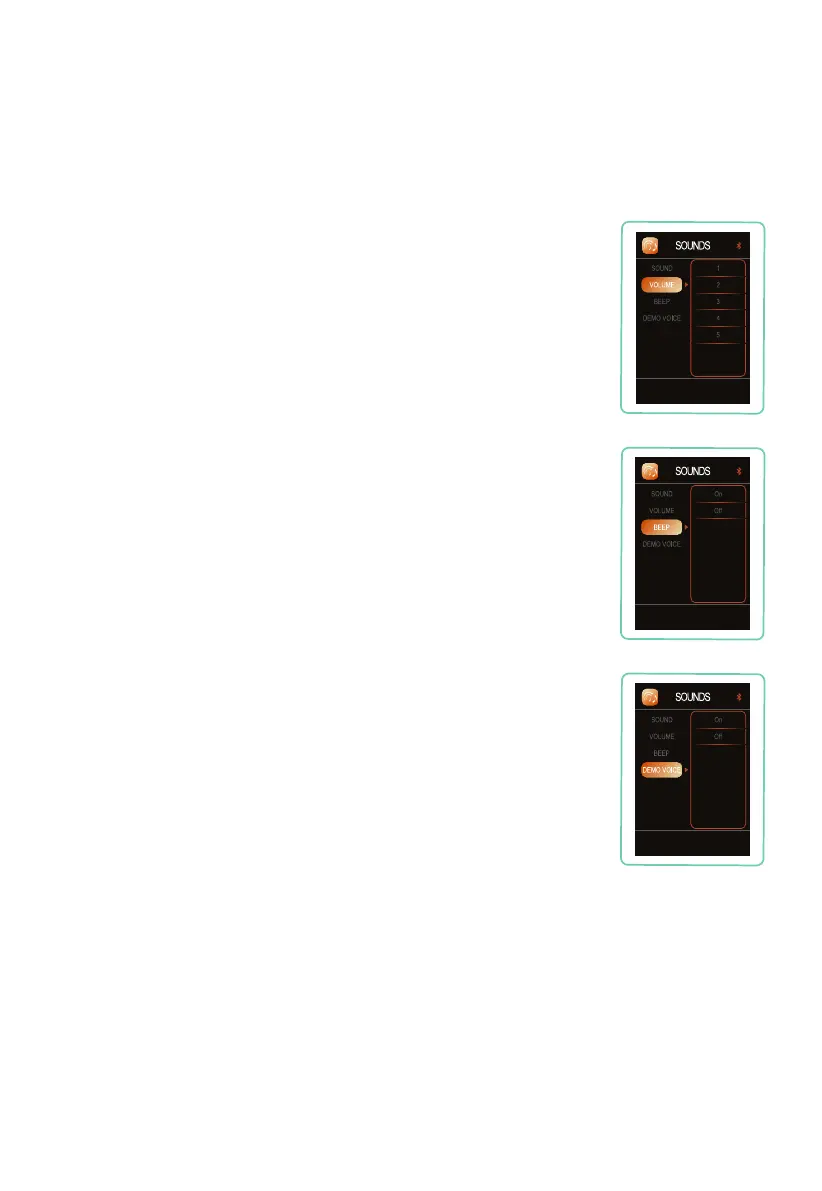
Navigate to DEMO VOICE, press right button, then press up or down
button to select your desired setting: On, or Off. Press OK button to
select the setting. Voice demo only works in the Demo program.
Demo Voice
Navigate to BEEP, press right button, then press up or down button
to select your desired remote control beep setting: 1 = lowest, 2, 3, 4,
5 = highest. Press OK button to select the volume setting.
Remote Control Beep
Navigate to VOLUME, press right button, then press up or down
button to select your desired volume setting: 1 = lowest, 2, 3, 4, 5 =
highest. Press OK button to select the volume setting.
Volume










 To Next Page