26
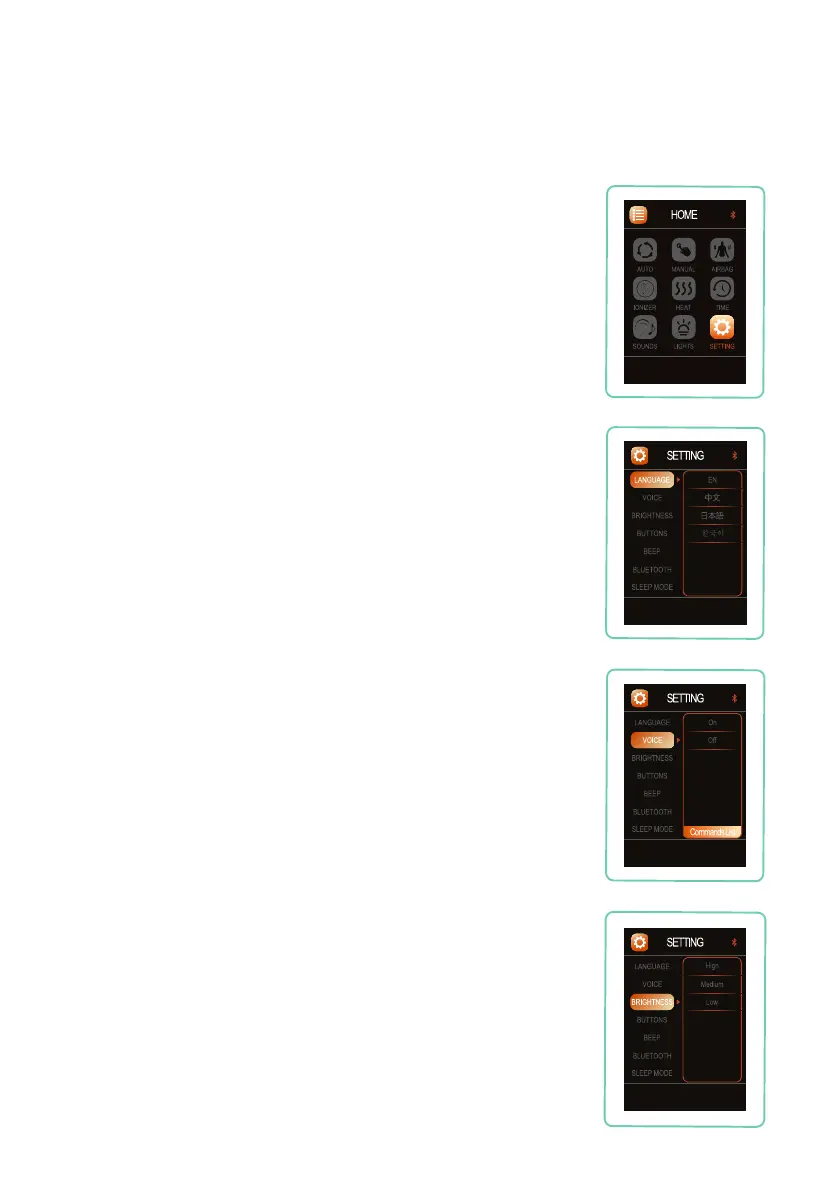
Remote Control Screen Brightness
Navigate to BRIGHTNESS, press right button, then press up
or down button to select your desired remote control screen
brightness setting: High, Medium, or Low. Press OK button to
select the setting.
Settings
Language
Navigate to LANGUAGE, press right button, then use the up or
down button to select your desired language: English, Chinese,
Japanese, or Korean. Press OK button to select language.
Voice Control
Navigate to VOICE, press right button, then press up or down
button to select your desired voice control setting: On, or Off. Press
OK button to select the setting.
To activate voice control function without going into settings, touch
the button on the left speaker or say “Switch to voice mode”.
Select SETTING from Home display, then use the up or down
button to toggle between Language, Bluetooth, Power Save or
Voice.
Setting












 To Next Page