06) The available submenus are:
● SCREEN REVERSE: The display will be flipped, depending on the position of the Infinity(AUTO/NO).
● PAN REVERSE: NO/YES
● TILT REVERSE: NO/YES
● PAN ANGLE: 540°/360°/180°
● TILT ANGLE: 270°/180°/90°
● AUTO PAN INVERT: Pan will be flipped, depending on the position of the Infinity (ON/OFF).
● BACKLIGHT TIMER: The amount of time which needs to pass for the display to turn off (5 min./1
min./30 sec./ON)
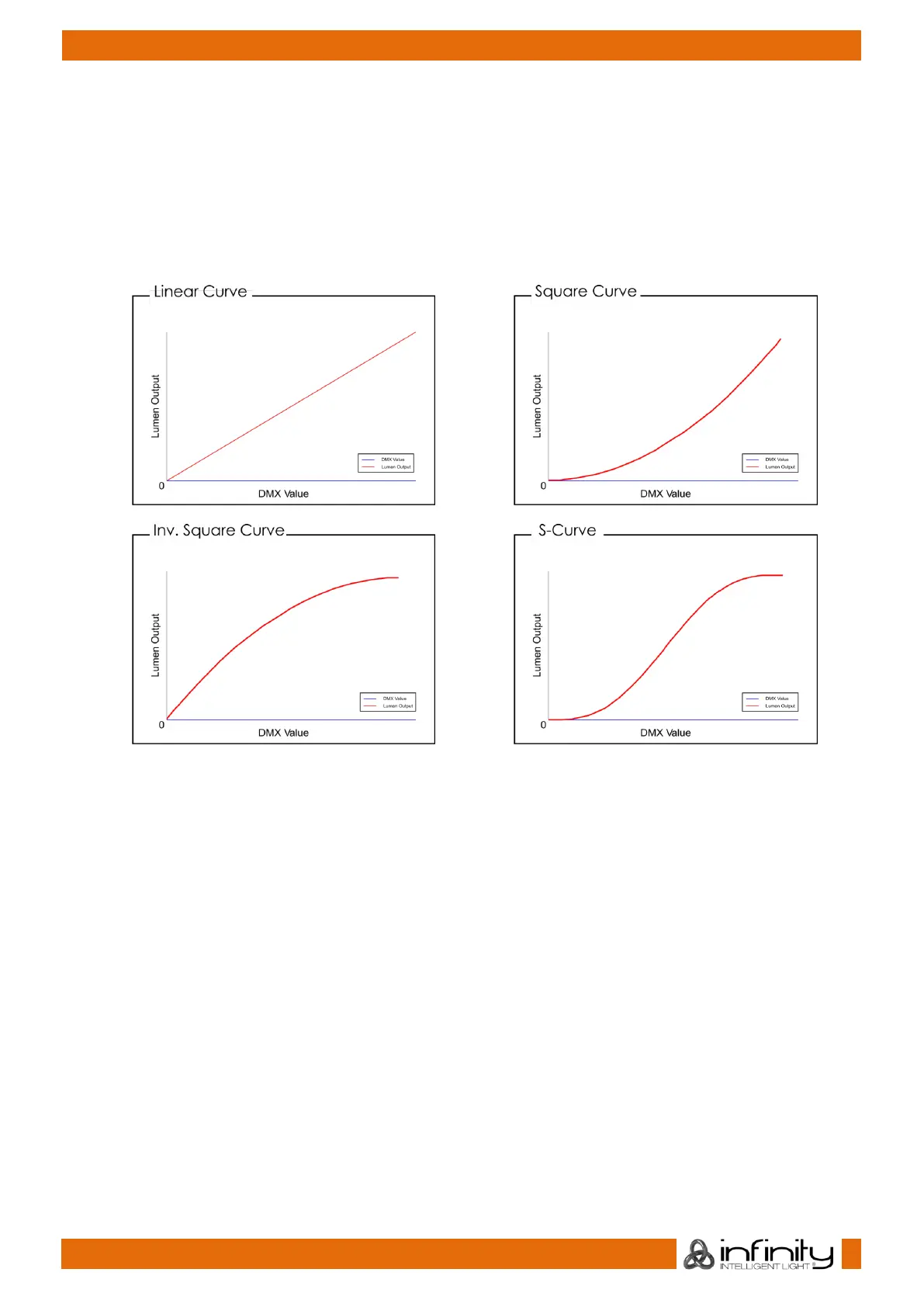
● DIMMER CURVE: LINEAR/SCURVE/I SQUA/SQUARE
● PWM OPTION: 600Hz/1200Hz/2000Hz/4000Hz/6000Hz/15000Hz
● WDMX: Activate/deactivate Wireless DMX (ON/OFF).
● WIRELESS UNLINK: Terminate the connection between the Infinity and the transmitter (YES/NO).
● DMX FAIL: The Infinity’s behavior in case of a DMX error. There are 2 options: OFF (output
blackout) and HOLD (the Infinity will use the latest properly working DMX signal which ensures
undisrupted performance).
● FANS: Energy saving mode (AUTO/SILENT/FULL).
● BL. O. P/T MOVE: Output blackout when Pan/Tilt are active (YES/NO).
● BL. O. COLOR MOVE: Output blackout during the color wheel movement (YES/NO).
● BL. O. GOBO MOVE: Output blackout during the gobo wheel movement (YES/NO).
● RESET USER HOURS: Reset the total operation time counter (YES/NO).
● FACTORY SETTINGS: Restore the factory default settings (YES/NO).
07) There are also 5 submenus which offer more advanced settings than the ones listed above:
● NETWORK SETTINGS
● LOCK CODE
● TOUCH CALIBRATION
● SERVICE MENU
● RESET FUNCTION



 To Next Page