EasyManua.ls Logo

InFocus IN3124 - Troubleshooting: Image Orientation and Color; Image Upside Down; Image Reversed Left;Right; Projected Colors Dont Match

InFocus IN3124
45 pages
Print Icon
To Next Page IconTo Next Page
To Previous Page IconTo Previous Page
Loading...
A
16
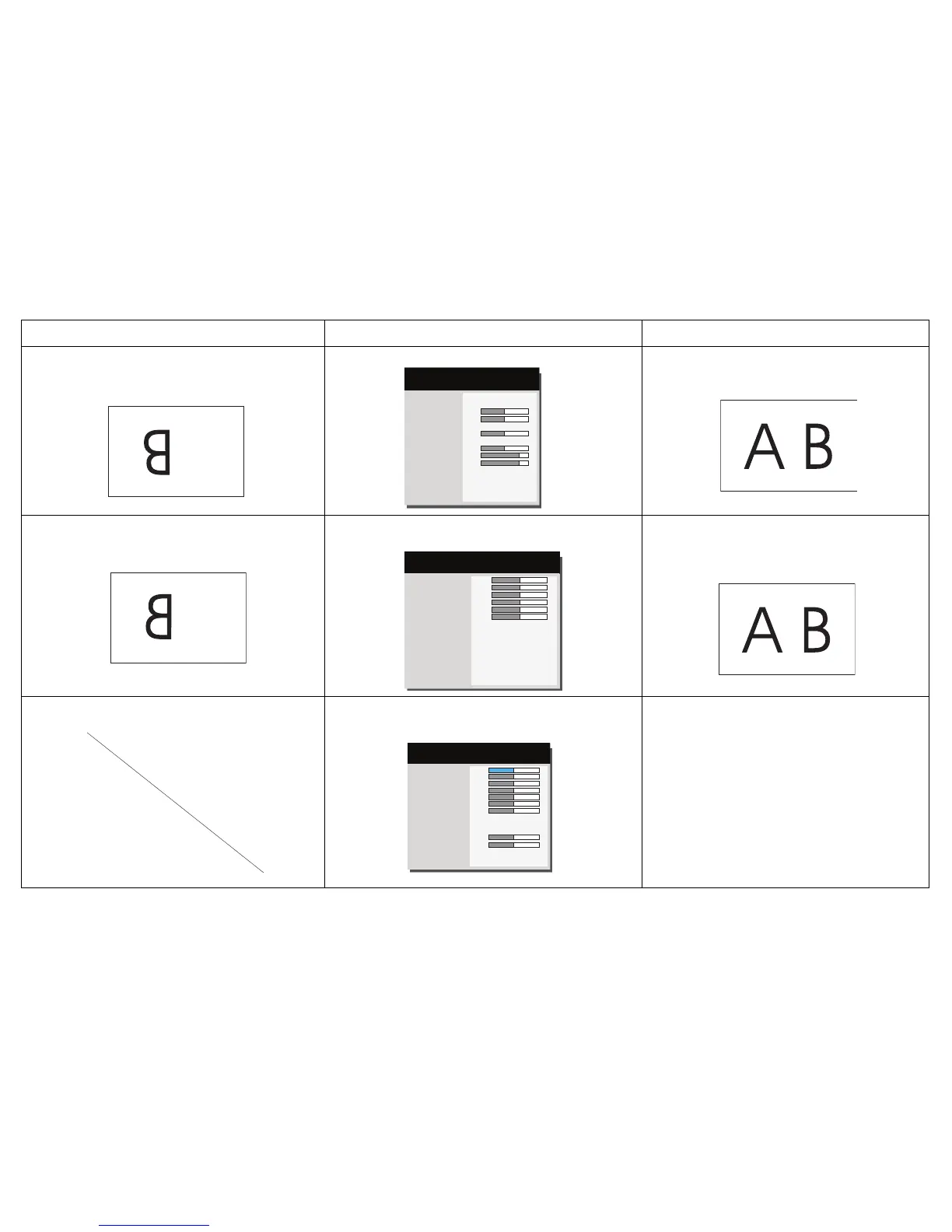
Image upside down
Aspect Ratio
Auto Image
Brightness
Contrast
Auto Keystone
Keystone
Presets
Sharpness
Volume
Microphone Volume
Ceiling Mount
Advanced Menu
Auto
Execute
50
50
Off
0
Presentation
16
15
8
Off ►
( Basic Menu )
MDL: IN3124
FW: 1.02
Turn off Ceiling Mount in Basic menu
Correct image
Image reversed left to right
A
Digital Zoom
Horz Shift
Vert Shift
Magnify Level
Horz Shift
Vert Shift
Ceiling Mount
Rear Project
Previous
50
50
50
50
50
50
Off
◄ Off ►
( Image Setup )
MDL: IN3124
FW: 1.02
Turn off Rear Project in Advanced Menu > Setup >
Image Setup menu
Correct image
COLOR
Projected colors don’t match source
Color
Red Gain
Green Gain
Blue Gain
Red Offset
Green Offset
Blue Offset
Color Space
Color Temp
Gamma
Tint
White Intensity
Previous
50
50
50
50
50
50
50
Auto
Warm
Bright
50
50
( Color )
MDL: IN3124
FW: 1.02
Adjust the items in the Advanced Menu > Image > Color
menu
COLOR
Correct image
Problem Solution Result

Other manuals for InFocus IN3124

Related product manuals