31
Wireless connection
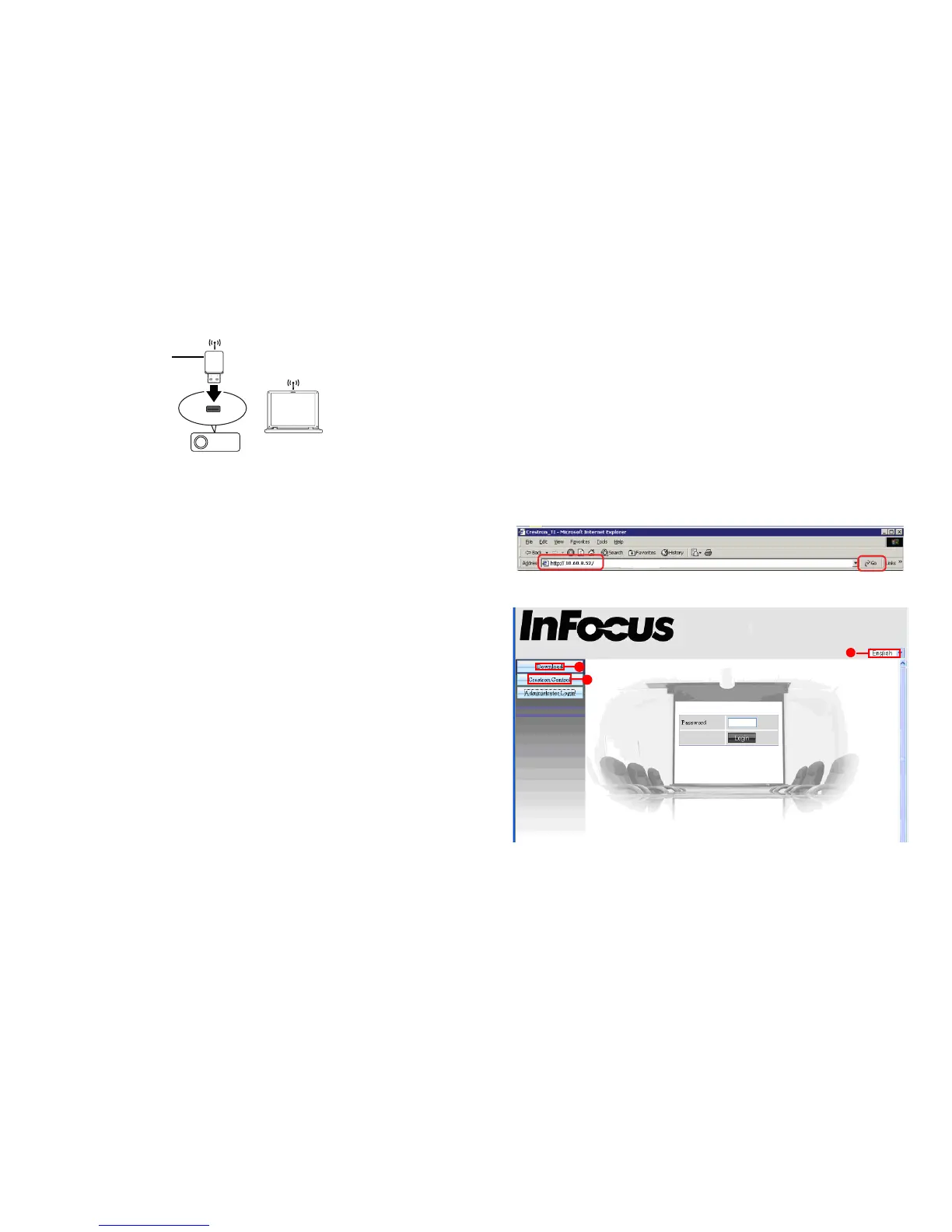
To connect to the projector wirelessly, you need to plug an optional InFocus
wireless dongle (p/n SP-WIFIUSB) to the USB Type A connector on the projector,
and then check the Wireless LAN Info on Network Info menu.
1 Make sure the projector is turned on.
2 Press Menu on the keypad or remote and then go to Advanced Menu > Status/
Service > Network Info.
3 Make sure SSID and IP Address information are displayed.
Controlling the projector remotely through a web
browser
Once you have the correct IP address for the projector and the projector is on or in standby
mode, you can use any computer that is on the same local area network to
control the
projector.
• If you are using Microsoft Internet Explorer, make sure it is version 7.0 or
higher.
• The screenshots in this manual are for reference only, and may differ
depending on your browser.
1 Enter the address of the projector in the address bar of your browser and
press Enter.
2 The main page of the Network Control displays.
ii
i
iii
i. To change the language for the web pages, click the down arrow to reveal a
drop down list and select a desired language.
ii. To download ifPresenter, click Download. See page 35 for details.
InFocus wireless dongle
(p/n SP-WIFIUSB)



 To Next Page