32
iii. The Crestron (eControl) page displays the Crestron eControl user inter-
face. See page 32 for details.
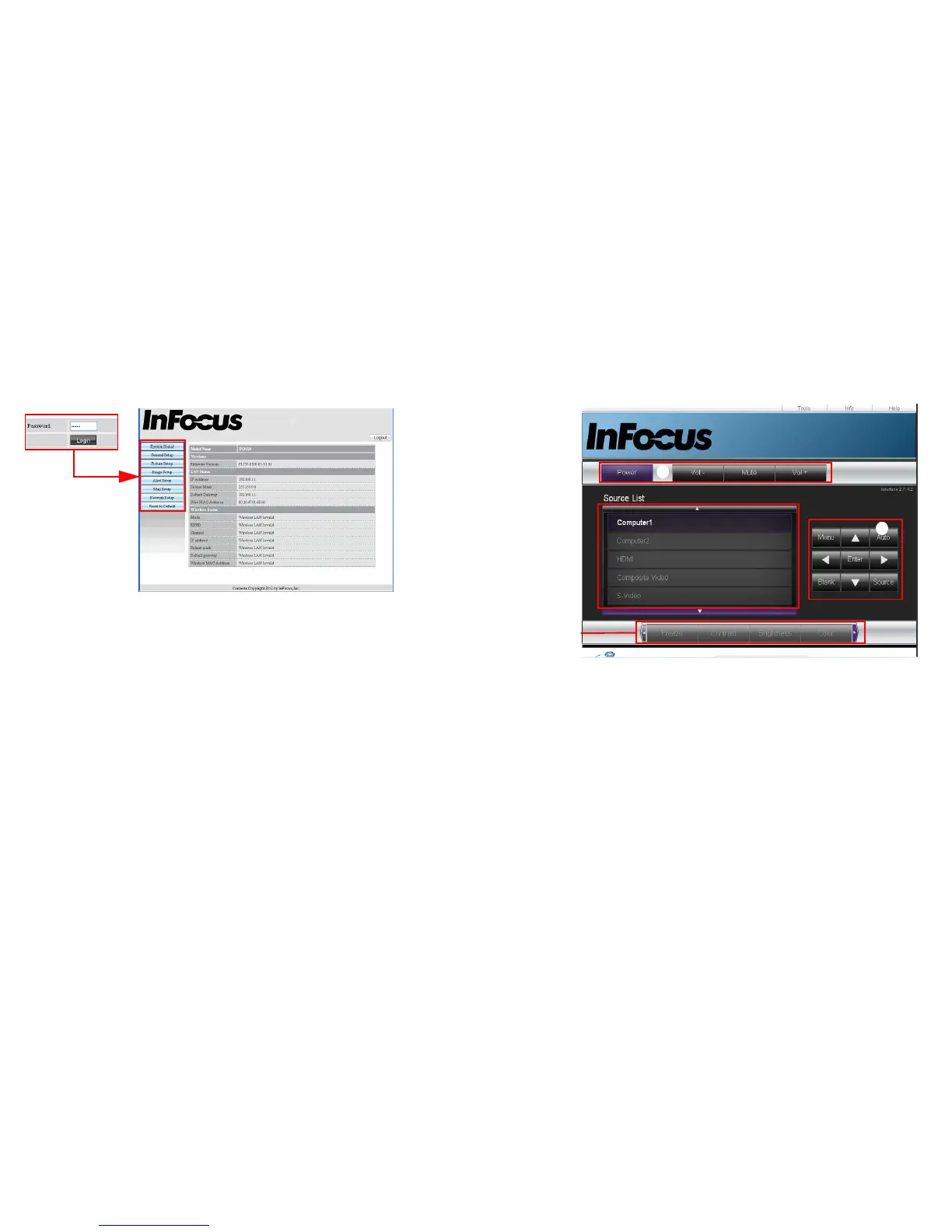
3 To access the Admin page, enter the password. The default password is
“admin”. If you forget the password, please go to Advanced Menu > Setup >
Network > Restart Network to restore the password to the default code.
• System Status: Displays the system information.
• General Setup: Allows you to turn on/off the projector, switch the input
signal for the projector, and change the password for the Administrator
page.
• Picture Setup/Image Setup: Provides some OSD menu items for adjusting
the projected pictures. See page 24 for details.
• Alert Setup/Mail Setup: Allows you to setup the mail server and send
system error messages to your network administrator.
• Network Setup: Provides wired and wireless network settings.
• Reset to Default: Allows you to restore the device to the factory default
settings.
About Crestron e-Control
®
1 The Crestron e-Control
®
page provides a variety of virtual keys to control the
projector or adjust the projector’s image.
i
i
You can press </>
to reveal more
buttons.
i. These buttons function the same as the OSD menus and remote control
functions.
• Source List: To switch the source, click on the desired source.
• Menu: Use to go back to the previous OSD menu, exit and save menu
settings.
• When you use the projector control panel or remote control to change the
OSD menu settings, it may take a while for the web browser to synchronize
these changes with the projector.
2 The Tools page allows you to manage the projector, configure the LAN
control settings and remotely access the network operations of this projector.



 To Next Page