32
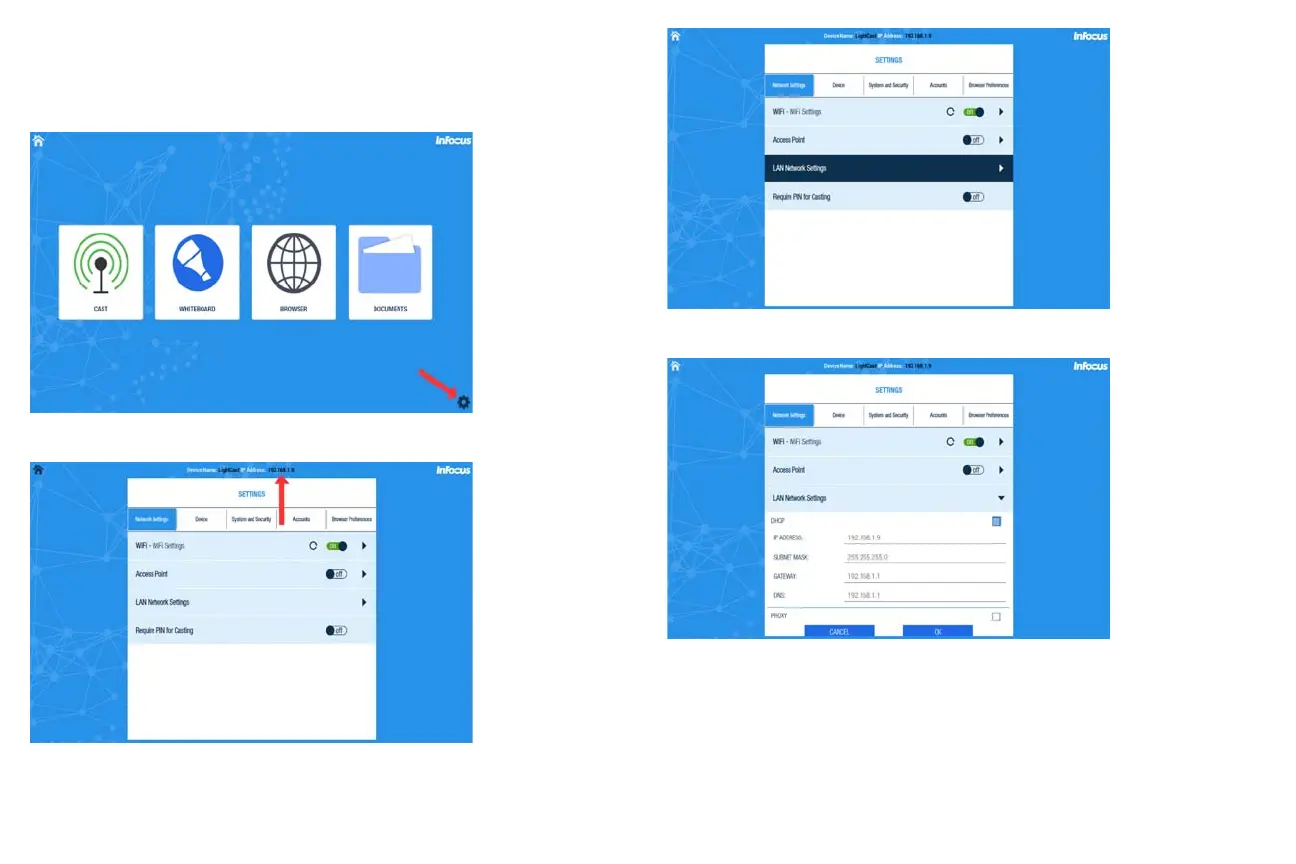
To configure the LightCast network with a LightCast key attached:
1 Select the LightCast source from the Source menu.
2 Click the Settings icon on the LightCast home page.
3 If connected, a valid the wired network IP is displayed across the top center.
4 Select and open LAN Network Settings under the Network Settings tab/
5 Uncheck the DHCP box to configure manually.



 To Next Page