7
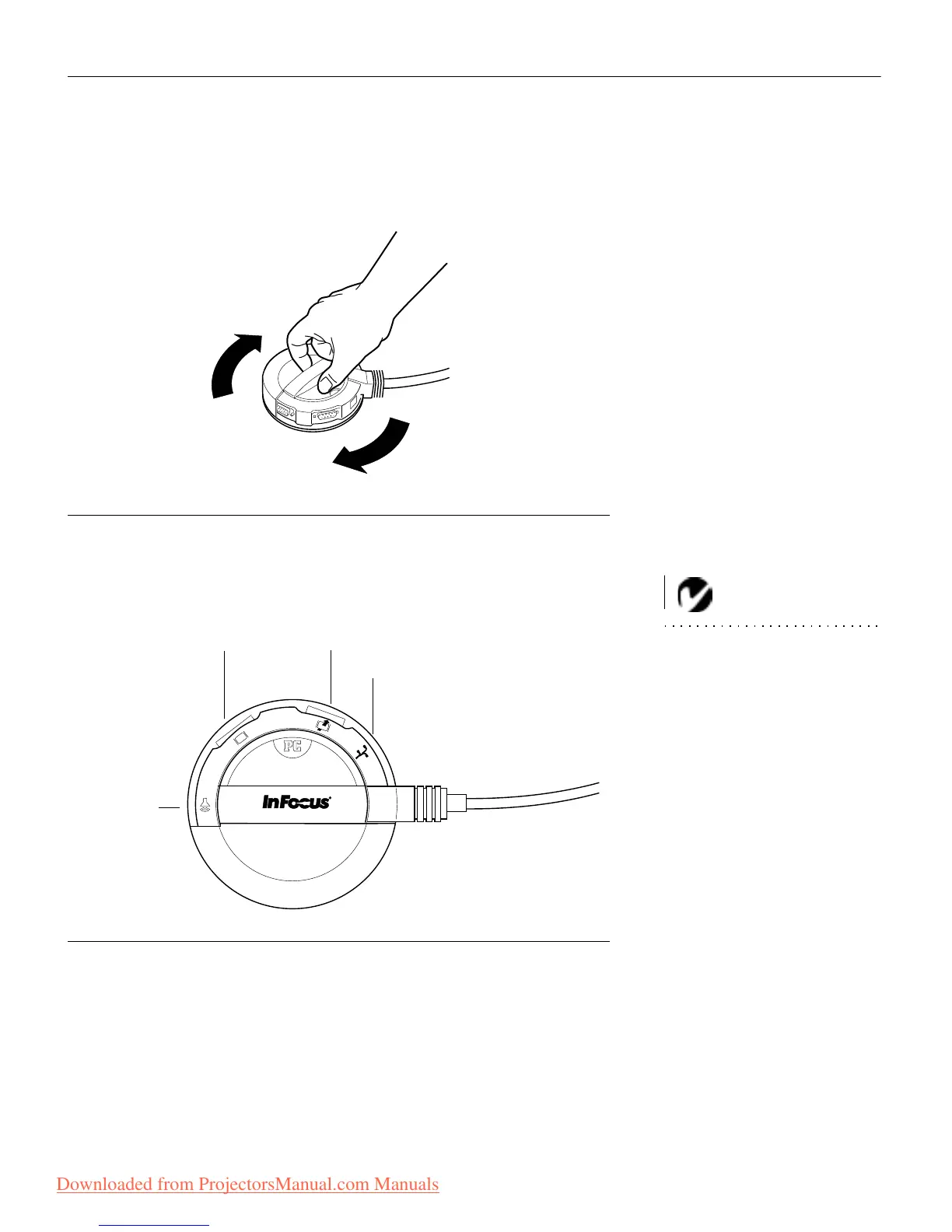
Selecting Connectors on the CableWizard
Turn the selector on the top of the CableWizard to reveal the
correct connectors for your computer.
FIGURE 5
Selecting connectors on the CableWizard
• If you’re connecting an IBM-compatible desktop or laptop com-
puter
, turn the selector until the window displays “PC”.
NOTE: You must disconnect all
cables before turning the selector
on the CableWizard.
F
IGURE 6
Selecting the IBM-compatible connectors on the CableWizard
•
If you’re connecting a Macintosh desktop or an Apple PowerBook
computer
, turn the selector until the window displays “Mac™”
(Figure 7).
computer
mouse
monitor
audio
Downloaded from ProjectorsManual.com Manuals



 To Next Page
 Loading...



