9
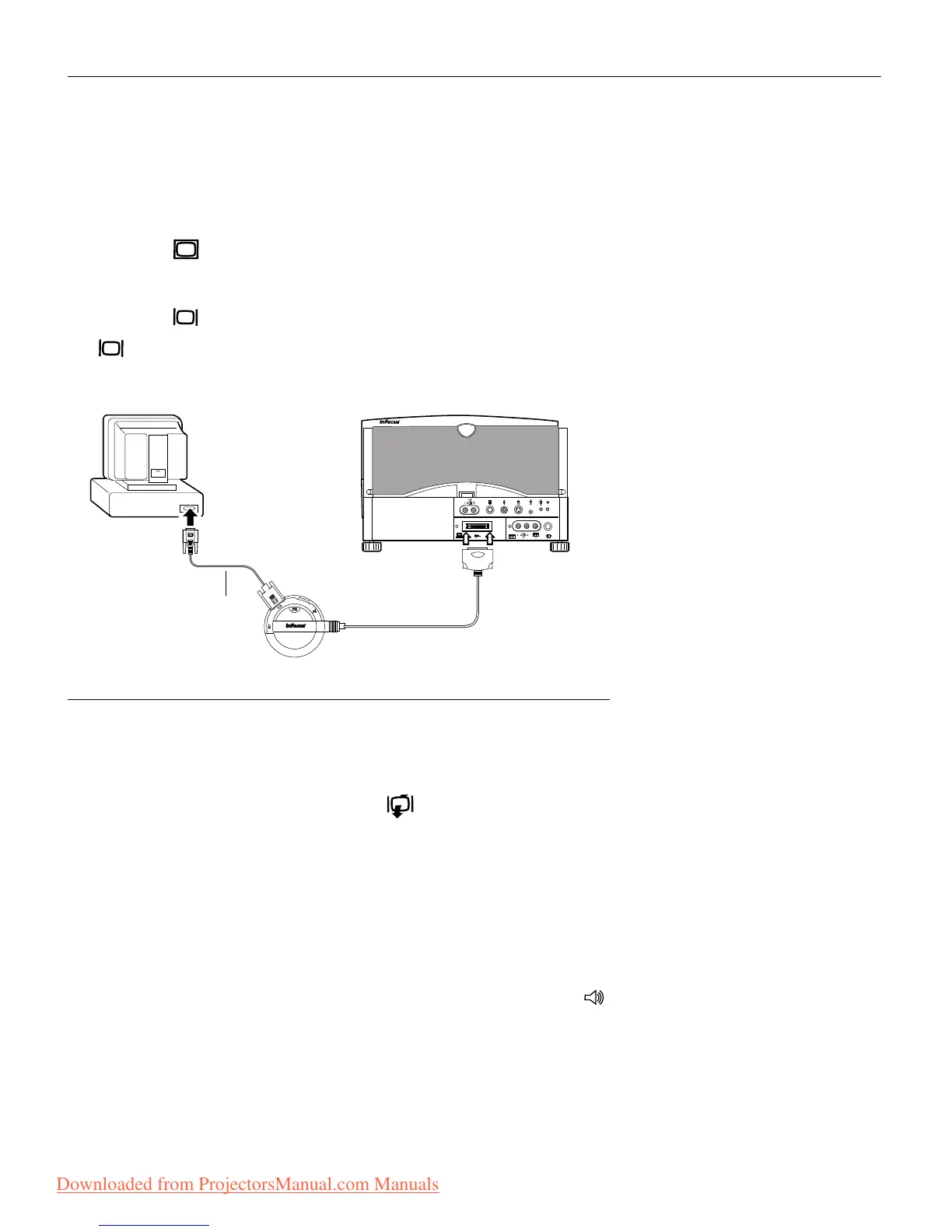
Connecting an IBM-Compatible Desktop Computer
1 Locate the cable that connects your monitor to your computer.
Unplug it from the computer.
2 Plug the end of the CableWizard computer cable into the
video connector on your computer.
3 Plug the end of the CableWizard computer cable into the
connector on the CableWizard.
FIGURE 8
Connecting the CableWizard computer cable to an IBM-compatible desktop computer
Do you want to display the image on your computer’s monitor as
well as on the projection screen?
1 Plug your monitor’s cable into the connector on the
CableWizard.
Do you want to play your computer’s audio on the projector?
1 Unplug the audio cable, if present, from your computer.
2 Plug either end of the CableWizard audio cable into the audio
connector on your computer.
3 Plug the other end of the CableWizard audio cable into the
connector on the CableWizard.
computer cable
Downloaded from ProjectorsManual.com Manuals







 To Next Page