8
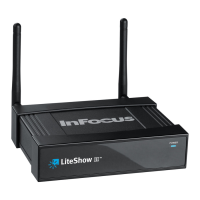
With the revolutionary Plug-and-Show wireless projection, QuadView, and wireless projection via PDA,
LiteShow makes all of your presentations and meetings more efficient and successful.
• Compatible with Windows 8, Windows 7, Vista, XP, and Macintosh (Mac) version 10.5 and above
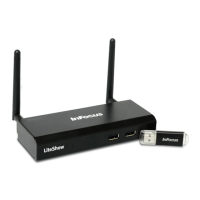
• Plug and Show! Just link your computer to LiteShow (through WLAN or Ethernet); plug the token
into a USB port, and in seconds, your screen will be projected wirelessly to your projector!
• QuadView allows up to four computer or PDA screens to be projected on one projector at the
same time.
• Web-based conference control
• Session security login, wireless WEP/WPA key and gatekeeper functions protect presentation
contents and maintain office network security.
• Media playback feature supports music and video streaming. LiteShow can even handle high-
definition video.
• LiteShow 4 module
• LiteShow USB token
• Power Adapter (DC +5V, 2.5A)
• Antenna (2)
• Mounting Hardware
• Quick Installation Guide with Warranty Card
• Quick Installation Guide for mobile applications


 To Next Page