4
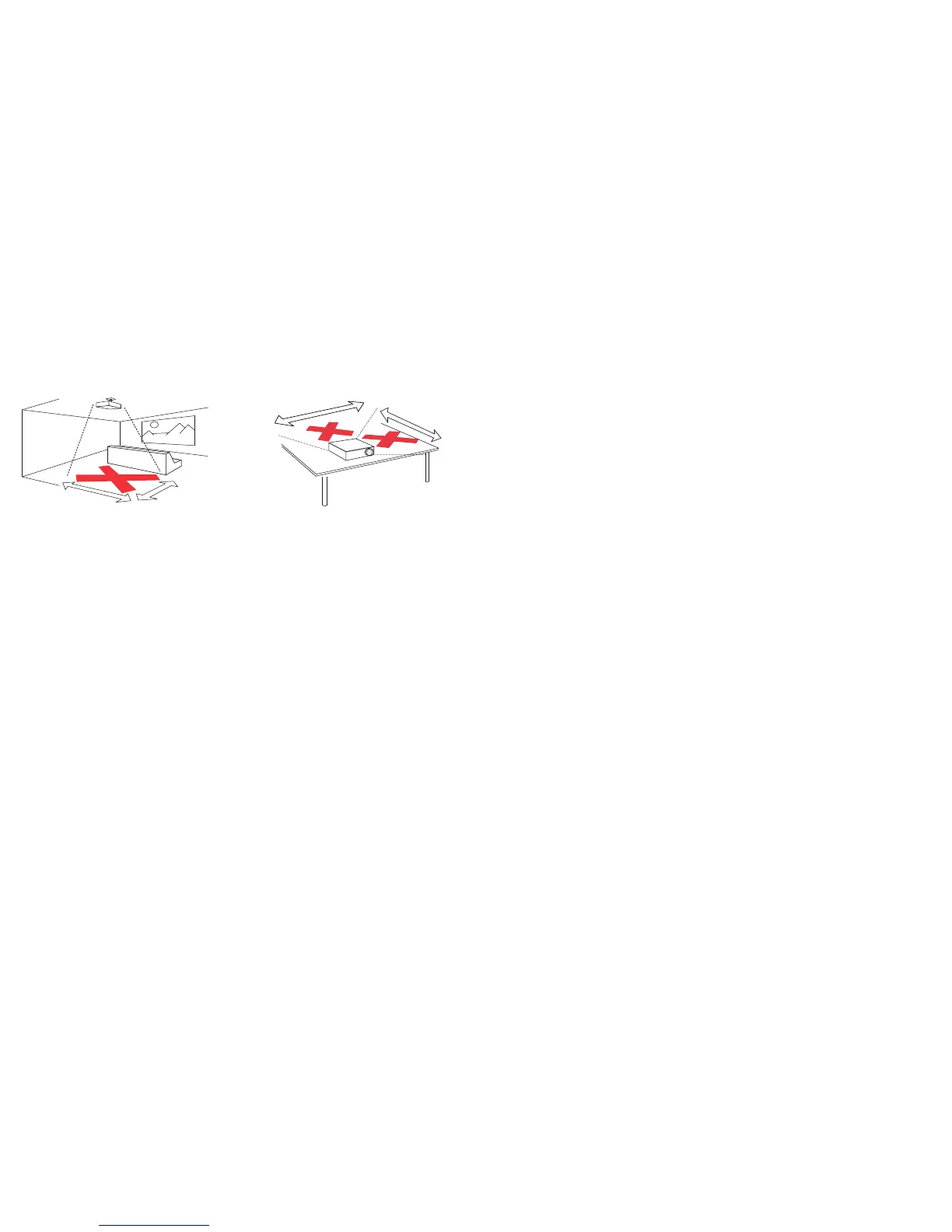
• In the unlikely event of a lamp rupture, particles may exit through the
projector vents. Keep people, food, and drinks out of the "keep out"
area under and around the projector, as indicated by the "X" areas
below.
Unplug this projector from the wall outlet and refer servicing
to qualified
service personnel under the following conditions:
• When the power cord or plug is damaged or frayed
• If liquid has been spilled into the projector
• If the projector has been exposed to rain or water
• If the projector does not operate normally by following the operating
i
nstructions. Adjust only those controls that are covered by the
operating instructions as improper adjustment of other controls may
result in damage and may required extensive work to restore the
projector to normal operation
• If the projector has been dropped
• When the projector exhibits a distinct
change in performance, this
indicates a need for service.
Follow these instructions to help ensure
image quality and lamp life over
the life of the projector. Failure to follow these instructions may affect the
warranty. For complete details of the warranty, see the Warranty Booklet.
2’ / 0.6 m
3’ / 1 m









 To Next Page