[ 25 ]
EasyGluco
TM
Troubleshooting
No saved data
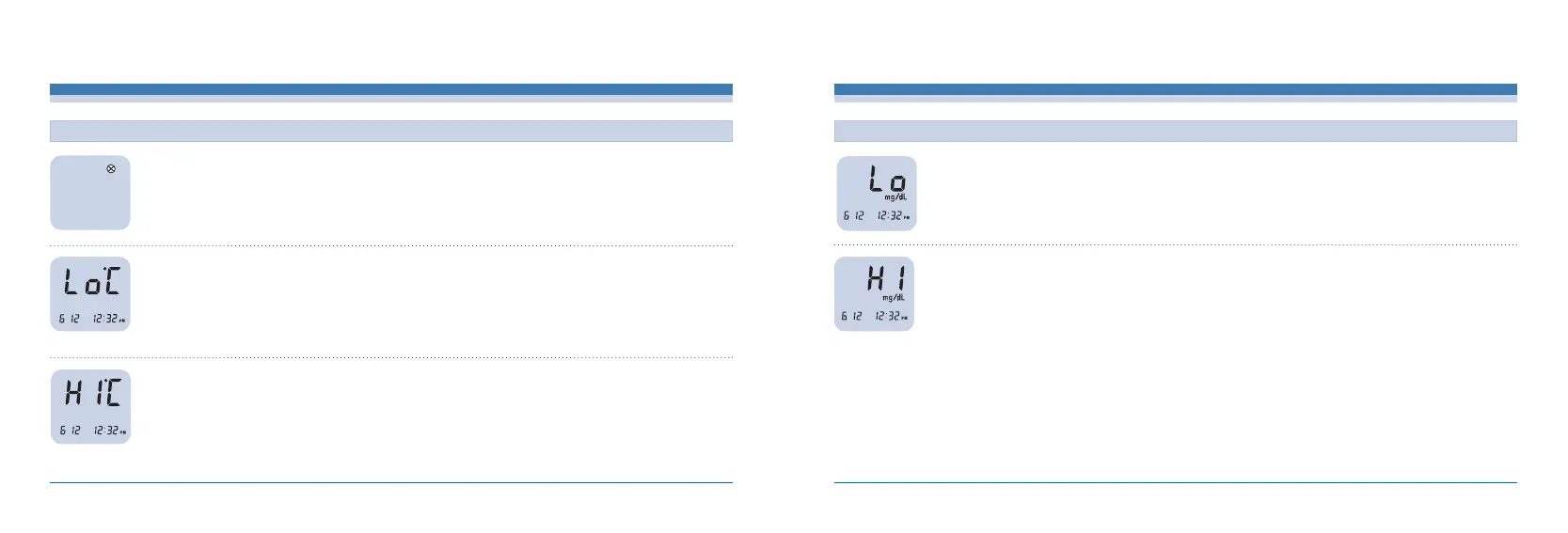
The ambient temperature is
too low
The ambient temperature is
too high
Place the meter at the operating temperature range for more
than 10 minutes, and re-test.
Place the meter at the operating temperature range for more
than 10 minutes, and re-test.
MESSAGE CAUSED BY WHAT TO DO
INFOPIA [ 26 ]
Troubleshooting
If you believe that your result is incorrect, recheck the meter by
using the EasyGluco
TM
Control Solution. With normal result, re-test
with blood samples two or three times. “HI”results indicate severe
hyperglycemia (high blood glucose). If the “HI”message persists,
please seek medical attention immediately.
The test result is higher than
600mg/dL (33.3mmol/L)
If you believe that your result is incorrect, recheck the meter by
using the EasyGluco
TM
Control Solution. With normal result, re-test
with blood samples two or three times. “LO”results indicate severe
hypoglycemia (low blood glucose). If the “LO”message persists,
please contact your physician or diabetes healthcare professional.
MESSAGE CAUSED BY WHAT TO DO
The test result is lower than
10mg/dL (0.6mmol/L)



 To Next Page