INFOPIA [ 6 ]
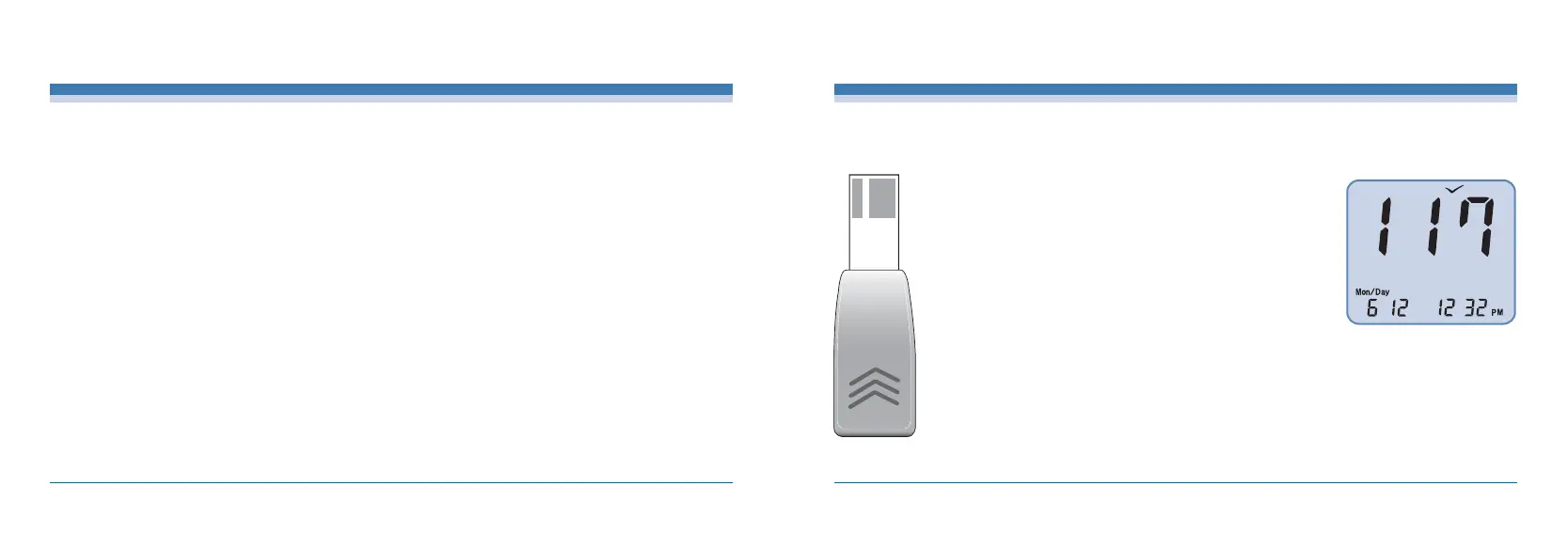
Checking the Meter with the Check Strip
·The Check Strip automatically checks the Meter when inserted
into the Test Port. A “V”symbol will appear on the LCD screen,
indicating that the Check has been made.
·Please Insert the Check Strip with “<<<”facing up into the test
port of the Meter. If the value displayed is ranged between 107-
127, the Meter is good to use.
If the value displayed does not meet the proper range, reinsert
the calibration key 2 or 3 more times. If it’s still does not meet the
proper range, please contact your local representative.
·Please note that the Check Strip does not check the POWER-
ONstatus of the Meter.
The "Check Strip" is to make sure that the Meter functions properly.
[ 5 ]
EasyGluco
TM
Important EasyGluco
TM
Test Strip Information
·Store the EasyGluco
TM
Test Strip vials in a cool, dry place between 36-86。F (2-30℃). Keep out of
direct sunlight. Do not freeze.
·Store test strips in it’s original vials only. Do not mix the test strips in new vials or in any other
container.
·Immediately replace the vial cap and close tightly after removing an EasyGluco
TM
Test Strip.
·Use test strip immediately after removing it from the vial.
·Make a notation of the discard date on the vial label when you first open it. Discard remaining
EasyGluco
TM
Test Strips 3 months after first opening the vial.
·Avoid getting dirt, food, and water on the test strip. Do not handle test strips with wet hands.
·Do not use test strips after the expiration date printed on the package or vial since it may cause
inaccurate results.
·Do not bend, cut, or alter an EasyGluco
TM
Test Strip.
·EasyGluco
TM
Test Strips are for single use only. Do NOT re-use.
·Refer to additional information in the EasyGluco
TM
Test Strip package.



 To Next Page