EasyManua.ls Logo

INFOSEC E4 Value Series - Page 51

INFOSEC E4 Value Series
Print Icon
To Next Page IconTo Next Page
To Previous Page IconTo Previous Page
Loading...
INFOSEC UPS SYSTEM 4 rue de la Rigotière 44700 Orvault France www.infosec-ups.com
Hot Line Tel : +33 (0)2 40 76 15 82 fax : +33(0)2 40 94 29 51 hotline@infosec.fr 03 16 AA 59 203 26
50
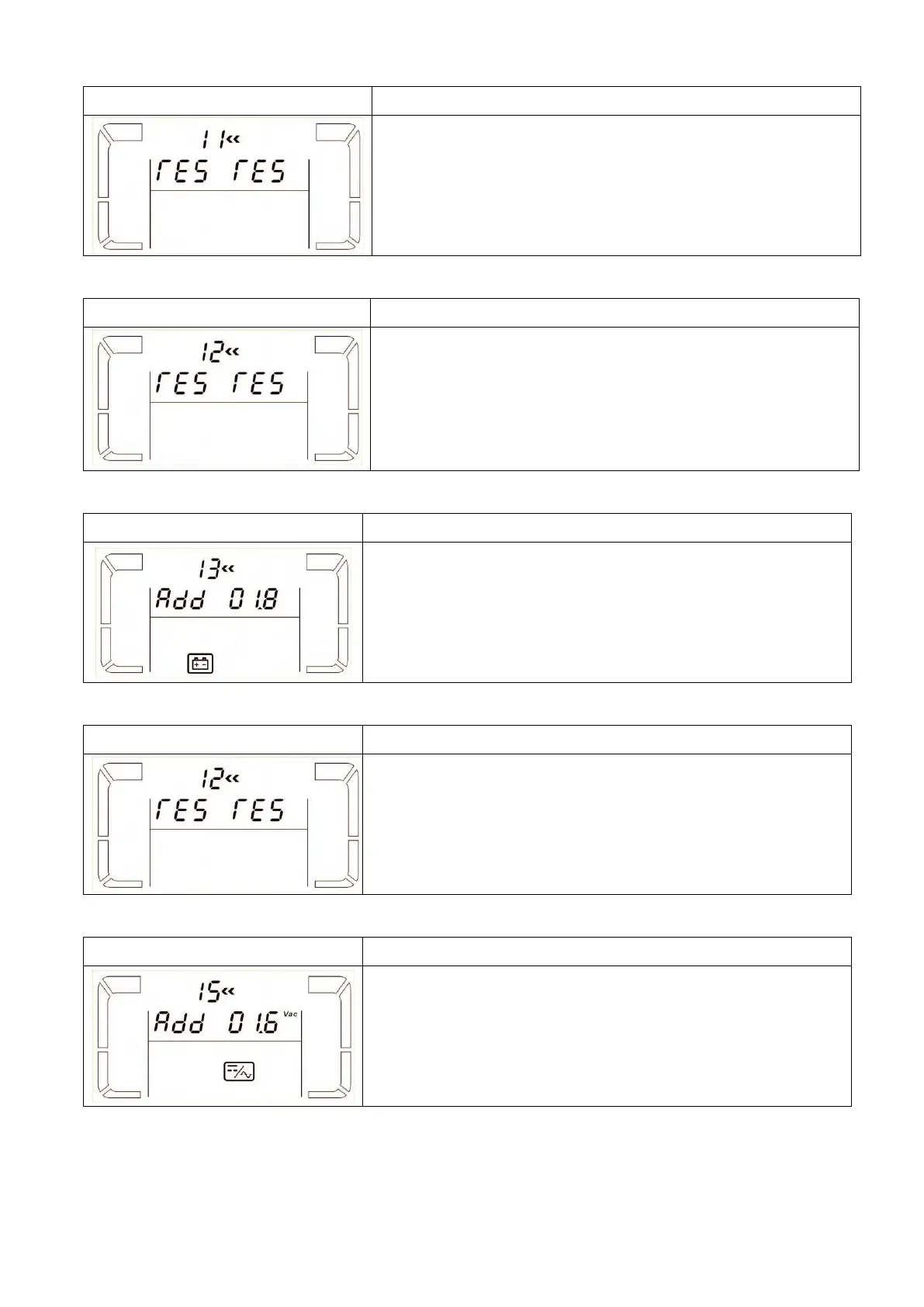
11: Reserved
Interface
Setting
Reserved
12: Reserved
Interface
Setting
Reserved
13: Battery voltage Calibration
Interface
Setting
Parameter 2: Select “Add” or “Sub” function to adjust battery
voltage to real figure.
Parameter 3: the voltage range is from 0V to 5.7V, and the
default value is 0V.
14: Reserved
Interface
Setting
Reserved
15: Inverter voltage Calibration
Interface
Setting
Parameter 2: Select Add or Sub to adjust inverter voltage
Parameter 3: the voltage range is from 0V to 6.4V, and the
default value is 0V.

Related product manuals