INFOSEC UPS SYSTEM – 4 rue de la Rigotière – 44700 Orvault – France – www.infosec-ups.com
Hot Line Tel : +33 (0)2 40 76 15 82 – fax : +33(0)2 40 94 29 51 – hotline@infosec.fr – 05 14 AA 59 203 02
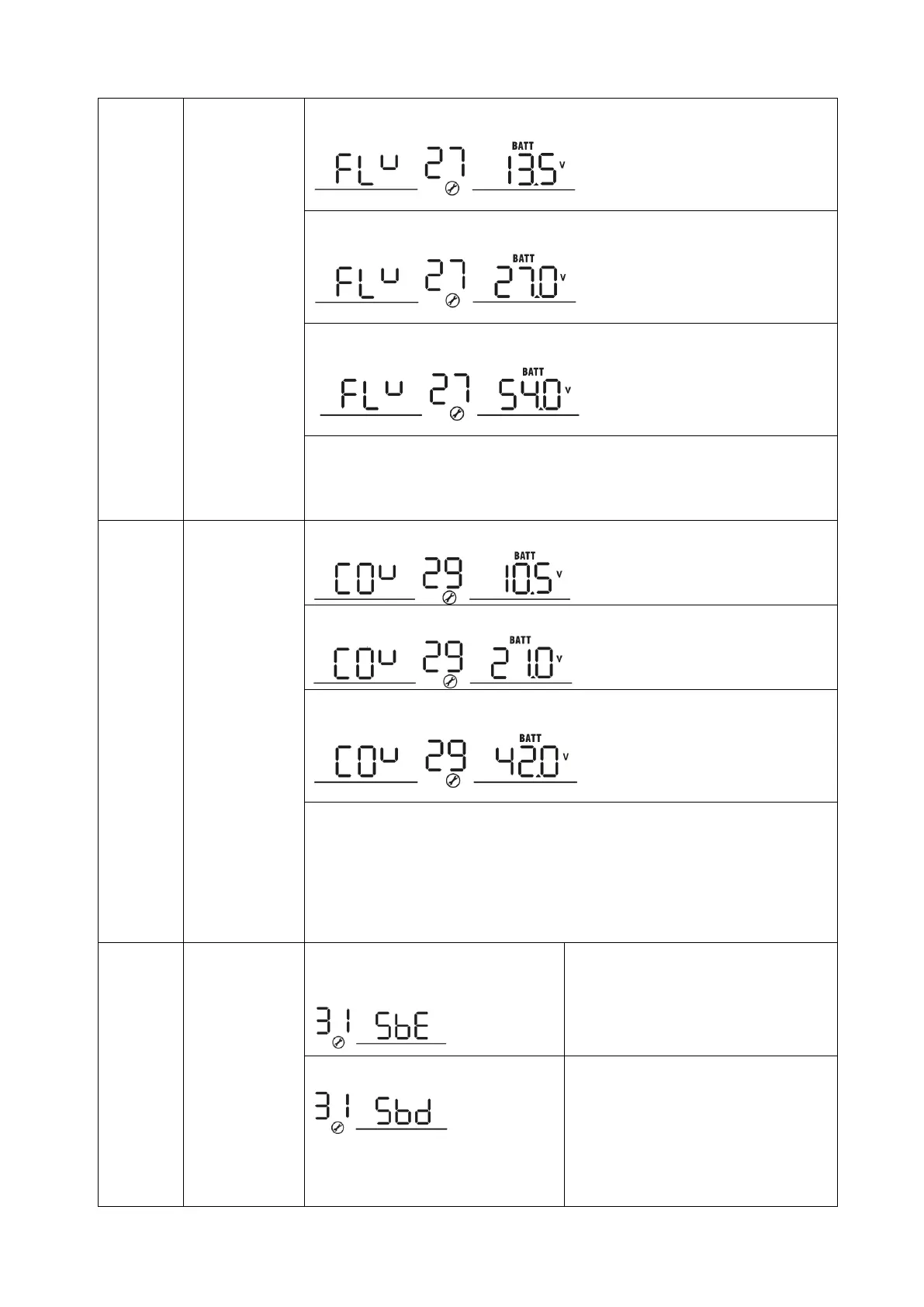
Floating
charging
voltage
1KVA default setting: 13.5V
2K/3KVA default setting: 27.0V
4K/5KVA default setting: 54.0V
If self-defined is selected in program 5, this program can be set up. Setting
range is from 12.0V to 14.6V for 1K model, 24.0V to 29.2V for 2K/3K model
and 48.0V to 58.4V for 4K/5K model. Increment of each click is 0.1V.
1KVA default setting: 10.5V
2K/3KVA default setting: 21.0V
4K/5KVA default setting: 42.0V
If self-defined is selected in program 5, this program can be set up. Setting
range is from 10.0V to 12.0V for 1K model, 20.0V to 24.0V for 2K/3K model
and 40.0V to 48.0V for 4K/5K model. The increment for each click is 0.1V.
The low DC cut-off voltage will be fixed to the setting value no matter what
percentage of the load is connected.
Solar power
balance:
When enabled,
the solar input
power will be
automatically
adjusted
according to
the connected
load power.
(Only available
for 4KVA/5KVA
model)
Solar power balance enable
(Default):
If selected, the solar input power will
be automatically adjusted according
to the following formula:
Max. input solar power = Max.
battery charging power + Connected
load power.
Solar power balance disable:
If selected, the solar input power will
be the same as the max. battery
charging power no matter how many
loads are connected. The max.
battery charging power will be based
on the setting current in program 02.
(Max. solar power = Max. battery
charging power)


 To Next Page