INFOSEC UPS SYSTEM – 4 rue de la Rigotière – 44700 Orvault – France – www.infosec-ups.com
Hot Line Tel : +33 (0)2 40 76 15 82 – fax : +33(0)2 40 94 29 51 – hotline@infosec.fr – 05 14 AA 59 203 02
Display Setting
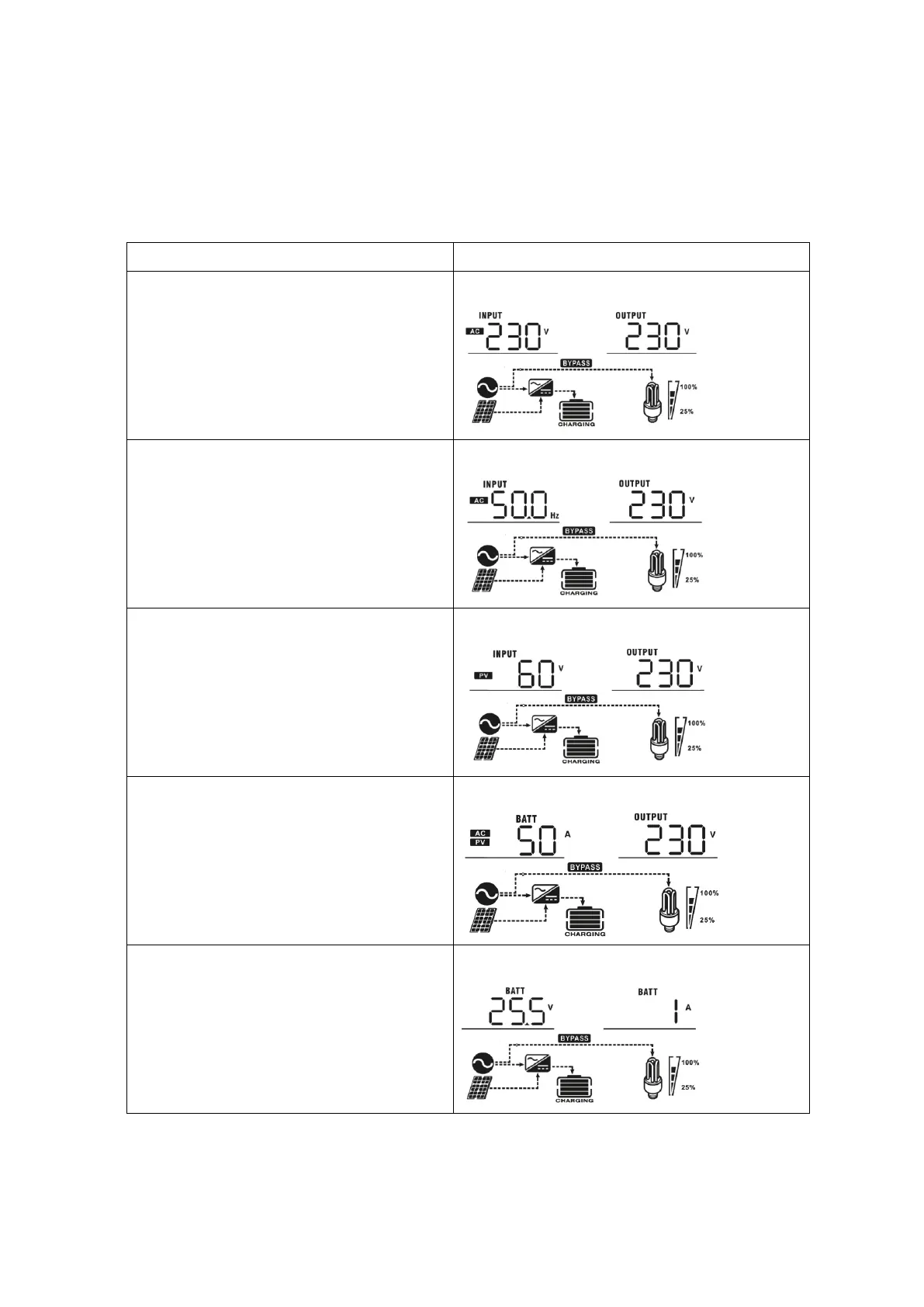
The LCD display information can be switched by pressing “UP” or “DOWN” key. The selectable information is
switched as in the order below: input voltage, input frequency, PV voltage, charging current, battery voltage,
output voltage, output frequency, load percentage, load in Watt, load in VA, load in Watt, DC discharging current,
main CPU Version and second CPU Version.
Input voltage/Output voltage
(Default Display Screen)
Input Voltage=230V, output voltage=230V
Battery voltage/ DC discharging current
Battery voltage=25.5V, discharging current=1A


 To Next Page