©2011, Attendance on Demand
®
, Inc. Information in this document is subject to change without notice.
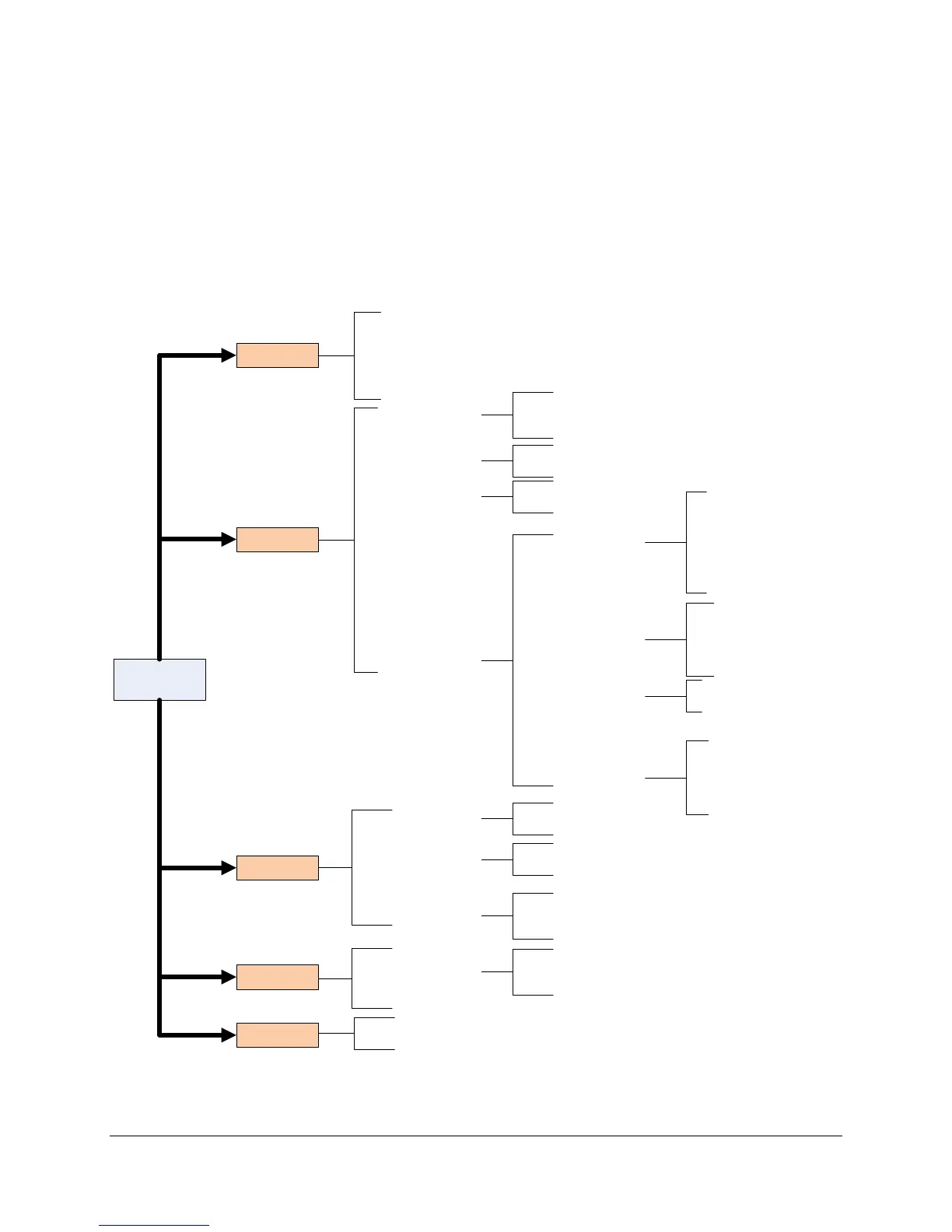
Appendix A: IDpunch 7 Finger Reader Menu
Structure
This appendix describes the IDpunch 7 Finger Reader menu structure, menu items and operations.
Note: The Enrollment Menu is available only if the biometric reader is installed and Suprema is selected in the
Biometric Type menu.
Menu Key
o Audio
o Restrictions
o Polling
o Device
o Volume
o Hourly Chime
o Minute Tick
o Restrict Employees
o Restrict Transactions
o DHCP
o IP Address
o IP Network
o IP Gateway
o IP DNS Address
o Telnet Server
o Terminal ID
o Menu Timeout
o Message Timeout
o Editor Timeout
o Communication Timeout
o HTTP Timeout
o Firmware
o Application
o By Badge
o By Name
o Number of Employees
o Number of Transactions
o AOD Locator
o Query Round Trip
o Full Sync
o Communications
o Timeouts
o Biometric Type
o Software Update
o Revert to Factory Defaults
o Device Info
o View Employees
o
o
o View Statistics
o
o
o
o Operations
o Firmware Version
o Application Version
Settings
Database
Version
o Polling Type
o Polling Server
o Device Type
o IP Configuration
o MCU Version
o Firmware Version
o Serial Number
o Clear Transactions
o Clear Employees
o Revert to Defaults
o Allocate Badges
o Communications
o Restart Application
o Restart Terminal
Operations
Enrollment
o Enroll
o View Templates
o Template Usage
o Remove Templates
o Remove All Templates
o Calibrate Reader


 To Next Page