©2011, Attendance on Demand
®
, Inc. Information in this document is subject to change without notice.
The time recorder’s internal station number. This number can not be
changed. It can be re-issued if a station is removed and re-added.
The type of station. L-App 1.0 is selected for the IDpunch 7 Finger
Reader.
The serial number of the time recorder.
The default mode allows the time recorder to initiate communications with
the hosted system at a frequency defined by the Sync Interval and Sync
Offset values.
The number of minutes between clock-initiated synchronization
operations.
Determines when the synchronization operation should start. For example,
if the Sync Offset is 21, the first synchronization is initiated at 21 minutes
past the hour.
The Sync Offset balances the hosted system load, preventing all
synchronizations from occurring simultaneously.
When enabled, each transaction is logged in the Station Activity Log.
Log Incorrect Value
Rejections
When enabled, records when the time recorder rejects an attempt to assign
an employee to an IDpunch 7 Finger Reader station.
Determines the amount of time offset from the corporate time zone. For
example, if the corporate headquarters is in EST and this company is in
CST, then choose One Hour Earlier. Choose any time up to 5 hours earlier
or 5 hours later than corporate.
When enabled, daylight savings time is not observed.
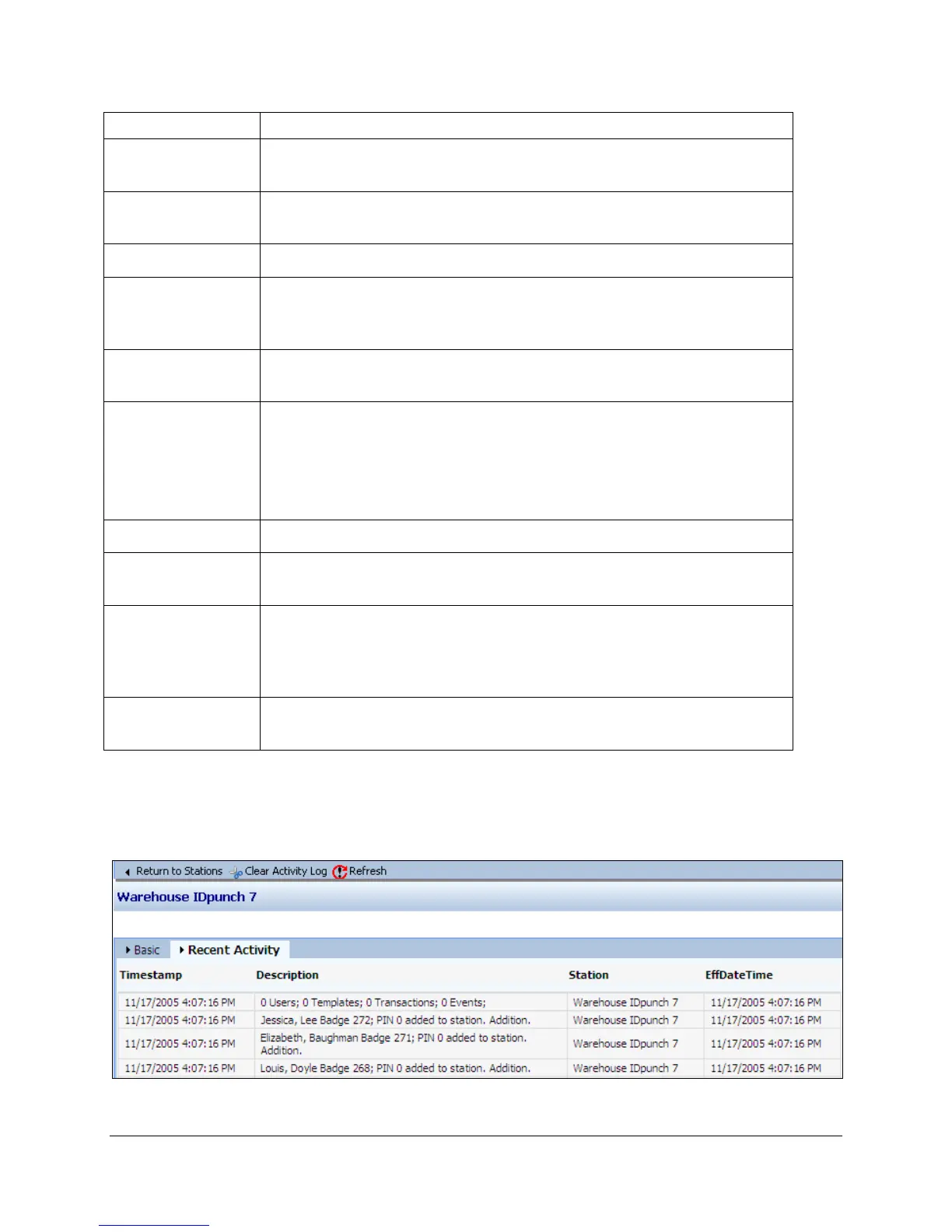
Recent Activity Tab
The Recent Activity tab shows the Station Activity Log. The Station Activity Log records activity
between the IDpunch 7 Finger Reader and the hosted system.


 To Next Page