©2011, Attendance on Demand
®
, Inc. Information in this document is subject to change without notice.
Appendix C: Supervisor Menu
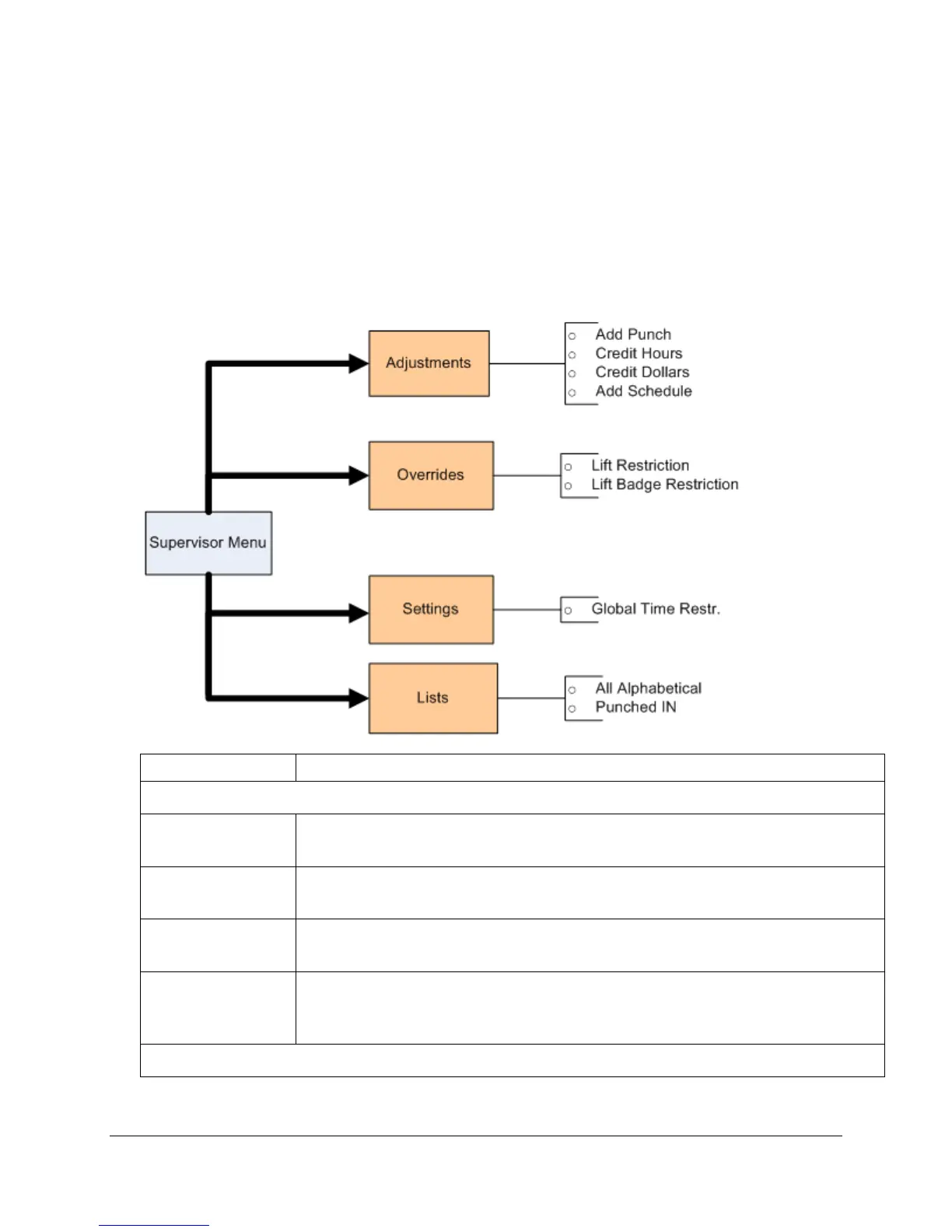
Use the following steps to access the supervisor menu and perform supervisor edits for employees.
1. Press a function key to access the supervisor menu.
2. Type the supervisor’s PIN.
3. Select operation. The following supervisor operations are available:
The Add Punch operation allows the supervisor to add a punch for an employee.
See Add Punch on page 29 for detailed process.
The Credit Hours operation allows the supervisor to credit hours for an employee.
See Credit Hours on page 29 for detailed process.
The Credit Dollars operation allows the supervisor to credit dollars for an
employee. See Credit Dollars on page 30 for detailed process.
The Add Schedule operation allows the supervisor to add a standard schedule for
an employee. The new schedule replaces any previous schedules the employee had
on the selected date. See Add Schedule on page 30.



 To Next Page