©2011, Attendance on Demand
®
, Inc. Information in this document is subject to change without notice.
The Time area. Click the Change link to modify the following properties in the table.
Determines the amount of time offset from the corporate time
zone. For example, if the corporate headquarters is in EST and
this company is in CST, then choose One Hour Earlier. Choose
any time up to 5 hours earlier or 5 hours later than corporate.
Date and Time Synchronized
with Host
The date and time are synchronized and adjusted with the
central hosted server time.
The Logging area. Click the Change link to modify the following properties in the table.
Log Transactions Received
When enabled, each transaction is logged in the Station
Activity Log.
When enabled, records when the time recorder rejects an
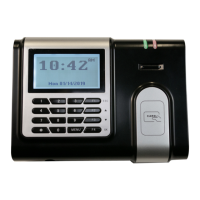
attempt to assign an employee to an IDpunch 7 Finger Reader
station.
The Supervisor area. This area presents a list of employees that have the authority to access the MENU
items or function keys. Using higher authority level helps control the access to MENU items or function
keys. There are five authority levels for the IDpunch 7 Finger Reader.
The users can access function keys with the None
authority level without any limitation.
The user with the Enroller authority can enroll biometric
templates of other people.
The user with the Supervisor authority can access
function keys, but can’t access MENU items.
The user with the Administrator authority can access
MENU items and function keys.
Supervisor unique identification number.
Personal identification number to access the MENU items or function keys.


 To Next Page