Quick Start the Halley5 Development Kit
X2000 Development Kit User Manual
Copyright® 2005-2021 Ingenic Semiconductor Co., Ltd. All rights reserved.
4 Quick Start the Halley5 Development Kit
4.1 Connecting the Hardware
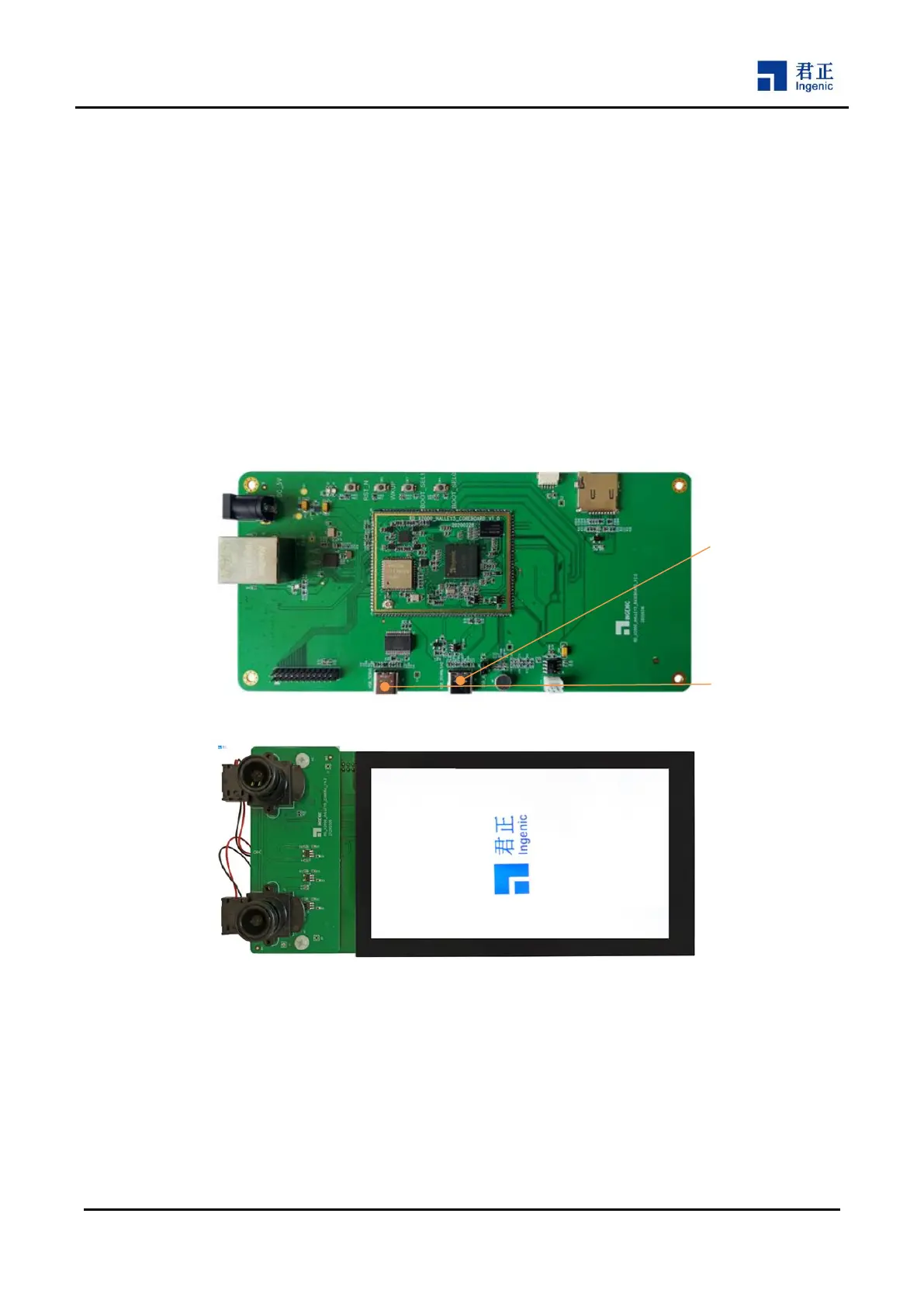
Connect the POWER_DC 5V input (J1):
Use a DC 5V adapter to supply power to the board, then this power is supplied to the whole system
through the OCP component on the base board.
Connect the Serial Debug Port (J3) :
Use a USB cable to connect J3 with your PC. Your PC will detect a new USB serial device. This will help
you to open a serial console from the target board. You should install the driver on your PC when you first
use it. The parameters of the serial console should be set to 115200bps, 8n1.
Figure 4-1 X2000 Halley5 Development Kit User Interface
4.2 System Boot
When you connect the power supply to the board, or press the hardware RESET key (SW6), the board will boot
from the SPI NAND Flash automatically. This will lead to start the preconfigured bootloader and Linux kernel.
4.3 Firmware Downloading
Please use a USB cable connect the Halley5 base board to the PC through USB_DOWNLOAD port (J2), and
USB OTG


 To Next Page