User’s Manual
Viewing the system 21
Inim Cloud: Part of the functions described and the visualization of the system status are available via:
Manage System > select one of the available control panels
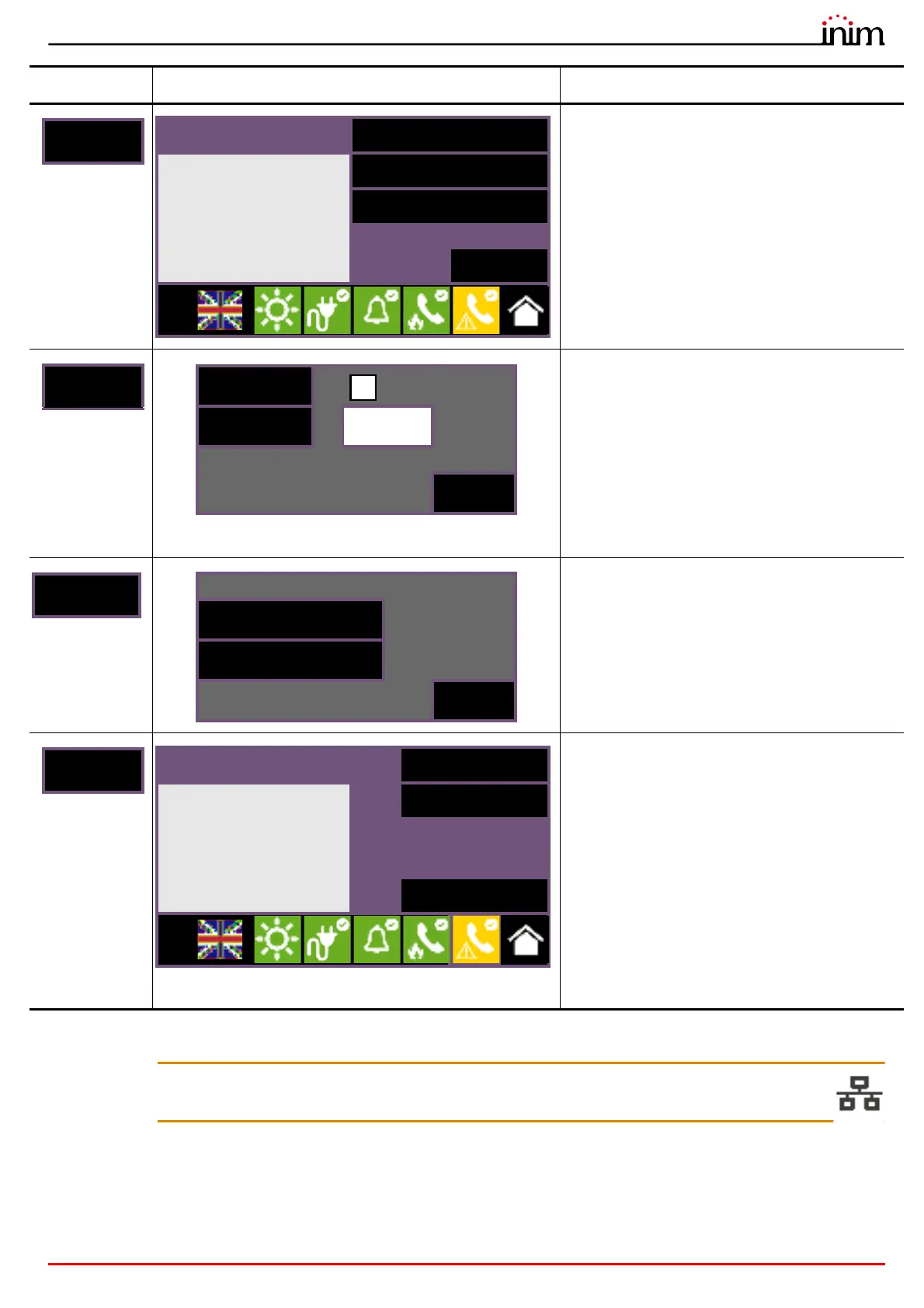
Section for the management of the extinction
channel of the selected control panel (where
available).
The section on the left shows the information
relative to the extinction channel.
The section on the right contains the buttons for
the management of the channel:
• Disable extinguishing
• Disable Automatic Extinguish
• Stop valve pulse
Section to change the enabled/disabled status of
the selected element.
• Disable, to disable the selected element. Other
system elements which influence the selected
element (timers, inputs, detectors, etc.) cannot
enable it.
Where available, it is possible to select the
“Timed” option and indicate the time, in minutes,
when it will be bypassed.
• Enable, enables the selected element. Other
system elements which influence the selected
element (timers, inputs, detectors, etc.) can
disable it.
Section to change the activated/deactivated status
of the selected element.
• Activate, for the activation of the selected
element.
• Deactivate, for the deactivation of the selected
element.
Other system elements which influence on the
selected element (timers, inputs, detectors, etc.)
will be able to activate it.
By accessing the “System Status” section (paragraph
3.3 - [A]) using a “superuser” or higher code, the
Cloud button becomes available for the
visualization and management of the Inim Cloud
Fire service.
The section that opens shows the following
buttons:
• Enroll, for the process of registration of the
control panel to the account of the user (refer to
paragraph 4.2 - Registration of a control panel to
the Inim Cloud user account).
• Network diagnostics, for the process that
checks the various network functions required to
communicate with the Cloud and obtain useful
information in the event of problems.
The information obtained is displayed in the left
pane.
Button Display Section
Extinguishing
Disable extinguishing
- OPEN OUTPUT Valve
Disable Automatic Extinc.
Stop valve pulse
Esc
L:2
Disable
Timed (minutes)
Enable
0030
Esc
Enroll
No problem
Network diagnostic
Esc
L:2



 To Next Page