20 Viewing the system
Fire alarm and extinguishing system
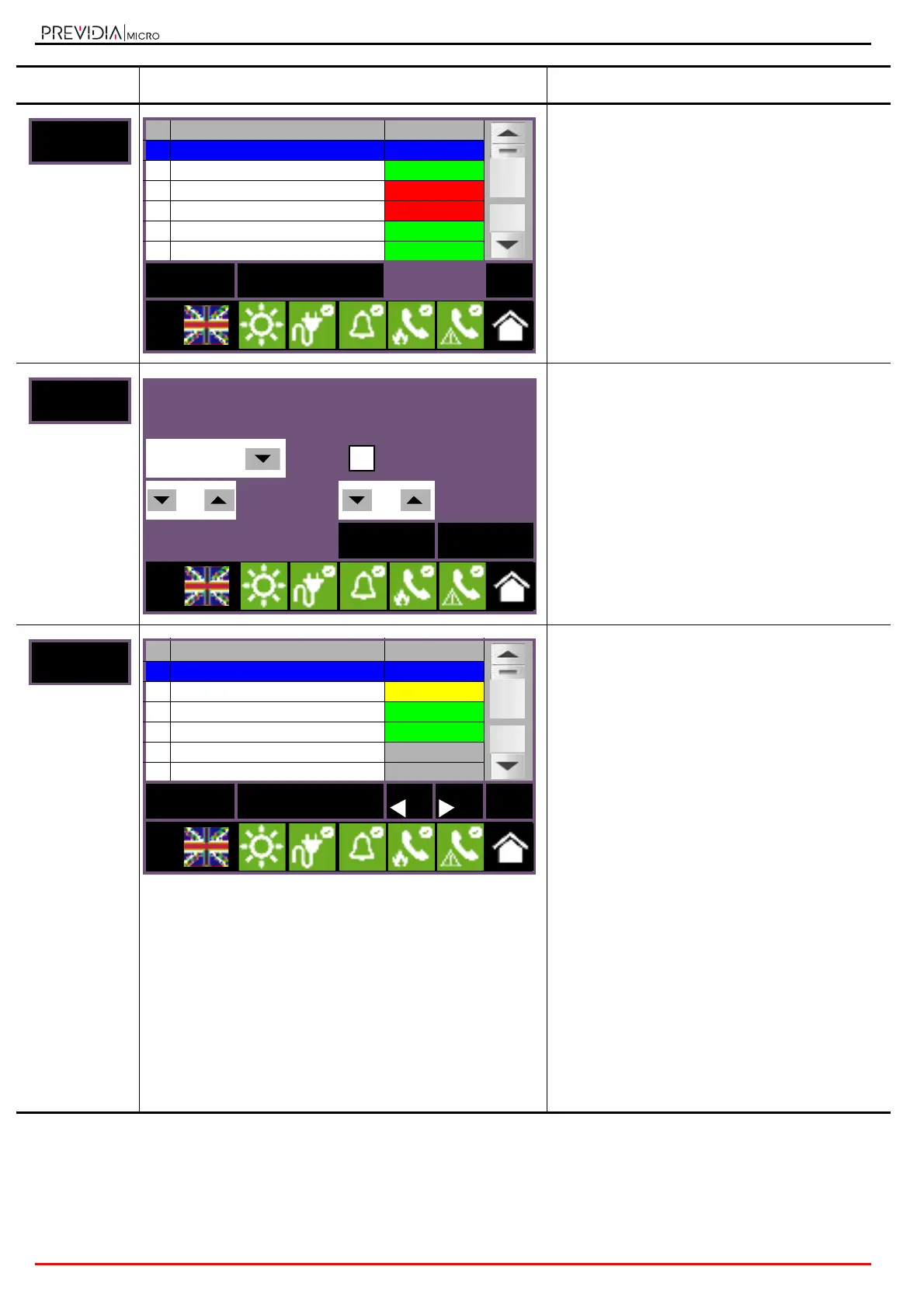
Section for the management of the timers
programmed for the selected control panel.
The activation status of each timer is shown and
made distinctive by colour:
• Green, timer deactivated
• Red, timer activated
• Blue, selected timer
By selecting a timer and pressing the Activate/
Deactivate button, it will be possible to change its
activation status. The Disable button allows you to
change the operating mode.
Section for the visualization of the data relative to
the Hornet network to which the control panel is
connected.
The parameters can be changed only with access to
the “programmer” level or higher.
Refer to Manual for system configuration and
commissioning.
Section for viewing the devices connected to the
terminals of the selected control panel and the
expansion modules connected to it.
Such devices are grouped on different pages in
accordance with the type of terminals used and can
be navigated by means of the arrow buttons:
- “I/O”
- relay
- Tx
- Lx
The status of each terminal is shown and made
distinctive by colour:
• Green, terminal in standby
• Yellow, terminal in fault status or bypassed
• Red, terminal in alarm status
• Blue, selected terminal
• Gray, terminal not used
The Disable button allows you to change the
operating mode. The View button allows access to
the management of terminals (paragraph 6.2 -
Device management).
The terminals indicated as “Not used” are terminals
which are not configured or are configured as
detection zones.
By selecting a relay terminal the Activate/
Deactivate button activates making it possible to
change its activation status.
Button Display Section
No. Timers Status
1 Timer 1 Standby
2 Timer 2 Standby
3
Timer 3 Active
4
Timer 4 Active
5 Timer 5 Standby
6
Timer 6 Standby
Disable
Activate/Deactivate
Esc
L:3
A Tx:0/s - Rx: 0/s - ACK↓:0
B Tx:0/s - Rx: 0/s - ACK↓:0
57600 bps Hornet gateway
00
Address
00
Cluster
Esc Set
L:3
No. I/O Status
1 Generic alarm Standby
2 Pre-Extinguishing Fault
Valve Standby
EXP1 - I/O Standby
EXP2 - I/O Not used
EXP3 - I/O Not used
Disable View Esc
L:2



 To Next Page