Need help?
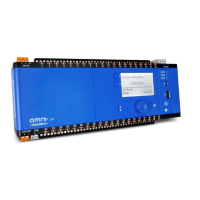
Do you have a question about the Innotech Omni C40 and is the answer not in the manual?
Details the technical specifications for Omni controllers and expansion modules.
Specific dimensions and connection points for the Omni C40/D controller.
Details specifications for programmable inputs/outputs on Omni devices.
Wiring information for Omni controllers including models and general diagrams.
Illustrates typical wiring diagrams for various inputs and outputs.
Procedure for configuring IP address and BACnet Instance using USB connection.
Explains RS-485 topology and configuration for Innotech Net, Global, BACnet, Modbus, and REM.
Steps for installing Focus software and configuring controllers and U10 REMs.
Methodology for performing initial system tests using the web server.
Final verification of system operation and adjustments under normal conditions.
 General
| Brand | Innotech |
|---|---|
| Model | Omni C40 |
| Category | Controller |
| Language | English |


 To Next Page