EasyManua.ls Logo

Innotech Micro2000 M2K05 - User Manual

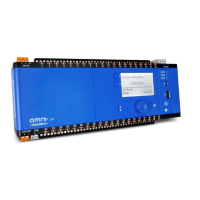
Innotech Micro2000 M2K05
6 pages
Print Icon
To Next Page IconTo Next Page
Loading...
© MASS ELECTRONICS Pty Ltd 2008
Application
The Innotech M2K05 Controller is designed to provide complete control
of air conditioning systems for commercial applications, where control
over two zones (eg: Day / Night) is required.
Features
LED Display of Temperature and Program functions
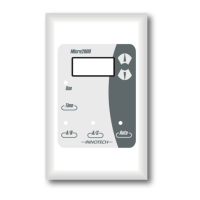
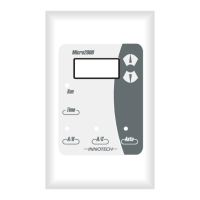
Control Station fits standard electrical wall plates
Two core screened cable simplifies connection between the control
station and controller
Adjustable Proportional Band, Dead Zone, Compressor Restart Time
and Setpoint Range
Able to operate as 1 cool, 1 electric heating or as reverse cycle heating
or cooling
7 Day 24hr Real Time Clock or Adjustable Timer function
Programmable Schedules, 4 events per day
Two Zone (Day / Night) control with option of 1 or 2 temperature
sensors
Adjustable auto zone change over times
External A/C fault and Start/Zone change inputs
All adjustments from the control station
The Clock is not battery backed. Time and Date will need to
be set every time power is cycled if the Time Clock function is
enabled. Schedules and Parameters are saved even if power
is lost.
Specifications
Power Supply
Voltage: 240VAC ±10% @ 50/60Hz
Power Consumption: 7VA max
Inputs
10k thermistor temperature sensor for air temperature (5°C
to 35°C range)
Switched contact
Outputs
Relay # 1: Voltage free relay contacts:
Normally Open 16A resistive
6A inductive
Relay # 2, 3, 4: Voltage free relay contacts:
Normally Open 10A resistive
6A inductive
Relay # 5, 6, 7: Voltage free relay contacts:
Normally Open 2A resistive
0.5A inductive
Connection Between Controller and Control Station
4 way connection via 3 core plus screen cable
Control Station Terminal Identification
IN 1 Day Zone Temperature and External Start
IN 2 Night Zone Temperature and External Start
GND Common for Inputs and Cable Shield
+12V Power from Controller
Comms Comms to Controller
GND Ground from Controller
Controller Terminal Identification
240 Volt Power connection to Control Unit:
Earth
N Neutral supply
240V~ Mains 240VAC Supply
Output Relays
NO Normally open contact
COM Common contact
Comms Terminals
+12V Power to Control Station
Comms Comms from Control Station
GND Ground to Control Station
Temperature Ratings
Storage: 0 to 50°C non-condensing
Operating: 0 to 40°C non-condensing
Models:
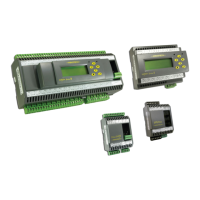
M2K05: 3 Speed FAN, 1 COOL, 1 HEAT & 2 Zone Controller,
7 day - 4 Event Time Clock or Timer
DS 9.05
August 2013
M2K05
Micro2000 Controller
Question and Answer IconNeed help?

Do you have a question about the Innotech Micro2000 M2K05 and is the answer not in the manual?

Summary

Product Specifications

Power, Input;Output & Connection Details

Details electrical specifications, inputs, outputs, terminal identification, and connection methods.

Installation, Safety & Approvals

Installation Guidelines & Safety

Covers mounting, wiring, safety warnings, and required qualifications for installation.

Programming Schedules & Clock

Clock and Schedule Setup

Guides on setting the current time, day, and programming daily schedules or auto zone changes.

Detailed Parameter Configuration

Core Control Parameters

Explains essential parameters for setpoints, dead bands, proportional bands, and operational modes.

Wiring Diagrams

System Wiring Configurations

Provides diagrams illustrating sensor, control station, and fault relay connections for different setups.

Safety Precautions

Hazardous Situation Warnings

Lists critical safety precautions regarding electrical terminals and unit handling.

Electrical Connection Diagrams

Electric & Reverse Cycle Wiring

Illustrates wiring for Electric Heat and Reverse Cycle modes, including relay specifications.

Overview

The Innotech M2K05 Micro2000 Controller is a versatile device designed for comprehensive control of air conditioning systems in commercial applications, particularly where two zones (e.g., Day/Night) require independent management. This controller integrates a 3-speed fan, 1 cool, 1 heat, and 2-zone control, along with a 7-day, 4-event time clock or timer function.

Function Description:

The M2K05 controller provides precise temperature regulation and scheduling capabilities for HVAC systems. It can operate in various modes, including 1 cool, 1 electric heating, or reverse cycle heating/cooling. The device supports two-zone control (Day/Night) with the flexibility of using either one or two temperature sensors. Its real-time clock allows for programmable schedules with up to four events per day, ensuring optimal comfort and energy efficiency. The controller also features adjustable auto zone changeover times, external A/C fault inputs, and start/zone change inputs for enhanced system integration and fault monitoring.

Important Technical Specifications:

  • Power Supply: 240VAC ±10% @ 50/60Hz, with a maximum power consumption of 7VA.
  • Inputs:
    • One 10kΩ thermistor temperature sensor for air temperature (5°C to 35°C range).
    • Switched contact for external inputs.
    • Two multipurpose inputs (UI1 and UI2) for Zone 1 and Zone 2 thermistors (Innotech SENx) and external start/zone change (momentary push button).
  • Outputs (Voltage-Free Relay Contacts):
    • Relay #1 (Fan Low): Normally Open, 16A resistive, 6A inductive.
    • Relay #2, 3, 4 (Fan Mid, Fan High, Cool): Normally Open, 10A resistive, 6A inductive.
    • Relay #5, 6, 7 (Night Zone, Day Zone, Heat): Normally Open, 2A resistive, 0.5A inductive.
  • Connection to Control Station: 4-way connection via a 3-core plus screen cable.
  • Temperature Ratings:
    • Storage: 0 to 50°C non-condensing.
    • Operating: 0 to 40°C non-condensing.
  • Approvals: Conforms to electromagnetic emission and immunity requirements according to standards EN55011 (CISPR11) and EN50082 for CE Marking and C-Tick Labelling.

Usage Features:

  • LED Display: Provides clear indication of temperature and program functions.
  • Control Station: Designed to fit standard electrical wall plates, simplifying installation.
  • Simplified Wiring: Uses a two-core screened cable for easy connection between the control station and controller.
  • Adjustable Parameters: Allows for customization of proportional band, dead zone, compressor restart time, and setpoint range.
  • Time Clock/Timer Function: Features a 7-day, 24-hour real-time clock or an adjustable timer function. The clock is not battery-backed, so time and date need to be reset after power cycling if the time clock function is enabled. However, schedules and parameters are saved even if power is lost.
  • Programmable Schedules: Supports up to four events per day for precise control.
  • Two-Zone Control: Manages Day and Night zones with options for one or two temperature sensors.
  • Auto Zone Changeover: Adjustable times for automatic zone switching.
  • External Inputs: Includes external A/C fault and start/zone change inputs.
  • Control Station Buttons:
    • Fan Button: Changes fan speed (indicated by 3 LEDs). Can turn on the fan in Vent Mode when the controller is off.
    • Mode Button: Toggles between Auto, Heat, and Cool modes.
    • Zone Button: Switches between zones. If "On" is selected in Parameter 11 (Enable Both Zones), both zones can be turned on simultaneously, using the average of both sensors and the Day Setpoint.
    • Time Button: Has two selectable modes: Time Clock mode (enables/disables Time Clock, displays current time) and Timer mode (adjustable On/Off timer, displays time until state change).
    • On/Off Button: Changes the current state of the controller, overriding Time Clock or Timer settings. In Time Clock mode, it can force the controller off until the next scheduled "On" time or on until the next scheduled "Off" time.
  • Programming Mode: Accessed by holding the Time button for 5 seconds. Allows selection and adjustment of various parameters (P00 to P16) using the Up/Down buttons. Changes are confirmed by pressing the Time button. To exit and save, hold the Time button for 5 seconds. If changes are not saved, the controller reverts to the last saved settings.

Maintenance Features:

  • Fault Representation: The controller provides clear fault indications on the Control Station display:
    • "HELP": Indicates a communications error between the Controller and Control Station. The controller shuts down after 1 minute.
    • "SEN 1 FAIL": Indicates an open circuit on Sensor Input 1. The controller shuts down after 20 seconds, but the fan can still be turned on (Vent Mode).
    • "SEN 2 FAIL": Indicates an open circuit on Sensor Input 2. The controller shuts down after 20 seconds, but the fan can still be turned on (Vent Mode).
    • "FAIL": Indicates an open circuit on both Sensor Input 1 and 2 simultaneously. This is a generic fault that shuts down the controller and flashes "FAIL" on the display.
  • Sensor Calibration: Parameters 14 and 15 allow for calibration of Sensor 1 and Sensor 2 temperatures, with an adjustable offset range of ±10°C.
  • Standby Dead Band (Parameter 16): Allows setting a standby dead band (OFF to 99.0°C). If a value other than "Off" is selected, the controller enters a Standby mode instead of switching off, maintaining temperature with a wider control dead band and cycling the fan at low speed.

Installation Guidelines:

  • Mount the Micro2000 on a DIN rail in cabinets approved for switchgear or industrial control equipment, in a dry, clean location free of excess vibration.
  • Maximum terminal cable entry is 1.5mm² wire.
  • Wiring must comply with INNOTECH connection diagrams and local bylaws.
  • Connect the 240VAC supply to the correct terminals, observing polarity and ensuring EARTH connection.
  • Maximum wire length between the control station and controller should not exceed 50 metres.
  • Avoid running wiring in parallel with high-current conductors.
  • Installation should only be performed by qualified personnel.

Safety Precautions:

  • Never touch I/O terminals while power is supplied.
  • Do not attempt to disassemble the unit.
  • Provide emergency stop circuits, limit circuits, interlock circuits, and similar safety measures.
  • Be aware that outputs may remain On or Off due to relay issues; external safety measures are crucial.
  • Follow Innotech wiring diagrams and installation instructions.

Innotech Micro2000 M2K05 Specifications

General IconGeneral
BrandInnotech
ModelMicro2000 M2K05
CategoryController
LanguageEnglish

Related product manuals