Need help?
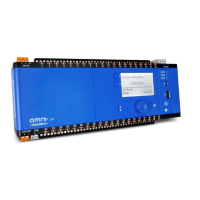
Do you have a question about the Innotech MAXIM 1010 and is the answer not in the manual?
Outlines manual's intent, audience, and recommended pre-installation familiarization.
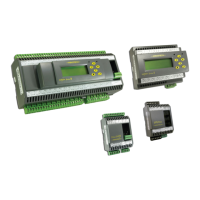
Provides general information on MAXIM Series controllers, their applications, and types.
Lists crucial safety precautions and installation considerations for personnel and equipment.
Lists the necessary tools and materials required for installing the MAXIM Series controllers.
Provides an overview of the mechanical installation of MAXIM Series controllers.
Details physical characteristics and provides dimension diagrams for various MAXIM controllers.
Offers general guidelines for ensuring continued and reliable operation of the controllers.
Provides information to assist in the electrical installation of MAXIM Series controllers.
Details general practices for connecting and wiring devices and equipment correctly.
Provides wiring information for various MAXIM Series controllers, including power and I/O.
Explains how MAXIM Series controllers can be installed on primary or subsystem networks.
Introduces the commissioning process to prepare controllers for full operation.
Provides detailed steps for final inspection of the mechanical and electrical installation.
Introduces the CT01 as an HMI for configuring and commissioning Subsystem network controllers.
Describes different methods for connecting the CT01 to subsystem networks and controllers.
 General
| Brand | Innotech |
|---|---|
| Model | MAXIM 1010 |
| Category | Controller |
| Language | English |


 To Next Page