EasyManua.ls Logo

Innotech Micro2000 M2K02 - User Manual

Innotech Micro2000 M2K02
6 pages
Print Icon
To Next Page IconTo Next Page
Loading...
© MASS ELECTRONICS Pty Ltd 2008
Application
The Innotech Micro2000 Series Controllers are designed to be used
in commercial applications to provide complete control for air
conditioning systems. Specifically for applications where a condenser
water pump interlock system is required.
Features
Condenser Water Pump Interlock Control
LED Display of Temperature and Program functions
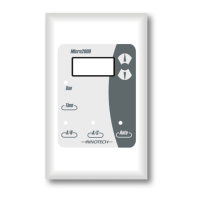
Control Station fits standard electrical wall plates
Four core screened cable simplifies connection between the control
station and controller
Adjustable Proportional Band, Dead Zone, Compressor Restart Time,
Aer hours Timer and Setpoint Range
Able to operate as 2 cool, 2 electric heating or as reverse cycle heating
or cooling
Aer Hours function
7 day, 24 hour Real Time Clock
Programmable Schedules, 4 events per day
Storage of Accumulated Aer Hours Run Time
All adjustments from the control station
The Clock is not battery backed. Time and Date will need to
be set every time power is cycled if the Time Clock function is
enabled. Schedules and Parameters are saved even if power
is lost.
Specifications
Power Supply
Voltage: 240VAC ±10% @ 50/60Hz
Power Consumption: 7VA max.
Inputs
10k Thermistor temperature sensor
Digital Input for Switched contact
Outputs
Relay # 1: Voltage free relay contacts:
Normally Open 240VAC, 16A resistive
240VAC, 6A inductive
Relay # 2, 3: Voltage free relay contacts:
Normally Open 240VAC, 10A resistive
240VAC, 6A inductive
Relay # 4, 5: Voltage free relay contacts:
Normally Open 240VAC, 2A resistive
240VAC, 0.5A inductive
Connection Between Controller and Control Station
4 way connection via 4 core plus screen cable
Control Station Terminal Identification
IN 1 Temperature Sensor Input
IN 2 Digital Input for Switched Contact
IN 3 Verify Signal Feedback Input
+12V Power from Controller
Comms Comms to Controller
GND Ground from Controller
Controller Terminal Identification
240 Volt Power connection to Control Unit:
Earth
N Neutral supply
240V~ Mains 240VAC Supply
Output Relays
NO Normally open contact
COM Common contact
Comms Terminals
+12V Power to Control Station
Comms Comms from Control Station
GND Ground to Control Station
Temperature Ratings
Storage: 0 to 50°C non-condensing
Operating: 0 to 40°C non-condensing
Sensor Input: 5 to 35°C
Models:
M2K02: 1 Speed FAN, 2 COOL and 2 HEAT Controller, 7 day - 4
event Time Clock, with Condenser Water Pump Interlock
DS 9.02
August 2013
M2K02
Micro2000 Controller
NO Com
FANS
NO Com
Heat 1
NO Com
Heat 2
NO Com
Cool 2
NO Com
Cool 1
Question and Answer IconNeed help?

Do you have a question about the Innotech Micro2000 M2K02 and is the answer not in the manual?

Summary

Specifications

Power Supply

Details on voltage and power consumption requirements for the controller.

Inputs

Specifies the types of sensors and digital inputs supported by the controller.

Outputs

Details the voltage-free relay contacts and their resistive/inductive ratings.

Connection Between Controller and Control Station

Control Station Terminal Identification

Identifies terminals on the control station for sensor, digital input, and power.

Controller Terminal Identification

Identifies terminals on the controller for power, earth, and neutral supply.

Output Relays

Specifies the common and normally open contacts for output relays.

Comms Terminals

Details terminals for power, comms, and ground connection to the control station.

Temperature Ratings

Specifies storage, operating, and sensor input temperature ranges.

Application

Features

Approvals

Installation

Fault Representation

Communications Error (HELP)

Indicates a communication issue between controller and control station.

Temperature Sensor Failure (SEN FAIL)

Indicates an open circuit in the room temperature detector.

Flow Verification Failure (no FLO)

Indicates no flow signal feedback from the Pump Interlock Module.

Pump Interlock Operation

Inputs

Temperature Sensor Input

Input for reading the current room temperature.

Digital Input Options

Configurable input for Door Switch, AC Fault, External Disable, or After Hours.

Pump Interlock Signal Input

Input for the Pump Interlock Verify Signal.

Outputs

Relay 1 (Fan)

Controls the fan with 16A resistive / 6A inductive rating.

Relay 2,3 (Heat 1, 2)

Controls heating elements with 10A resistive / 6A inductive ratings.

Relay 4,5 (Cool 1, 2)

Controls cooling stages with 2A resistive / 0.5A inductive ratings.

Push Buttons

Auto Button

Enables or disables programmed schedules.

CA;H Button Functions

Controls After Hours mode and manual overrides.

Manual Override Function

Allows overriding programmed schedules for manual control.

Time Button Function

Displays current time or selects Vent/Condition mode.

After Hours Run Time

Start Up Default Settings

Programming Controller

Entering Programming Mode

Procedure to enter the controller's programming mode.

Parameter Adjustment

How to select and adjust controller parameters.

Saving Settings

Method to save programmed settings by holding the Time button.

Important Notes For Programming

Parameters

Sensor Calibration

Adjusts the temperature sensor reading offset.

Minimum Setpoint

Sets the lowest allowable temperature setpoint.

Maximum Setpoint

Sets the highest allowable temperature setpoint.

Dead Band

Defines the temperature range around the setpoint to prevent cycling.

Proportional Band

Sets the differential for heating and cooling.

After Hours Timer

Duration the unit runs for after-hours operation.

After Hours Adjustable

Enables or disables manual adjustment of the After Hours timer.

Fan Run On Time

Period the fan runs after heating shutdown to remove residual heat.

Compressor Minimum Off Time

Minimum time the compressor must remain off before restarting.

EDH; REV Mode

Selects Electric Heat (EDH) or Reverse Cycle (REV) operation mode.

HEA; COOL Mode

Selects heat relay energization for heating (HEA) or cooling (COOL).

Fan Cycle Operation

Enables fan cycling with heating or continuous fan operation.

Setpoint Display Setting

Configures display to show setpoint or current temperature.

Time Clock Enable

Enables or disables the Time Clock functions.

Input 2 Functionality

Assigns functions to Input 2: Door, AC Fault, Disable, or After Hours.

Door Open Time

Duration a door must remain open to be registered.

Door Reset Dead Band

Temperature band for resetting door-related standby mode.

CW Pump Run On Time

Duration the condenser water pump runs after call signal removal.

Standard Connection

Control Station Wiring

Diagram showing standard wiring for the control station.

Electric Heat Connection

Reverse Cycle Connection

Innotech Micro2000 M2K02 Specifications

General IconGeneral
Controller TypeProgrammable Logic Controller (PLC)
Power Supply24V DC
Inputs16 Digital, 8 Analog
Outputs16 Digital, 4 Analog
Ethernet10/100 Mbps
Digital I/O16 inputs / 16 outputs
Analog Inputs8 channels
Analog Outputs4 channels
Weight0.5 kg
CommunicationEthernet, USB

Related product manuals