Need help?
Do you have a question about the Innotech Omni Series and is the answer not in the manual?
Details changes and version updates for the manual.
Provides an overview of the manual's purpose and intended audience.
Lists technical specifications for Omni controllers and expansion modules.
Outlines crucial safety precautions and installation best practices.
Specifies the essential tools and test equipment required for installation.
Introduces the section on physical installation and mounting of Omni System components.
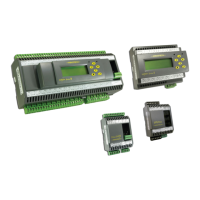
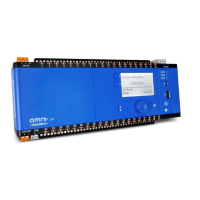
Details the physical characteristics and dimensions of Omni controllers.
Provides specific dimensional data and identification for the Omni C40 controller.
Covers general guidelines and procedures for the physical installation of the system.
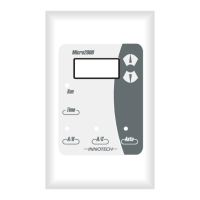
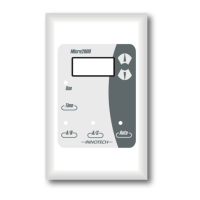
Guides the installation process for Human-Machine Interface (HMI) modules.
Introduces the section detailing electrical installation for the Omni System.
Details general practices for safe and effective electrical installation.
Specifies the technical details of programmable input/output points.
Explains input/output connection information for Omni controllers and devices.
Details input/output connection groups for the Omni C40/D controller.
Introduces the networking capabilities and connectivity options of the Omni System.
Provides guidance on installation procedures for networking Omni systems.
Specifies Ethernet cable types and lengths for optimal network performance.
Shows generalized connection examples for various networking scenarios.
Explains Ethernet connection methods, topologies, and controller configurations.
Describes the required wiring topologies for RS-485 communication in Omni networks.
Introduces the commissioning phase for preparing the Omni System for operation.
Details the steps for inspecting the completed mechanical and electrical installation.
Verifies correct input/output wiring and voltage levels for system operation.
Ensures correct installation of End-of-Line jumpers for RS-485 devices.
Guides the installation of Focus software and configuration of controllers.
Describes the methodology for performing initial system tests using Focus software.
Details the final verification process for system operation under normal conditions.
 General
| Mounting | DIN Rail |
|---|---|
| Protection Rating | IP20 |
| Communication Protocols | Modbus RTU, Modbus TCP |
| Power Supply | 24V DC |
| Input Voltage | 24V DC |
| Output Voltage | 24V DC |

 To Next Page