Additional Functions
ADJUSTMENTS AND SETTINGS
3040c 75
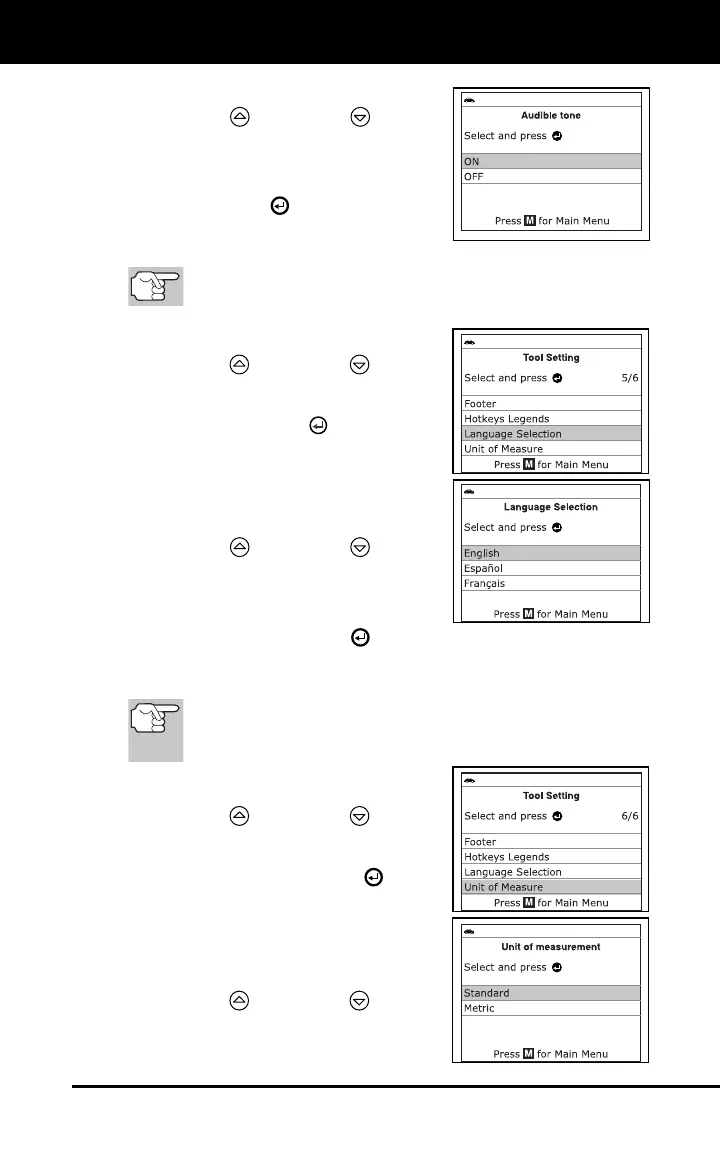
The Audible Tone screen displays.
2. Use the UP
and DOWN buttons,
as necessary, to highlight ON or OFF as
desired.
3. When the desired option is selected,
press the ENTER
button to save your
changes and return to the Tool Settings
Menu.
To exit the Audible Tone screen and return to the Tool
Settings Menu without making changes, press the M button.
Selecting the Display Language
1. Use the UP
and DOWN buttons,
as necessary, to highlight Language
Selection in the Tool Settings menu,
then press the ENTER
button.
The Select Language screen dis-
plays.
The currently selected display lan-
guage is highlighted.
2. Use the UP
and DOWN buttons,
as necessary, to highlight the desired
display language.
3. When the desired display language is
highlighted, press the ENTER
button to
save your changes and return to the Tool Settings Menu (shown in the
selected display language).
To exit the Select Language screen and return to the Tool
Settings Menu without making changes, press the M
button.
Setting the Unit of Measurement
1. Use the UP
and DOWN buttons,
as necessary, to highlight Unit of
Measurement in the Tool Settings
Menu, then press the ENTER
button.
The Unit of Measurement screen
displays.
The currently selected Unit of
Measurement is highlighted.
2. Use the UP
and DOWN buttons,
as necessary, to highlight the desired
Unit of Measurement.


 To Next Page