-20-
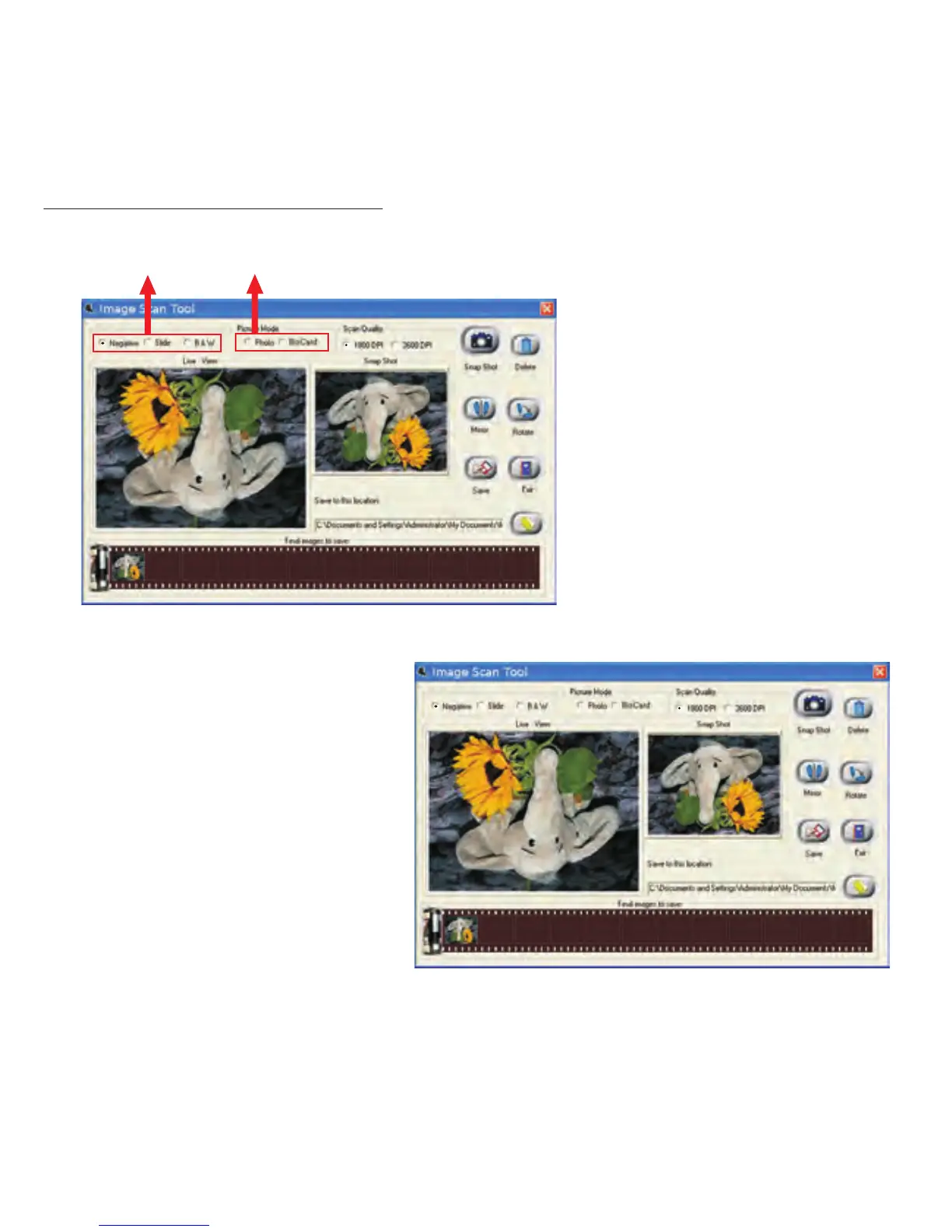
User interface introduction
Film/Slide Mode Picture Mode
The will
auto select operating mode
(Film/Side Mode & Photo
Mode) automatically by
detecting if the backlight
holder has been attached. If
backlight holder is attached,
it will go into Film/Slide
Mode and vice versa.
Image scan Tool
When user selects a
“Negative” source, the
image in “Live View”
window will be exactly
like the processed result.


 To Next Page