-26-
ITNS-500 Scanner Calibration
When you found your ITNS-500 couldn't get a sharp image, you need
to run the “Scanner Calibration” program to adjust the focus of the
scanner.
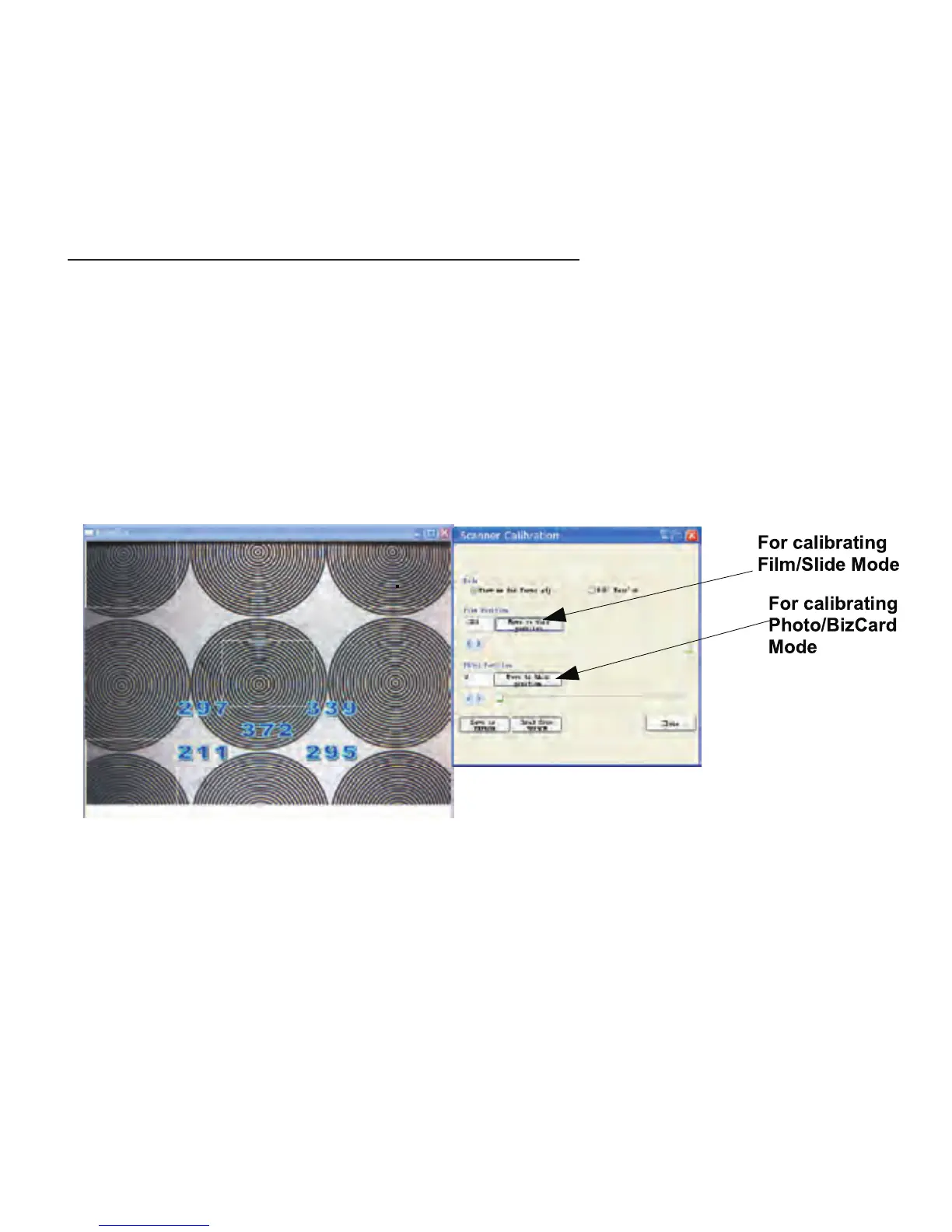
Launch the “Scanner Calibration” program from Window's Start Menu
All) Programs Image Scan Tool Scanner Calibration→( → →
You can see there are two options of calibration. They are
Film Mode and Photo Mode. You have to insert the
calibration film / sheet in advance before calibration.


 To Next Page