ITNS-500 Trouble shooting
.‐.
. ( ‐ ):\ \ .
..,
.
Question 1. How to install ITNS‐500 driver?
Solution:
01 Put FilmScan Driver CD ROM into your CD player
02 Open the X CD ROM Driver folder
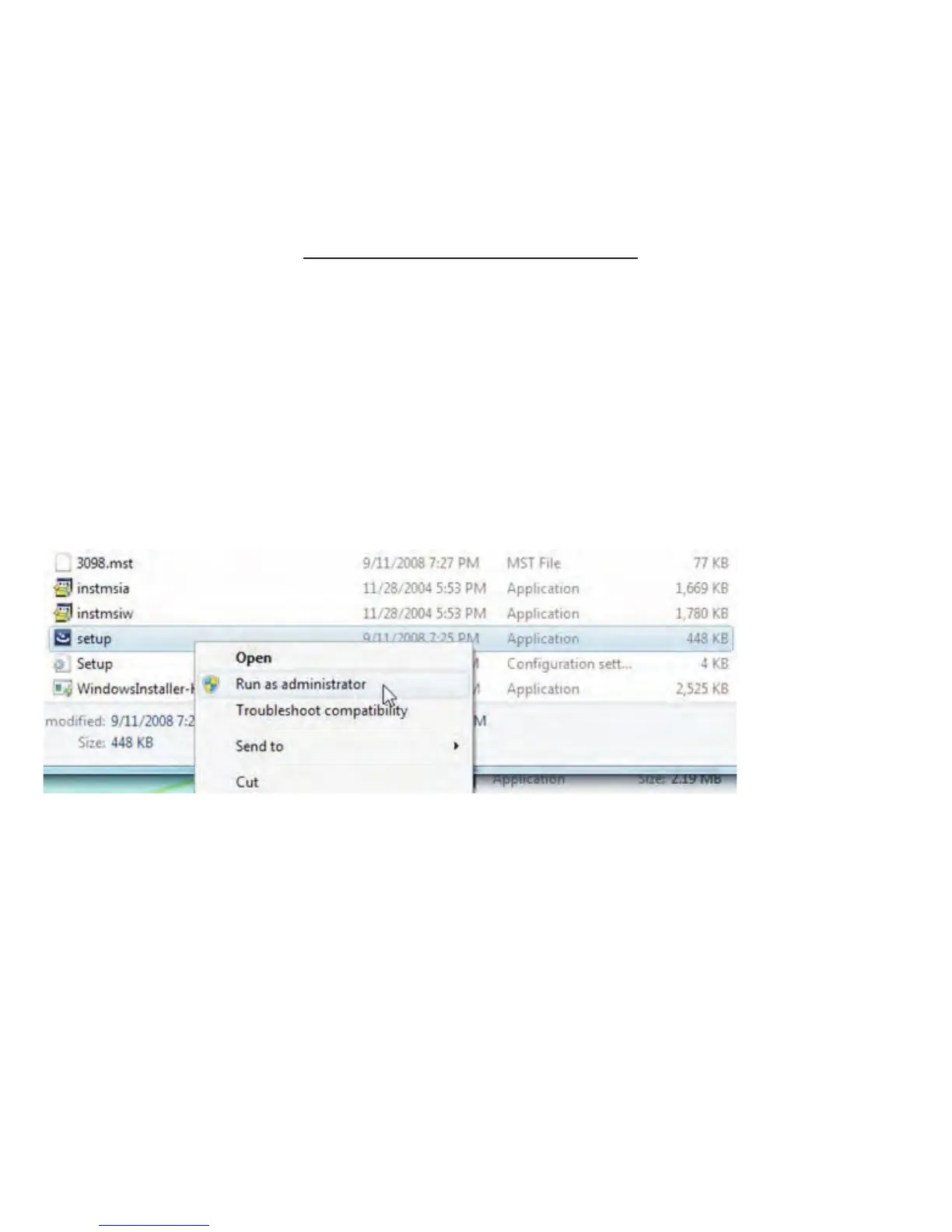
03 Click mouse right buttonon setup exe and click “Run as administrator”
to install driver
:
06 The InstallShield Wizard will show the message of “InstallShield Wizard
Completed once the driver installed ready
.
.
07 Connect ITNS-500 to your PC the PC will complete the device driver
installation and confirm driver installed successfully
.,
.
-31-


 To Next Page