01 Open Device Manager.
Windows XP
Open Start Setting Control Panel System Hardware Device Manager
Windows Vista
Open Start Control Panel System Device Manager
Windows 7
Open Start Control Panel System and Security System Device Manager
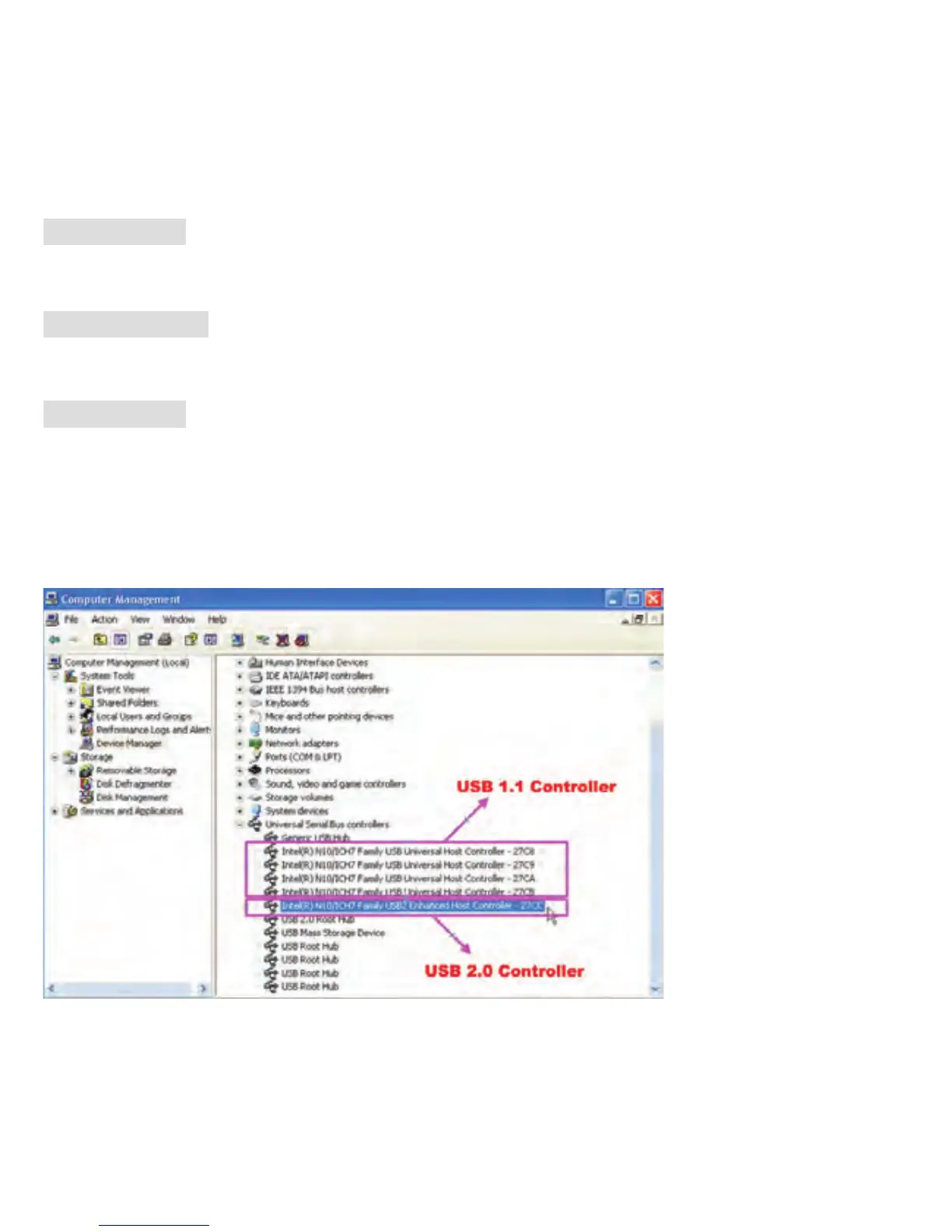
02 Your computer must with a USB 2.0 Controller in Universal Serial Bus
controllers. The figure below shows the difference between USB1.1 and 2.0.
There must be a “USB2” for USB 2.0 controller.
→→ →→ →
→→→
→→ →→
Note: If there's any abnormal condition cause user special behaviour, Combo Scanner can be reset by pull/insert
USB cable again.
-39-


 To Next Page