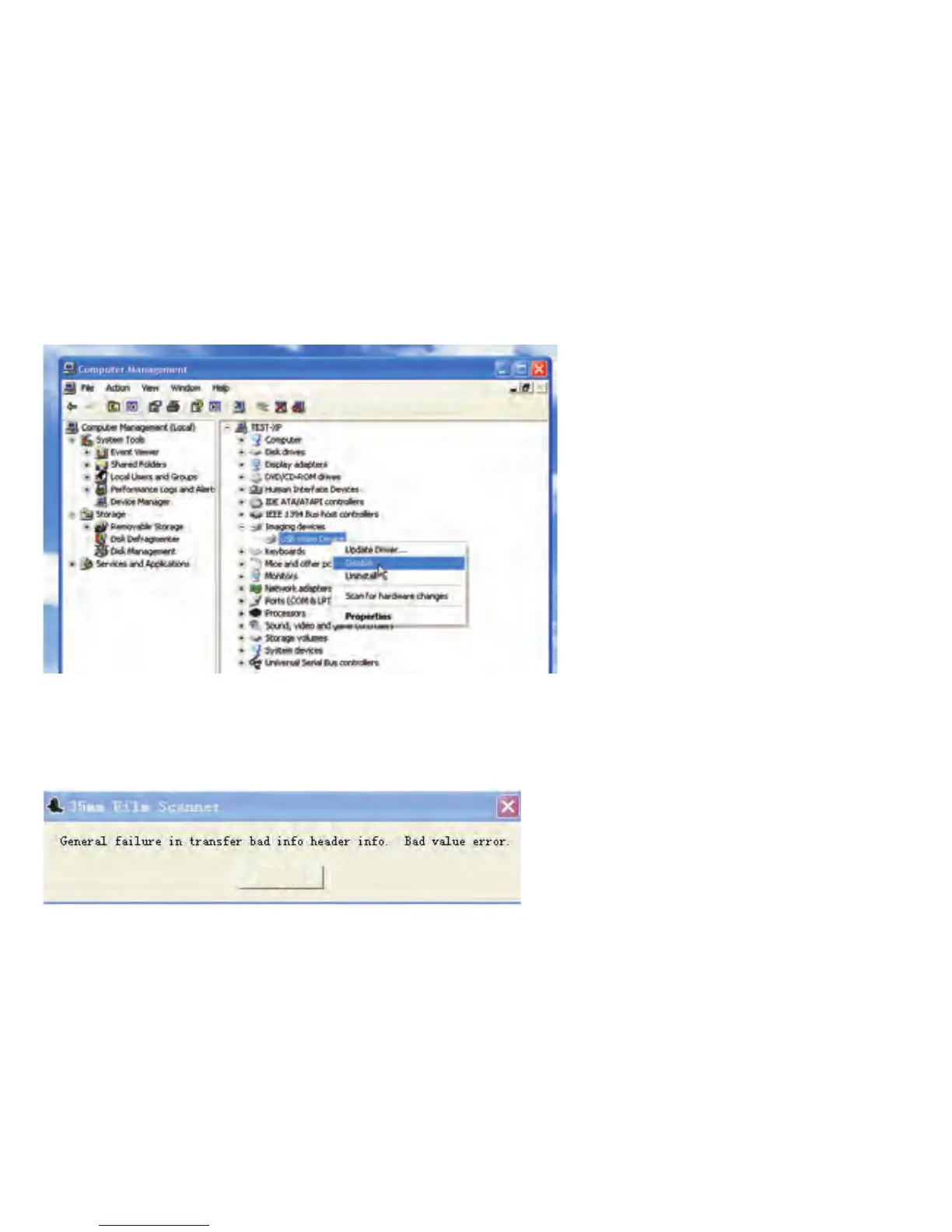
Solution:
01. Disable the other imaging devices by using bundled program in standard
package first or disable it by the option under Imaging device when press
right button of mouse.
02. Re‐start ITNS‐500 application again.
Question 7. Come up the error message “General failure in transfer bad info
header info. Bad value error”.
Reason: Plug device into USB1.1 port.
ITNS‐500 only supports USB 2.0. Please verify if your PC is compatible with
USB2.0.
Solution:
OK
-38-


 To Next Page