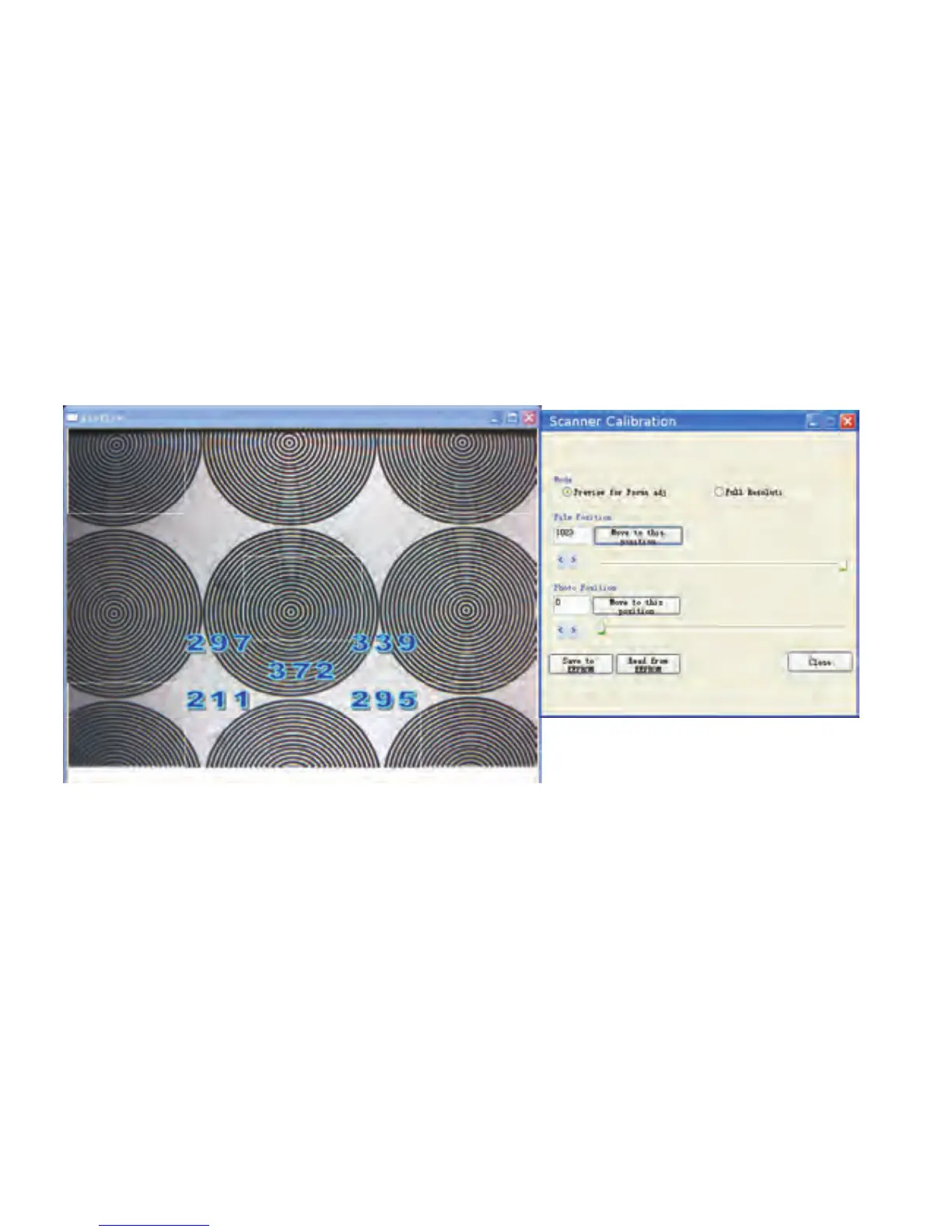
You can drag the slide bar or type in the value for either
Film or Photo position in order to obtain a clear image
Click Save to EERPOM” to save the setting If you lost
the setting please use 1023” as Film position default
and 0” as Photo position default
.
“.
,“
“.
If you ant o etrieve he ast sed alue ou an lick
Read rom EPROM” to estore o he revious alue
,
“.
wtr tlu v ycc
fE r ttp v
You can also select the Full Resolution Preview by the
top radio buttons to make sure the calibrated image is
crystal clear
.
-27-


 To Next Page