ISTRUZIONI PER L’UTENTE
INSTRUCTIONS FOR THE USER
ANLEITUNGEN FÜR DEN BENUTZER
Combination ovens with direct and boiler system, gas and electric models. Programmable panel
14
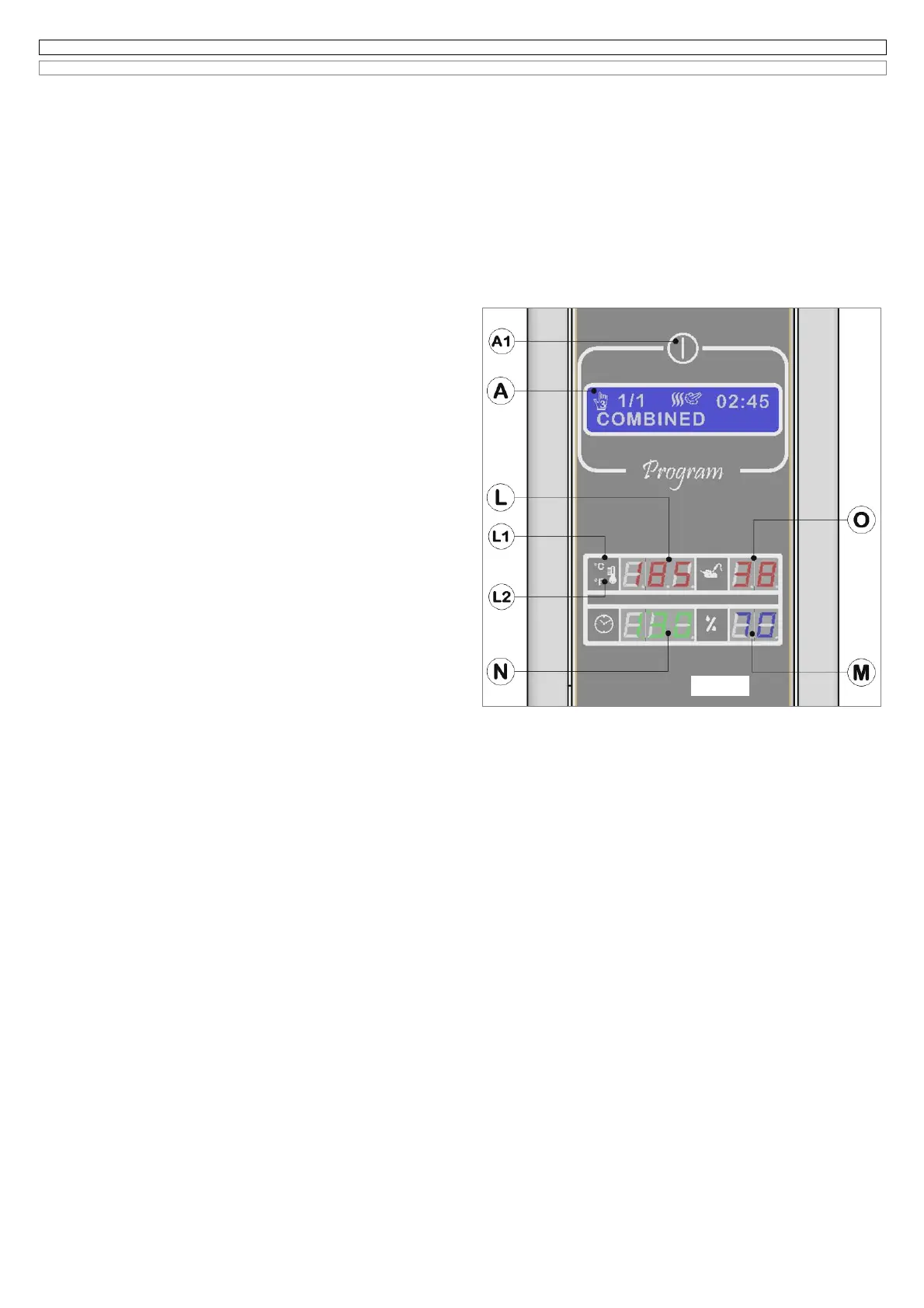
6.5 SETTING OF THE PHASE “COMBINATION” AND STARTING IN THE MANUAL COOKING PROGRAM N°3
(Fig. 6.5 it)
This program is manual and is made up of a single phase, having the name corresponding to the cooking mode convection with hot forced air and steam
also called combination.
By turning the encoder-knob on the program 3, the electronic system will show:
1 on the LCD display (A) the data relating to the last cooking done using Program 3;
2 on the back lighted display (L) the set temperature for about 5 seconds, then the message
Go
before showing the real cooking chamber
temperature;
3 on the back lighted display (N) the cooking time of the last steam cycle done. If in the last cooking cycle the core probe has been used, the
display (N) will be switched off;
4 on the back lighted display (O) the temperature selected for the core probe if in the last cooking cycle the core probe was used , vice versa the
display (O) will be switched off.
5 On the back lighted display (M) the percentage of humidification used for the last combination cooking program.
If the door of the oven is open on the display (N) you will see the message
oPn.
If you want to select a cooking program, maintaining the same values shown on the display, you just need to press the button START/STOP to start the
cycle.
6.5A Modification cooking chamber temperature
As described on paragraph 6.3A.
6.5B Modification core probe temperature
As described on the paragraph 6.3B.
6.5C Activation of
Δ
t function (Delta T)
As described on the paragraph 6.3C.
6.5D Modification cooking time
As described on the paragraph 6.3D.
6.5E Modification percentage of humidity
The electronic system of this oven allows to select a percentage of humidity
inside the cooking chamber, varying from 1% to 99%.
To select a new value, turn the encoder knob (B), clockwise to increase it
and counter clockwise to decrease it. Press the encoder to memorize the
value and the electronic system waits for the message START to start the
cooking cycle.
The message
Go
will appear on the display (L).
The key (U) of fig.6.1 allows an easy access to display and modify the
setted percentage of humidity, with the same modalities above described,
also during the cooking cycle.
Fig.6.5 it



 To Next Page