Inspiration Healthcare16
Inspiration Healthcare Limited © 2021 Inspiration Healthcare Limited
W inspiration-healthcare.com
700-307 Revision: 10
Inspiration Healthcare Limited © 2021 Inspiration Healthcare Limited
W inspiration-healthcare.com
700-307 Revision: 10
Connect and utilise the AlphaCore
5
Controller , mattresses/blanket with
consideration to safety as outlined in Section 3.
Control Descriptions
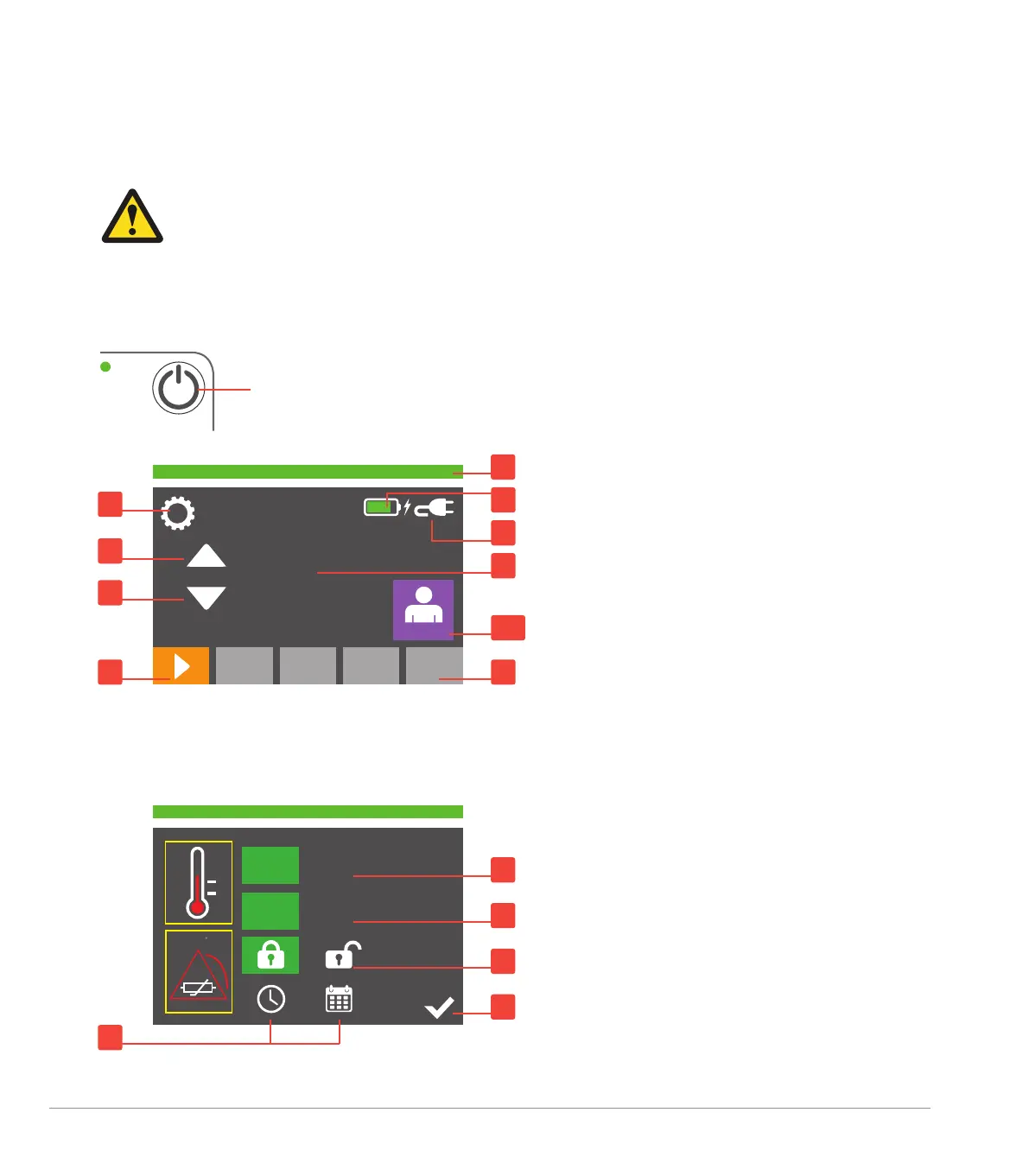
Below is a list of meanings of all the buttons on the display and indicator lights:
7. System Setup
1. Settings menu
2. Power source and battery status
3. Mains connected
4. Accessory connection status
5. Increase desired temperature
6. Decrease desired temperature
7. Initial accessory connection indication
(with associated active alarm bar amber)
8. Device status and alarm bar green okay
and amber active
9. Set temperature target of accessories
10. Patient probe connected and
temperature measured
37.9
o
C
37
o
C
1. Clock and Calendar adjustment option screens
2. Degrees Celsius or Fahrenheit (for patient
probe temperature display)
3. Decimal point or comma
4. Screen locked or unlocked
5. Tick press to confirm
Settings Screen (with active choices in green)
o
C
o
F
V1.0.0 (PMU v1.0)
.
,
10
4
1
8
2
3
4
5
2
3
9
5
6
7
Power on and off: 3 second hold
1


 To Next Page