Inspiration Healthcare18
Inspiration Healthcare Limited © 2021 Inspiration Healthcare Limited
W inspiration-healthcare.com
700-307 Revision: 10
Inspiration Healthcare Limited © 2021 Inspiration Healthcare Limited
W inspiration-healthcare.com
700-307 Revision: 10
How to Use the AlphaCore
5
Controller
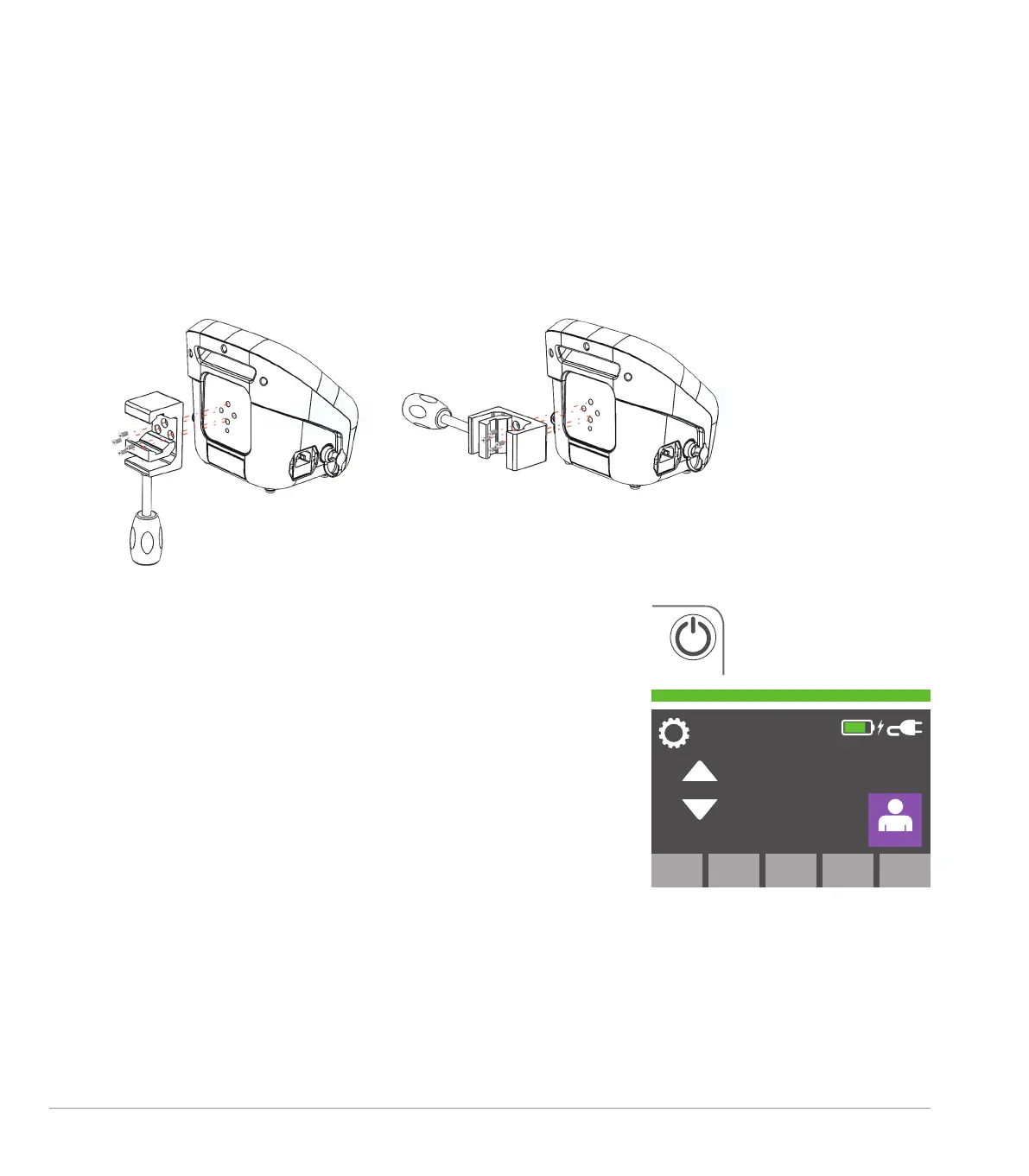
Securely mount the AlphaCore
5
Controller to either a pole or Medi-rail using the clamp provided. The device
can be used free standing; however, it should be positioned with due consideration to the local environment
and safety.
Rail Mount Pole Mount
Connected to the mains supply, press the on/off switch to the top
right of the display for 3 seconds. The device will power up with
the touchscreen displaying the target temperature. To the left of this
temperature value are up/down arrows which, when pressed, adjust
the temperature in 1°C steps to enable the desired temperature to
be set.
Note: pressing and holding the arrows will not increase or decrease
the value by more than 0.5°C.
The temperature range is 25-40°C in 0.5°C increments.
The touchscreen will display icons as indicated below.
On the top right of the display a battery icon, mains power
connection icon, charging icon and a status bar will be shown.
If a patient probe is connected, a smaller blue icon will be visible
displaying the probe temperature (below and to the right of the main
temperature setting display). If a temperature probe is not attached,
this icon will not be displayed.
37.9
o
C
37
o
C


 To Next Page