Inspiration Healthcare22
Inspiration Healthcare Limited © 2021 Inspiration Healthcare Limited
W inspiration-healthcare.com
700-307 Revision: 10
Inspiration Healthcare Limited © 2021 Inspiration Healthcare Limited
W inspiration-healthcare.com
700-307 Revision: 10
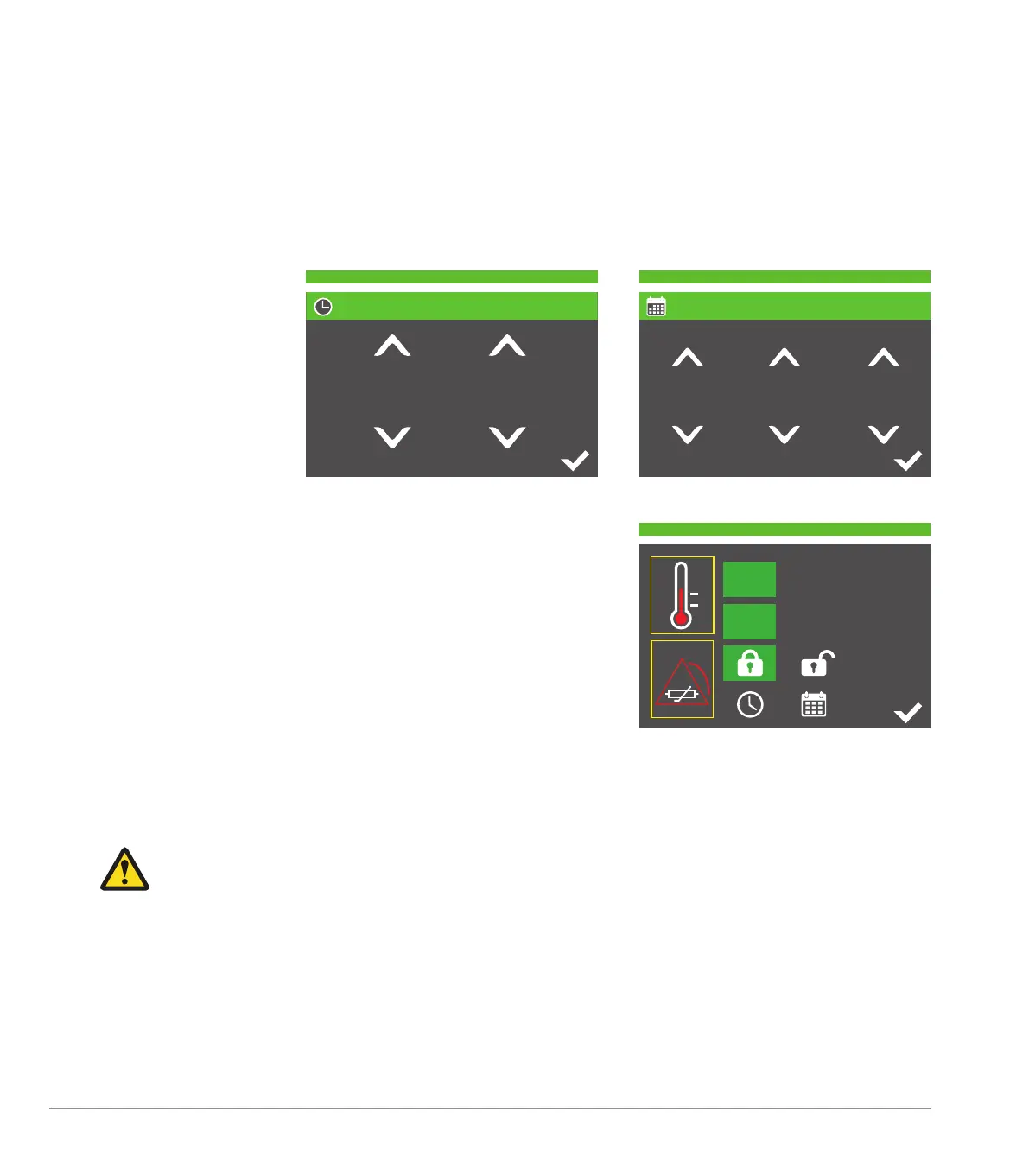
At the bottom of the settings menu are a clock and calendar icon for setting time and date. Press the icons to make
changes. Displayed above the numeric values are up arrows and below, down arrows. Pressing these will either
increase or decrease the number by 1 digit per press. Holding down the arrows will increase the speed of change.
00
:
00
00
-
00
-
00
o
C
o
F
V1.0.0 (PMU v1.0)
.
,
At the top of the settings screen, the software version is displayed.
Checking the Clock
There is an internal real-time clock used for logging errors for service surveillance. The time/date should be
periodically checked to ensure the battery responsible for upkeep of the correct time is functional.
If the time/date is not stored when the unit is unplugged from the mains then the internal battery will
need replacing. Only a trained service engineer may do this by following the instructions in the Service
Manual.
8. Normal Operation
With the accessories selected, secured and connected to the AlphaCore
5
Controller following the set-up procedure,
select the temperature to be used to support the maintenance of normothermia for the patient.


 To Next Page