Inspiration Healthcare26
Inspiration Healthcare Limited © 2021 Inspiration Healthcare Limited
W inspiration-healthcare.com
700-307 Revision: 10
Inspiration Healthcare Limited © 2021 Inspiration Healthcare Limited
W inspiration-healthcare.com
700-307 Revision: 10
o
C
o
F
V1.0.0 (PMU v1.0)
.
,
• The red cross is displayed, indicating that the test has failed
• The alarm pause button is displayed, allowing silencing of the
audible alarm
• The countdown timer is stopped and displays zero time remaining
• The accessory temperature measurement is frozen, displaying the
measured temperature at the point the countdown timer expired
• The user must press the white tick to return to the settings screen
•
The heated accessory will need to cool to at least 40°C prior to being
reconnected for clinical use to avoid an over temperature alarm
Should any heated accessory blanket or mattress fail, it
should be removed from service and the supplier or
manufacturer contacted.
10. Checking of Alarms
Refer to Section 6: AlphaCore
5
Controller Start-Up
Temperature Sensor Alarm Test
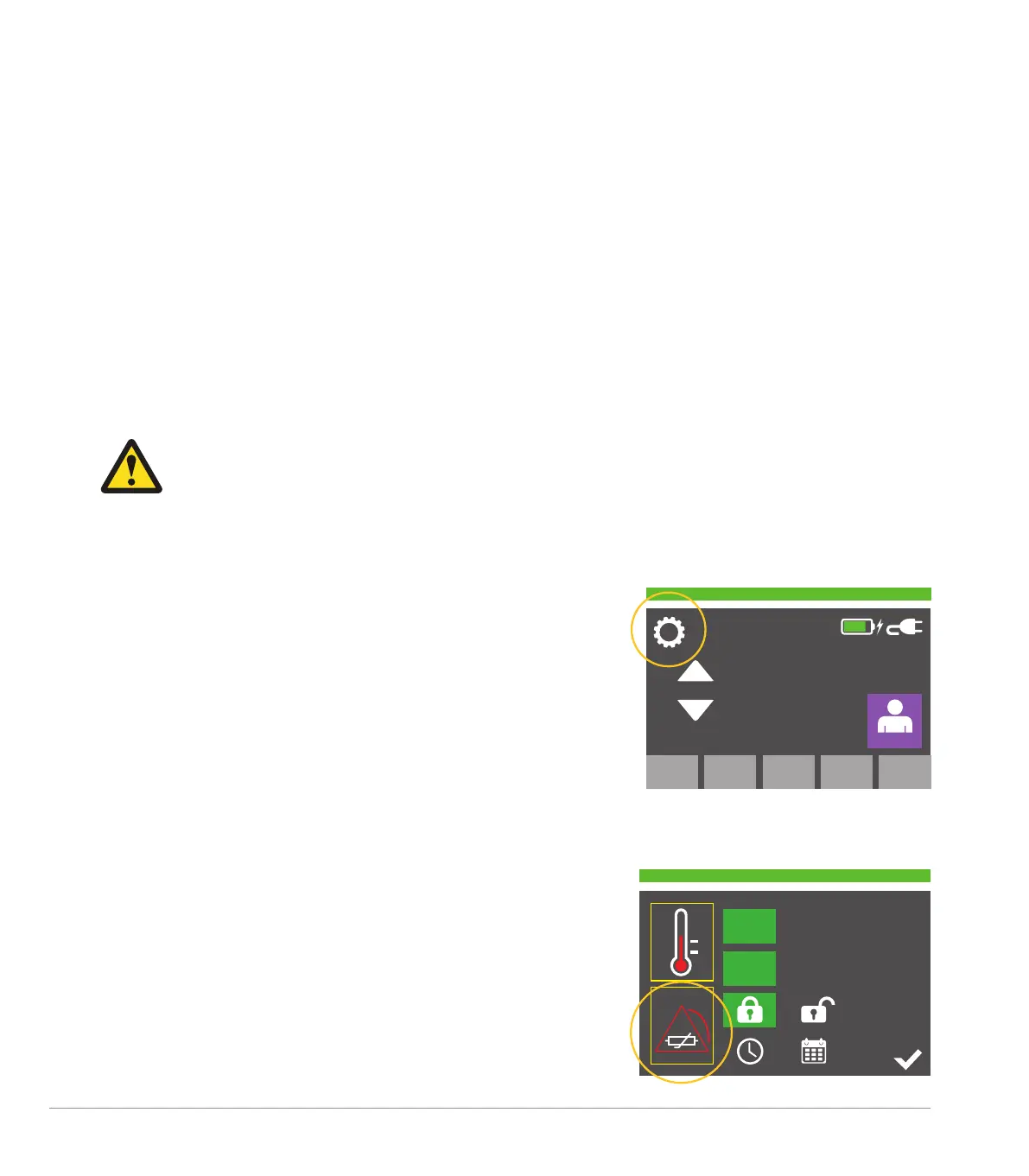
Access Settings Menu
Accesses the settings menu by pressing the ‘cog’ icon.
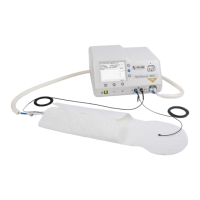
Select Temperature Sensor Alarm Test
IMPORTANT NOTE: Execution of this test will forcibly disconnect and
disable the power from all connected accessories. On completion of
the test, the user will be required to re-initiate connection with any
attached accessories.
In the settings menu the user selects the temperature sensor alarm
test icon.
37.9
o
C
37
o
C


 To Next Page