Inspiration Healthcare28
Inspiration Healthcare Limited © 2021 Inspiration Healthcare Limited
W inspiration-healthcare.com
700-307 Revision: 10
Inspiration Healthcare Limited © 2021 Inspiration Healthcare Limited
W inspiration-healthcare.com
700-307 Revision: 10
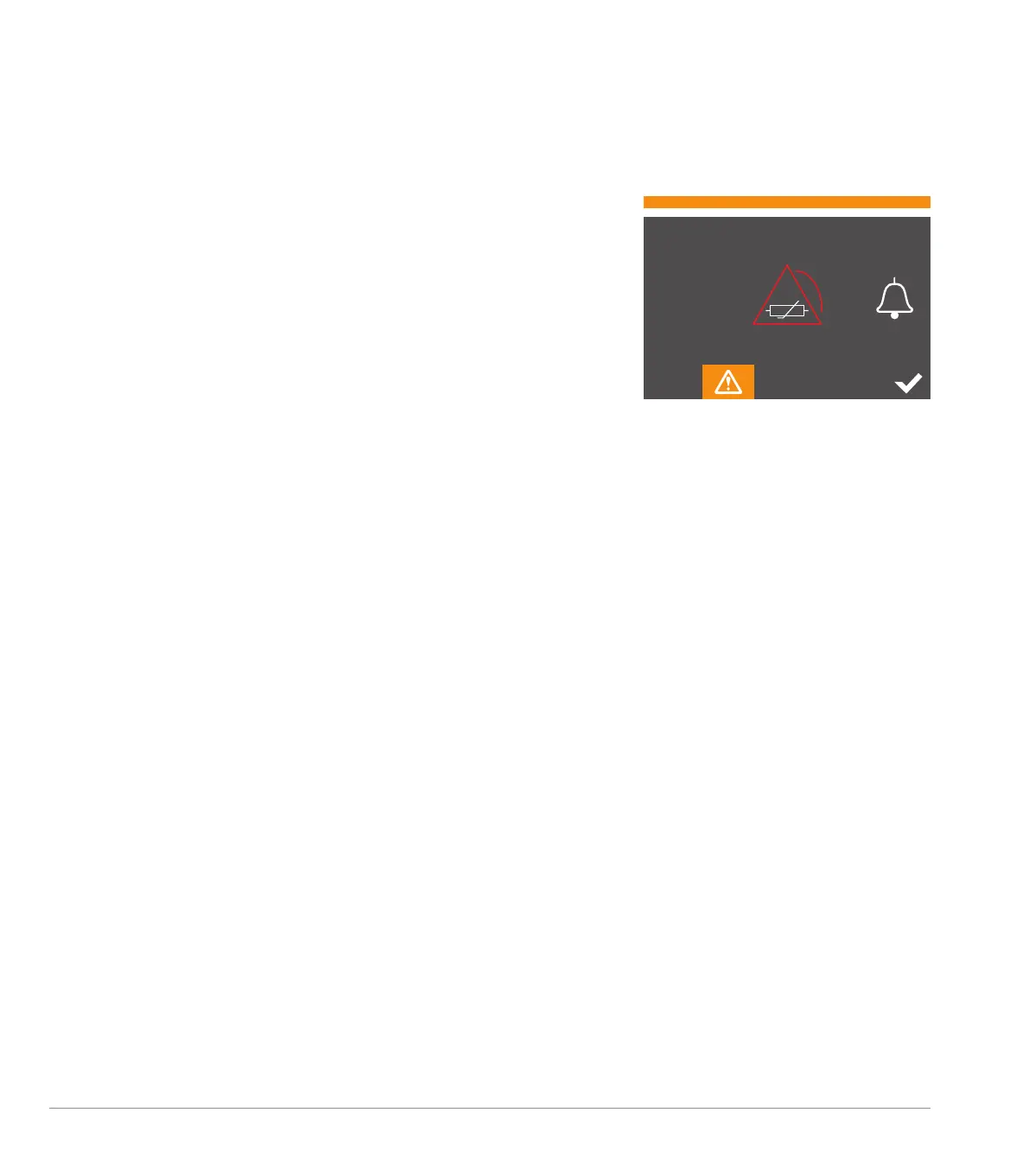
Temperature Sensor Alarm Test
(Accessory Above Maximum Temperature)
The countdown timer will be reset for 1 minute and the channel
error display will be updated to indicate an Accessory Above
Maximum Temperature.
• The display will show channel 3 in the alarm state Accessory
Above Maximum Temperature
• The audible alarm, channel indicator and visual alarm bar will
replicate the state of an Accessory Above Maximum Temperature
alarm
• The alarm pause icon will be visible allowing silencing of the
audible alarm
• A countdown timer will commence at 1 minute and automatically
count down. The 1-minute period should allow for 6 repetitions of
the MEDIUM priority audible alarm
• After the countdown timer has expired, the software will
automatically progress to the next test (see below)
• The user can acknowledge the alarm by pressing the channel icon
and the test will move on to the next step
If, during the test the operator presses the white tick, the test will be
aborted and the user will be returned to the settings screen.
1:00


 To Next Page