IF1200A Pilot Operating Handbook 20. Planning a Mission
Example Mission
The basic steps for planning and executing a mission are:
1. In QGroundControl, change to Plan view.
2. Set Home position
3. Add waypoints
4. Set landing point
5. Upload the mission to the aircraft.
6. Change to Fly view and execute the mission.
The following procedure describes how to plan a basic mission. There are different methods for
planning a mission; the basic procedure described below illustrates some of the tools used for
planning a mission.
Please refer to the online QGC documentation for more details regarding planning a mission:
https://docs.qgroundcontrol.com/master/en/PlanView/PlanView.html
Note 1: in the following procedure, “select” means to tap (if using a touch screen), or mouse
click (if using a mouse).
Note 2: QGC does not need to be connected to the aircraft to plan a mission. However, QGC
must be connected to the aircraft to upload the mission.
Note 3: The following procedure is based on QuickGroundControl version 4.1.6.
Open QGroundControl on the ground station.
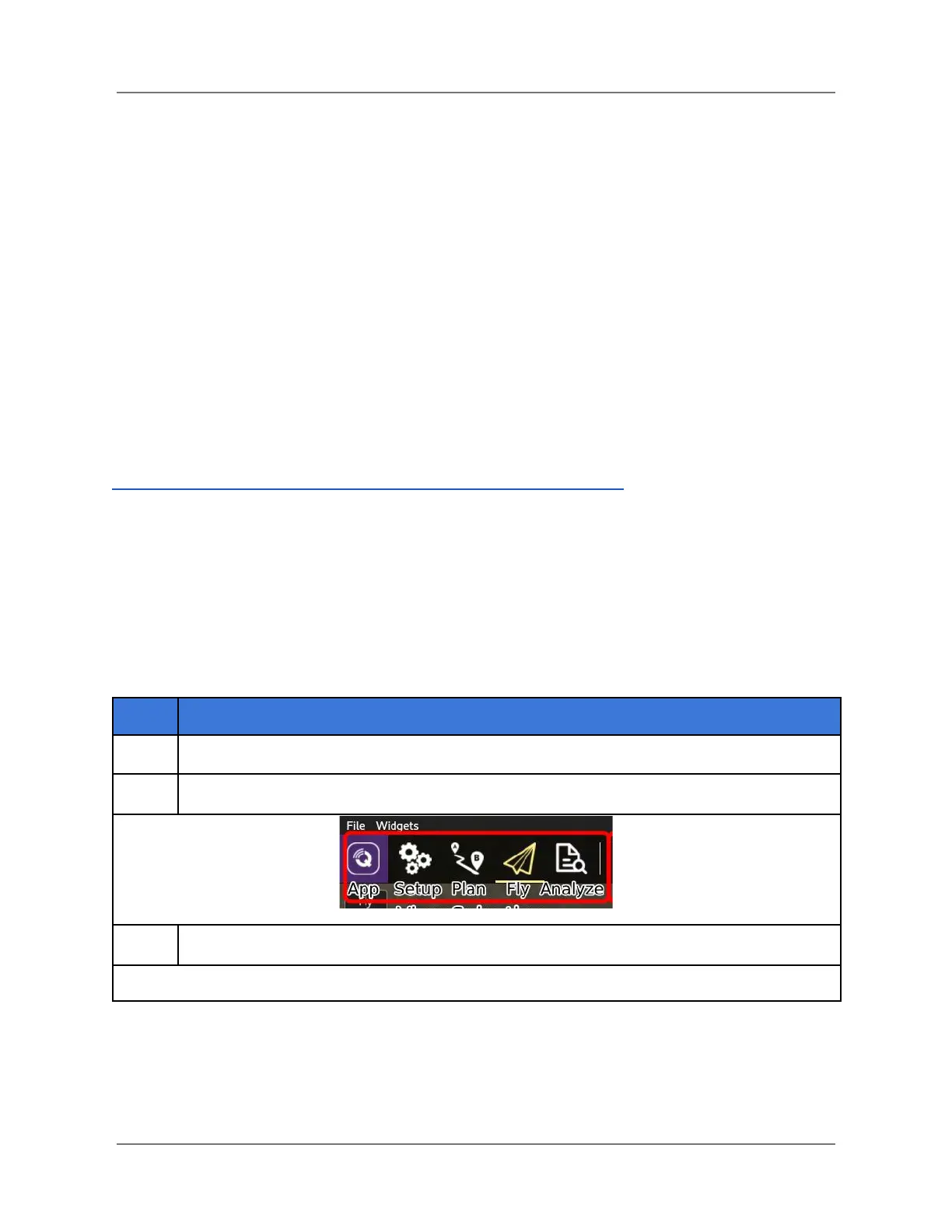
On the Toolbar (upper-left of display), switch to Plan mode (see screenshot below).
The Plan screen opens (see next page).
IFT Doc Num 102094, Rev 1.02 Page 46



 To Next Page