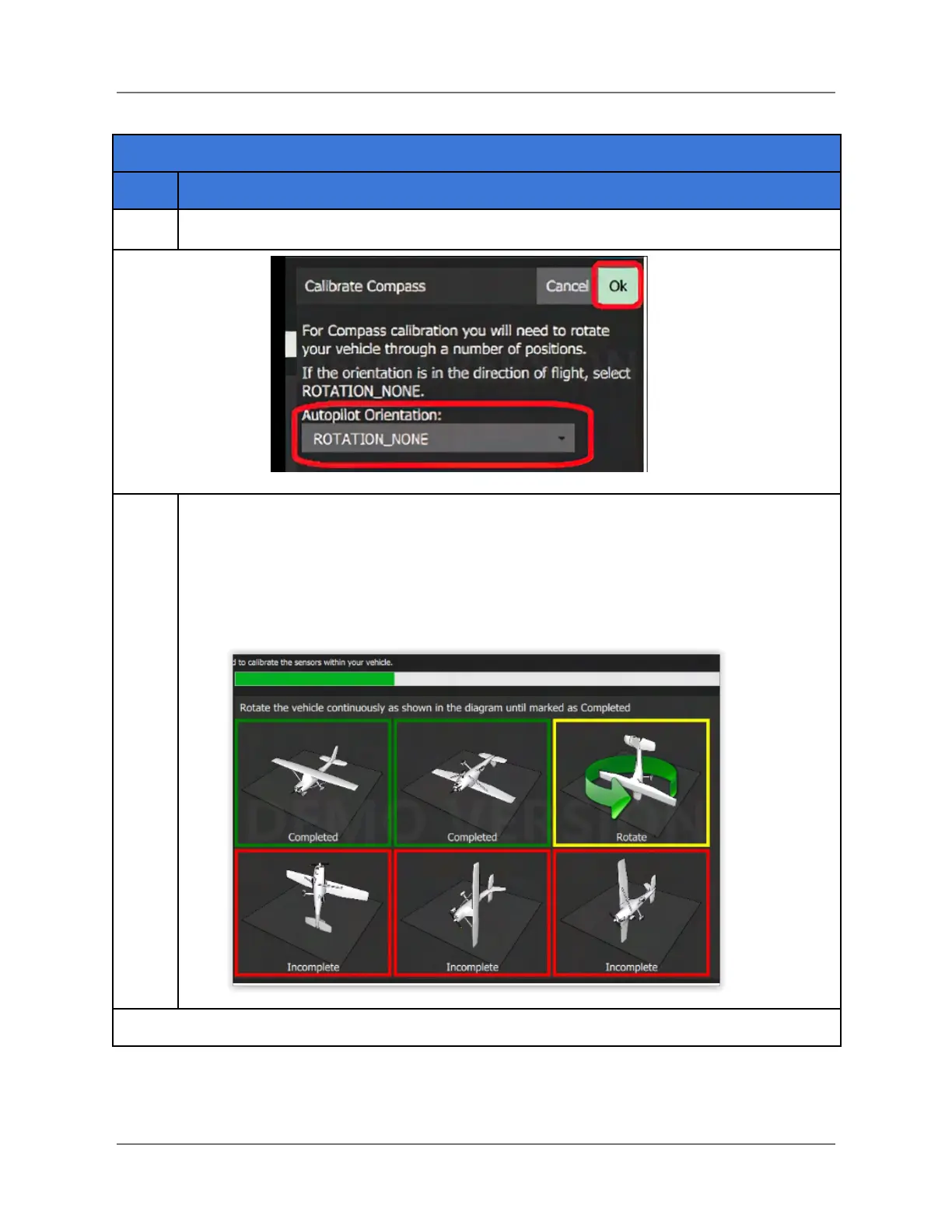
Place the vehicle in any of the orientations shown in red (incomplete) and hold it still.
Once prompted (the orientation-image turns yellow) rotate the vehicle around the
specified axis in either/both directions. Once the calibration is complete for the
current orientation the associated image on the screen will turn green.
NOTE: The graphic below shows a fixed-wing aircraft. The orientations apply to a
copter vehicle as well.



 To Next Page