IF1200A Pilot Operating Handbook Appendix
Compass Calibration: Mission Planner
This section describes how to calibrate the aircraft’s internal compass in Mission Planner. For a
full discussion of all aspects of this topic, please follow this link:
https://ardupilot.org/copter/docs/common-compass-calibration-in-mission-planner.html
Compass Calibration: Mission Planner
IMPORTANT: Before performing this procedure, click on the following link and
read the notes on the first page of this section: Compass Calibration
Connect the aircraft to the ground station.
Power on the ground station that has Mission Planner installed.
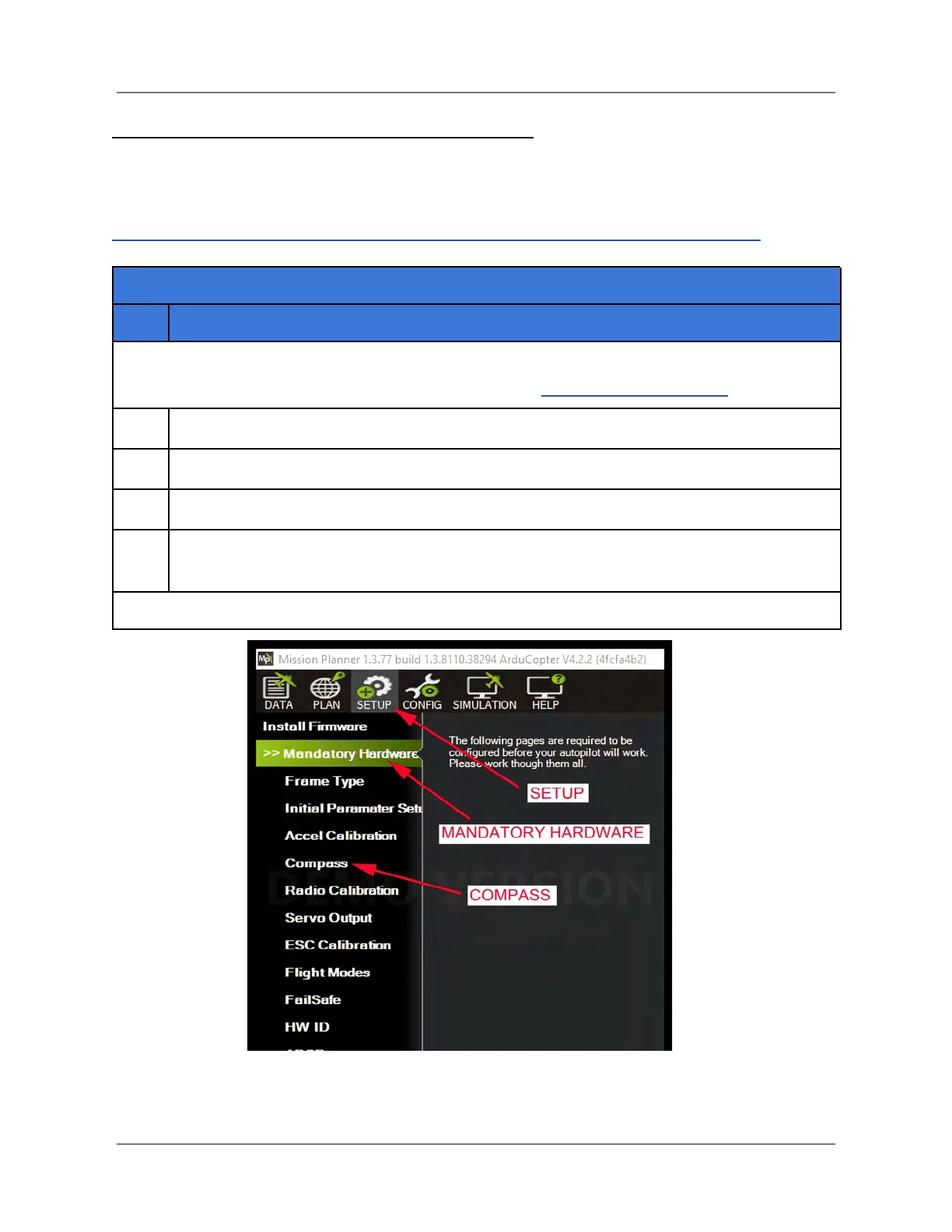
Open Mission Planner, and click on SETUP > Mandatory Hardware > Compass (see
the figure below).
Figure 33. Mission Planner Compass Setup
IFT Doc Num 102094, Rev 1.02 Page 72



 To Next Page