IF1200A Pilot Operating Handbook Appendix
Accelerometer Calibration: Mission Planner
In the following steps, Mission Planner instructs you to place the aircraft in various
orientations. THE AIRCRAFT MUST BE AS MOTIONLESS AS POSSIBLE when
placed in the orientations. This is more important than placing the aircraft in an
exact orientation.
IMPORTANT: The Level calibration is most important, as this is the attitude that
your controller considers level while flying.
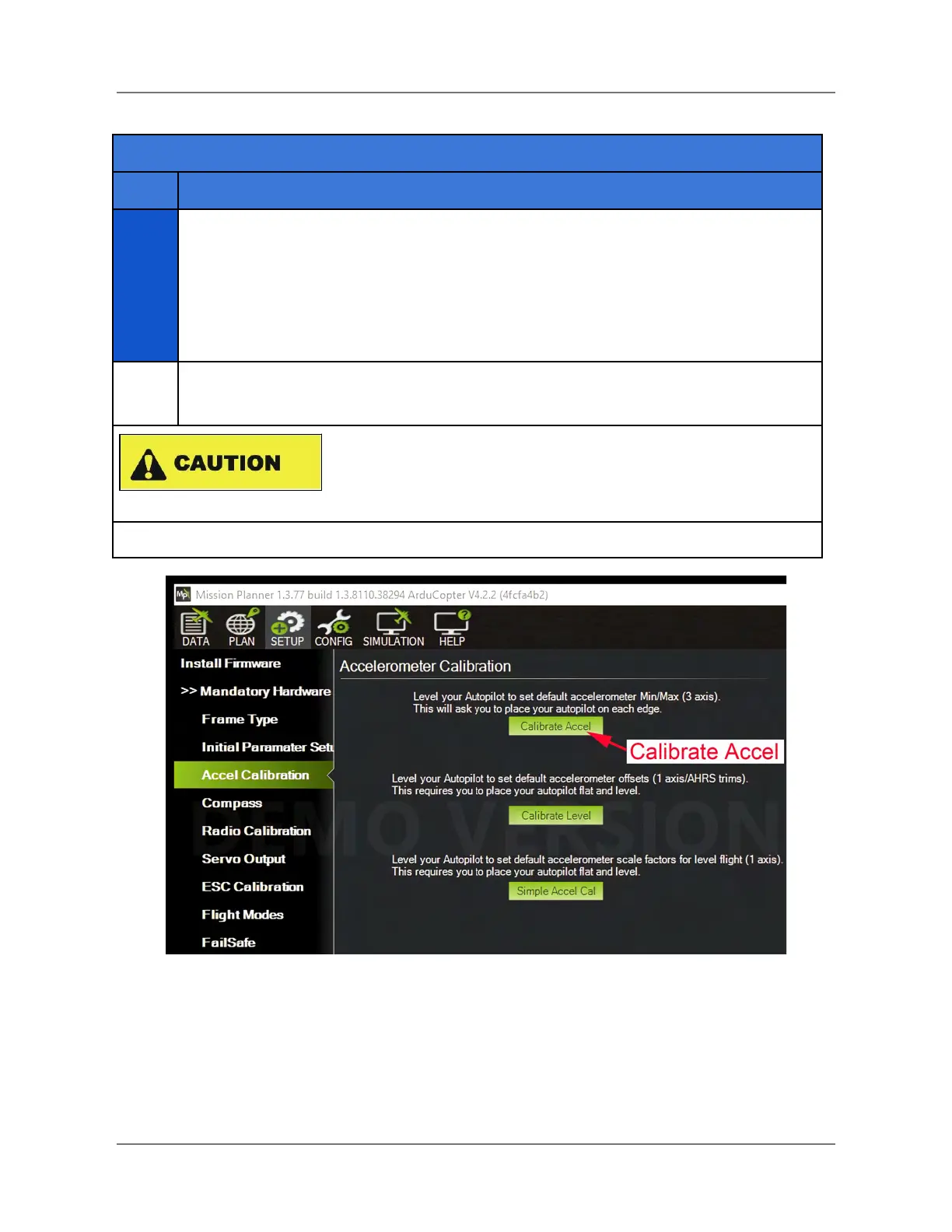
Click on Calibrate Accel (see the figure below). This starts the full three-axis
calibration.
The IF1200A weighs 35.9 lbs, with batteries. The following
steps require that the aircraft be lifted and held steady in
various orientations. Doing this may be hazardous for some
users.
Figure 36. Mission Planner Accelerometer Calibration Pane
IFT Doc Num 102094, Rev 1.02 Page 77



 To Next Page