instantpot.co.uk 15
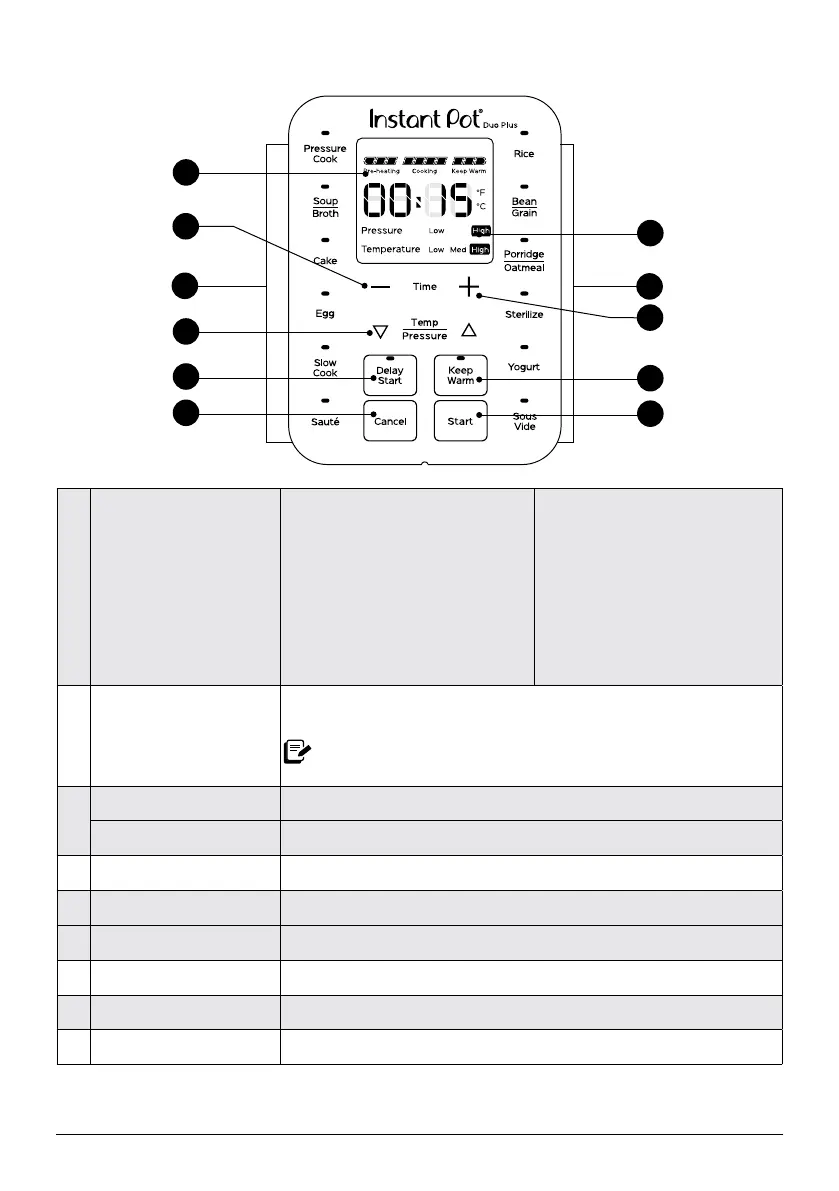
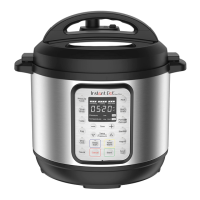
Control panel
1 Smart Programmes
Pressure cooking
• Pressure Cook
• Soup/Broth
• Cake
• Egg
• Rice
• Bean/Grain
• Porridge/Oatmeal
• Sterilise
Non-pressure cooking
• Slow Cook
• Sauté
• Yogurt
• Sous Vide
2 Time display
Shows the time in HH:MM format.
Counts up or down, depending on the Smart Programme.
Also displays temperature in ºC (Celsius) or ºF (Fahrenheit)
during Sous Vide.
3
Pressure Shows Low or High pressure during pressure cooking.
Temperature Shows when the multicooker is using Low, Med or High temperature.
4 Temp / Pressure buttons Toggles between temperature and pressure levels.
5 − / + Time buttons Adjusts time for cooking, Delay Start and Keep Warm.
6 Keep Warm Turns the Keep Warm setting on or off.
7 Delay Start Delays the start of cooking.
8 Cancel Stop a Smart Programme at any time.
9 Start Begins the selected Smart Programme.
1
2
4
8
7
3
9
6
1
5
5






 To Next Page