instantbrands.co.uk | 17
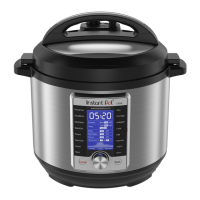
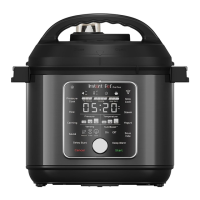
Control panel
4 Smart Programmes
• Pressure Cook
• Rice
• Canning
• Sauté
• Slow Cook
• Steam
• Yogurt
• Sous Vide
See Cooking for details.
5 Cooking progress bar
Shows when the multicooker is in Pre-heating, Cooking and Keep Warm
modes.
See Control panel: Cooking progress bar for more information.
6 Time display
In standby, shows OFF.
In a Smart Programme, counts up or down, depending on the programme.
Some Smart Programmes display the temperature in
ºC (Celsius) or ºF (Fahrenheit).
7 Pressure
Choose between Low, High and Max.
8 Temperature
Choose between Low, High and Custom.
9 Venting
Choose between 3 venting methods:
Natural release
Pulse release
Quick release
10 NutriBoost
Toggles the NutriBoost setting On and Off.
See Cooking: NutriBoost for more information.
11
Control
dial
Turn the dial to adjust the time and temperature.
12 Delay Start
Delay the start of cooking.
Doubles as a kitchen timer!
13
Keep
Warm
Turns Keep Warm on or off.
Can only be used with Pressure Cook, Rice, Canning and Slow Cook, or as a
standalone programme when in standby.
14 Cancel
Stops a Smart Programme at any time and returns the multicooker to standby.
15 Start
Begins the selected Smart Programme.






 To Next Page