EasyManua.ls Logo

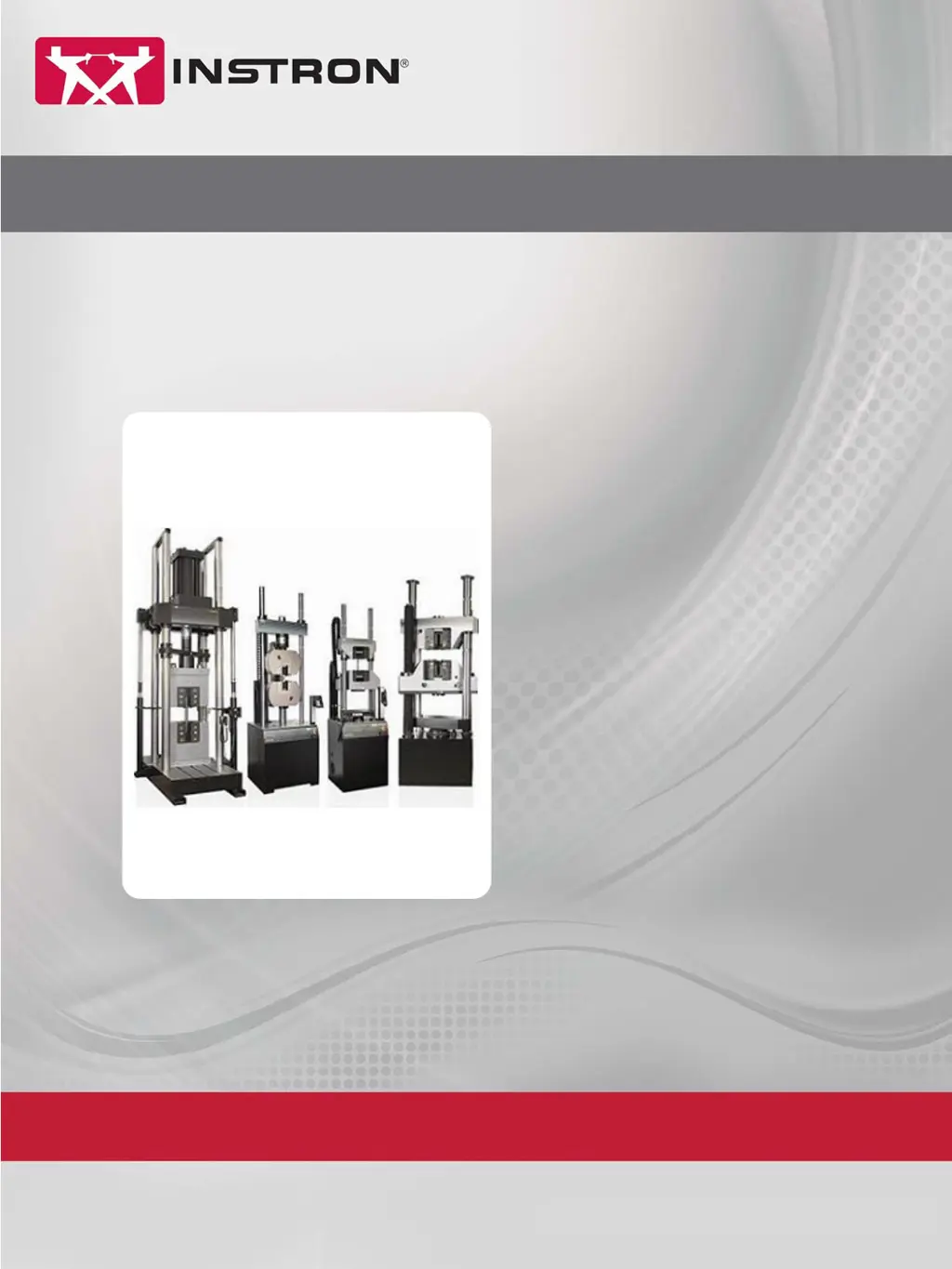
Instron LX Series - User Manual

Default Icon
62 pages
Print Icon
To Next Page IconTo Next Page
Loading...
www.instron.com
Industrial Products Group
Model LX Static Hydraulic
Universal Testing System
Operating Instructions
M47-17041-EN Revision B
The difference is measurable
®

Other manuals for Instron LX Series

Questions and Answers

  • L
    Latoya DavenportAug 18, 2025
    What to do if the HPS won't start on my Instron Test Equipment?
    • C
      Christopher BryantAug 18, 2025
      If the HPS (Hydraulic Power Supply) on your Instron Test Equipment fails to start, there are a few things to check: * Ensure the Emergency Stop button is disengaged. Then, enable the frame and try starting the HPS again. * Verify that the System disconnect switch is turned to the ON (|) position.
  • S
    Stuart MartinezAug 20, 2025
    How to troubleshoot Instron Test Equipment frame not receiving power?
    • C
      cheryl38Aug 20, 2025
      If the frame of your Instron Test Equipment is not receiving power, begin by checking the incoming power supply. Also, inspect all system fuses, and if you find a blown fuse, replace it.
  • D
    Daniel HamptonAug 23, 2025
    What to do if Instron Test Equipment shows disconnect switch not ON?
    • C
      cgrahamAug 23, 2025
      If your Instron Test Equipment indicates the disconnect switch is not ON, ensure that the disconnect switch is turned to the ON position. Also, verify that the customer’s power supply is turned ON. If the set speed exceeds the load frame maximum speed, reduce the set speed and enable frame.
  • C
    Colton WardAug 26, 2025
    Why is the control rate too fast on my Instron Test Equipment?
    • L
      Lisa WilliamsAug 26, 2025
      If the control rate for the selected control mode is too fast on your Instron Test Equipment, it may be because the frame should not be operated in load/stress control during the yield portion of a test. Select position or strain control and restart the test. Ensure that the Tension/Compression switch is in the correct position for the test direction. Check the load cell cable for damage and secure connections.
  • I
    ianwilkinsonAug 28, 2025
    How to fix position measurement not working on Instron Test Equipment?
    • A
      Ann CohenAug 28, 2025
      If the position measurement is not working on your Instron Test Equipment, it could be due to several reasons: 1. If you have a hydraulic cylinder, make sure it is neither fully extended nor fully retracted. Enable the frame, start the HPS, adjust the hydraulic cylinder, zero all measurements, and calibrate all transducers. 2. Check that the Tension/Compression switch is in the correct position for the test. 3. For frames with a J3-style crosshead, ensure the locks control switch is set to Lock.
  • J
    Jamie MorganAug 30, 2025
    What causes oil temperature to exceed setpoint on Instron Test Equipment?
    • T
      Tami FieldsAug 30, 2025
      If the oil temperature exceeds the temperature switch setpoint on your Instron Test Equipment, it could be due to several factors: * Check and correct the fan operation. * The air filter in the base might be clogged; clean or replace it. * Environmental conditions may exceed requirements. The oil temperature must drop below approximately 68 deg. C (155 deg. F) to reset the switch. Once reset, the HPS can be started.
  • S
    Sharon HallSep 2, 2025
    How do I enable the frame on my Instron Test Equipment?
    • K
      Kristin RichSep 2, 2025
      To enable the frame on your Instron Test Equipment: * For Partner systems, select Machine and then Enable Frame. * For Bluehill systems, select the Frame icon and then Enable Frame. If you are using Partner software, check the “Enable Frame Timer” setting: Select Tools/Configure/Controllers, select the controller (59-R8) and click Modify. Ensure the “Enable Frame Timer” box is NOT checked.
  • S
    Shawn DuncanSep 4, 2025
    What to do if communication is lost between frame and controls on Instron Test Equipment?
    • D
      Daniel BurnsSep 4, 2025
      If communication between the frame and controls is lost on your Instron Test Equipment, reset the system by performing the shutdown and startup procedures that are provided in the System Operating Instructions.
  • L
    Lawrence Boyer MDSep 7, 2025
    How to troubleshoot EFI cable issues on Instron Test Equipment?
    • A
      April ThomasSep 7, 2025
      If you suspect issues with the EFI cable on your Instron Test Equipment, check the cable for any damage and ensure all connections are secure. Also, verify that the correct Ethernet crossover cable is being used and check IP settings to ensure they match the specified configuration. Finally, verify that the software version is 8.2a or above for Partner, or 2.15 or above for Bluehill.
  • R
    Robert HolderSep 9, 2025
    How to turn off simulation mode on Instron Test Equipment?
    • M
      msmithSep 10, 2025
      If your Instron Test Equipment software is in Simulation mode, verify that the lower right corner of the screen does not display the word “SIM”. If it does, select Tools/Configure/Simulation and uncheck the “Simulate Test” box.

Instron LX Series Specifications

General IconGeneral
Control SoftwareBluehill Universal
Test SpaceVarious test space options available (depending on model)
Crosshead Speed0.001 to 1000 mm/min
Load Accuracy±0.5% of reading down to 1/100 of load cell capacity
ApplicationsTensile, compression, flexure
Load Frame StiffnessHigh stiffness for accurate measurements
Control Modesstrain
WeightVaries depending on model
DimensionsVaries depending on model

Related product manuals