E
FUNCTION SETUP
Di
ita
out settin
W
en “Au
io Mute” is se
ecte
in “HDMI Au
io Out” setting, HDMI au
io signa
wi
e mute
an
t
e au
io signa
s
output
rom AUDIO OUTPUT (DIGITAL OPTICAL / COAXIAL)
acks change depending on “Digital Out” setting
Quick HDMI Audio Out Audio Mute Digital Out
Bi
r
m
hen pla
ing back discs recorded in Dolb
Digital, Dolb
Digital Plus, Dolb
TrueHD, DTS® or DTS-HD®,
he corresponding core stream (Dolb
Digital or DTS®) are output
LP
M
Full decoded 2ch PCM signal will be output
rom AUDIO OUTPUT (DIGITAL OPTICAL / COAXIAL) jacks
his setting is not e
ective when the HDMI audio signal is output.
Speaker settin
T
is unit a
ows
ou to enjo
mu
ti-c
anne
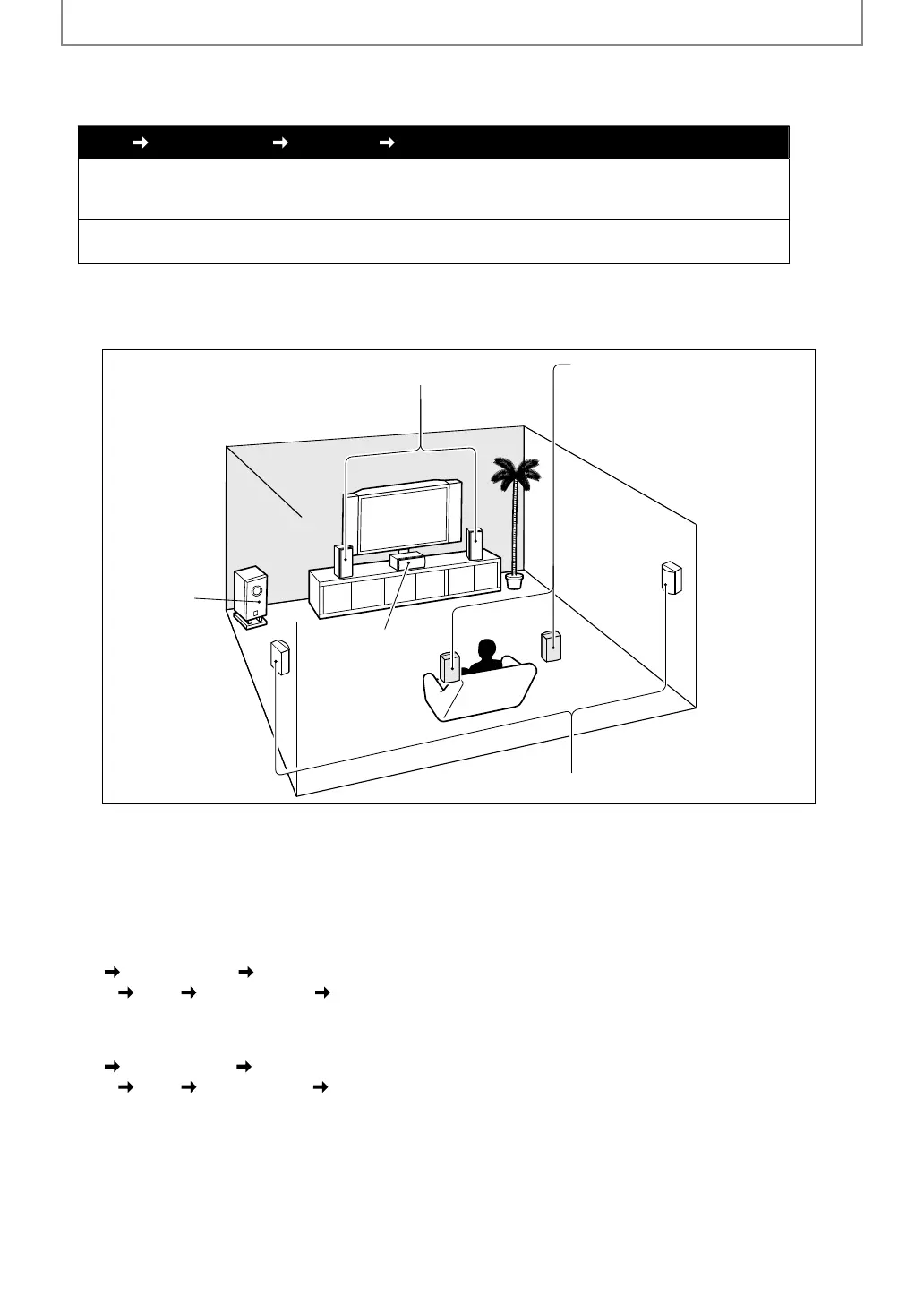
surroun
soun
suc
as 7.1-c
anne
/ 5.1-c
anne
surroun
Front left and right speakers
Centre speaker
Subwoofer
Surround left and right speakers
Surround back left and right speakers
e.g.)
asic
ayout wit
7.1-c
anne
surroun
system
To make the most o
its
eature, set up your speakers appropriately by re
erring to the
ollowing table
Speaker settin
options are available at the followin
locations;
<Speaker setting
or the audio signal output
rom HDMI OUT jack
(Available when
ou have HDMI cable connected to HDMI OUT jack)
Quick
ustom
<Speaker setting for the audio signal output from AUDIO OUT(ANALOG 7.1ch)
acks>
uic
m
E5SF0UDDBS50.2ENv2.indd46E5SF0UDDBS50.2ENv2.indd46 2010/08/0515:17:242010/08/0515:17:24



 To Next Page