13
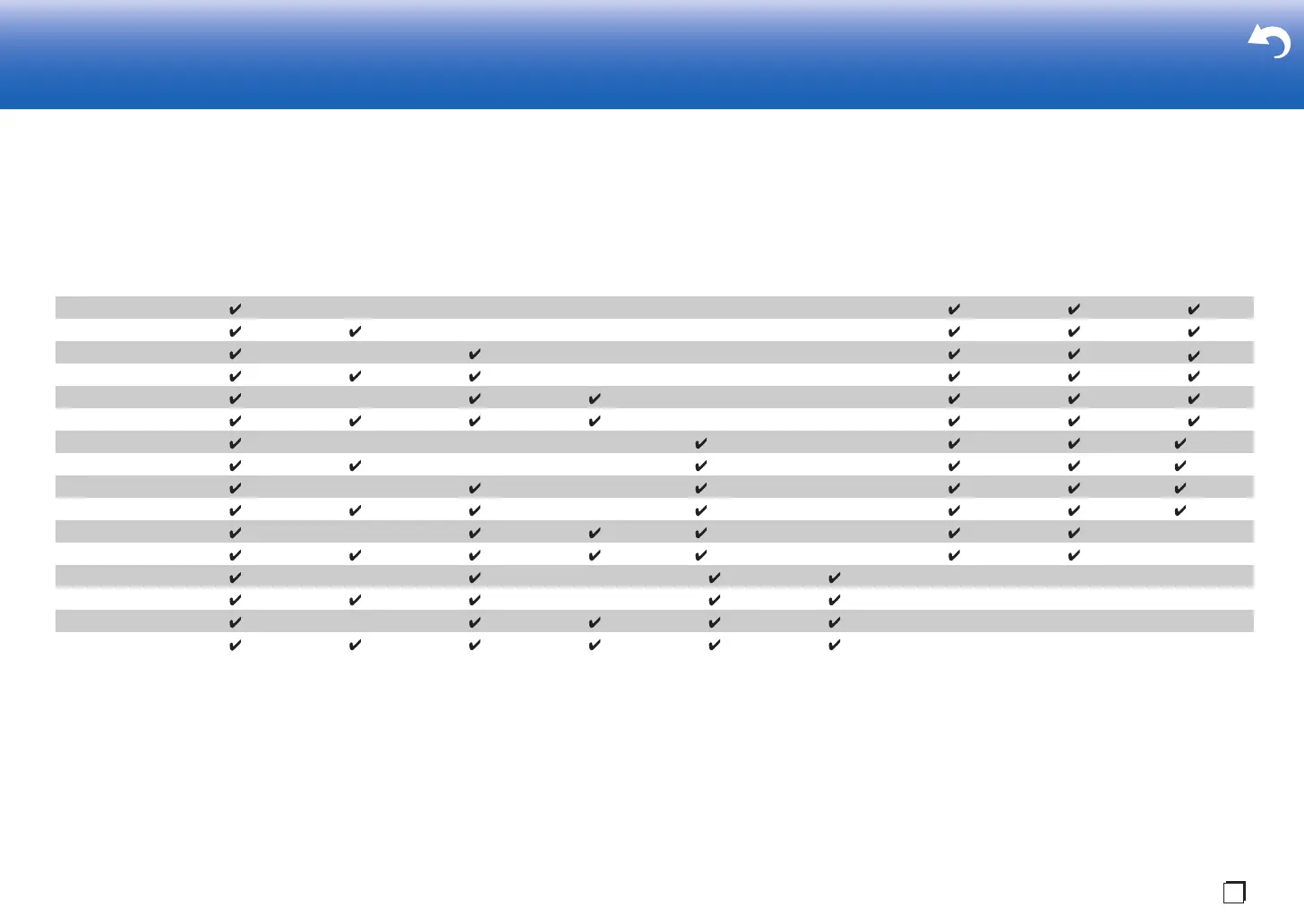
Speaker combinations
0 In any of the combinations, up to two powered subwoofers can be connected.
Points to note with speaker combinations
(*1) It is not possible to use Bi-AMP and ZONE speakers at the same time. However, with 2.1 ch to 7.1
ch, it is possible to use Bi-AMP and ZONE 2 speakers at the same time.
(*2) If front speakers are to be Bi-Amping connected, height speakers need to be connected to the
HEIGHT 2 jacks.
(*3) ZONE 2 speakers need to be connected to the HEIGHT 1 jack, ZONE 3 speakers need to be
connected to the SURROUND BACK jacks, and height speakers need to be connected to the
HEIGHT 2 jacks.
HEIGHT 1/HEIGHT 2
When connecting 2 sets of height speakers, the height speaker combinations you can choose are as
follows.
– Height 1 Speaker: Top Middle, Height 2 Speaker: Rear High
– Height 1 Speaker: Front High, Height 2 Speaker: One of Rear High/Top Middle/Top Rear/Dolby
Enabled Speaker (Surround)/Dolby Enabled Speaker (Surround Back)
– Height 1 Speaker: Top Front or Dolby Enabled Speaker (Front), Height 2 Speaker: One of Rear High/
Top Rear/Dolby Enabled Speaker (Surround)/Dolby Enabled Speaker (Surround Back)
When connecting only one set of height speakers, select one type of height speakers from the types
available.
> Before Start > Part Names >Install > Initial Setup > Playback > Advanced Manual
Troubleshooting | Supplementary Information, etc.
Speaker
Channels FRONT CENTER SURROUND
SURROUND
BACK HEIGHT 1 HEIGHT 2 Bi-AMP (*1)
ZONE 2 (*1)
(ZONE SPEAKER)
(P22)
ZONE 3 (*1)
(ZONE SPEAKER)
(P23)
2.1 ch
3.1 ch
4.1 ch
5.1 ch
6.1 ch
7.1 ch
2.1.2 ch (*2) (*3)
3.1.2 ch (*2) (*3)
4.1.2 ch (*2) (*3)
5.1.2 ch (*2) (*3)
6.1.2 ch (*2)
7.1.2 ch (*2)
4.1.4 ch
5.1.4 ch
6.1.4 ch
7.1.4 ch


 To Next Page
 Loading...